
Rob_Cullen
Community Expert
Community Expert
January 7, 2022
Question

P: Upgrade creates a new empty catalog instead of launching the last-used catalog

  • January 7, 2022
  • 6 replies
  • 4844 views

I have answered questions about this problem (is it a 'Bug'?) in the forum (as an acp).

Now I have experienced it for myself!  Upgrading v11.01 to v11.1

How annoying it must be for 'beginners' to see an empty Catalog after the upgrade without understanding the problem!

An upgrade should automatically upgrade a catalog that is currently being used!


My Catalog is on an internal PC- D:drive that is physically separate from C:drive , and the upgrade did not find it.
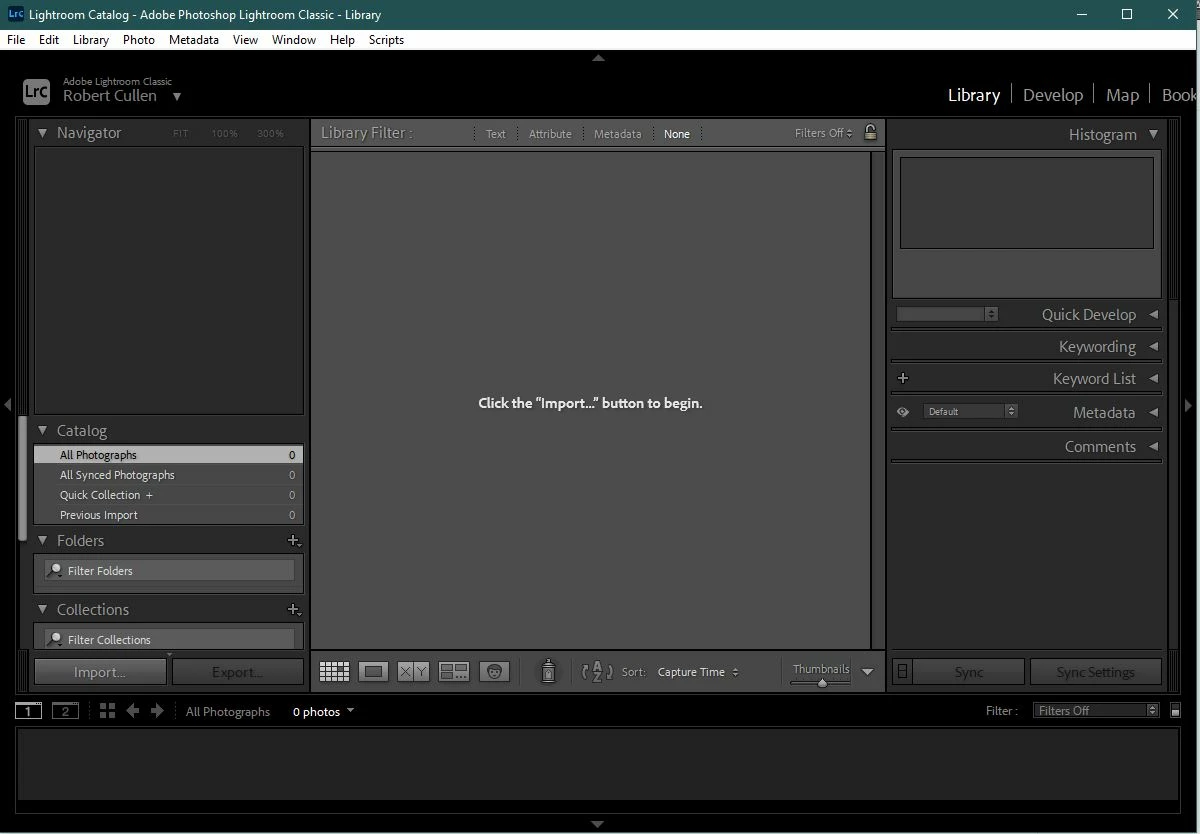
 

NOTE:  [Open Recent] DOES NOT FIND MY v11.01 CATALOG either!

 

And I am left with an empty Catalog in my Pictures Folder that is sure to create confusion unless I [Delete] it immediately.!
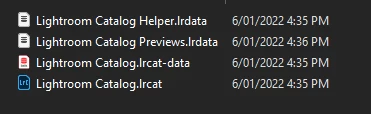
 

Thankfully, [Open Catalog...] does let ME find my working Catalog.-
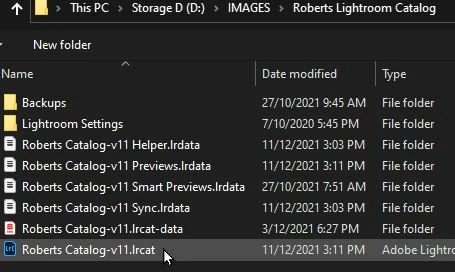
Adobe - This needs fixing.

6 replies

gilligan
Participant
May 2, 2025

I had the Same Problem here (MacOS Sequoia, Mac Studio M2 Max). updated a catalog from V13.5 to V14.3. During updating I saw the new catalog getting bigger in data size. Then in an instant after packing the old catalog into a zip file and renaming, the updated catalog got reduced to 1.7 MB. Next try: I moved the the old catalog from my external drive to my standard folder for my working catalog and updated it there and it worked. The drive for my sworking catalog is also an external drive. The only difference is that its defined as the programs default. 🤷‍♂

Participant
March 5, 2025

Thank you for this post. This just happened to me and sent me into a bit of a panic. I couldn't find my original catalog anywhere and figured it had been overwritten or something. As it turned out it was on the external drive where I keep my photos. I thought it was on the interal drive and didn't look closely at the external one.

In my case I suspect the external drive wasn't ready when lightroom looked for the catalog so it asked to load a different one and I selected the only one on the list. I didn't realize I was loading an older, empty catalog and once the upgrade was done everything was gone. Then it didn't show my original catalog when I tried the 'open recent' and I didn't know where to look under 'open catalog'.

Participant
May 5, 2024

Had the same problem updating to 13.2. Thanks for the post, was actually pretty scared 🙂

Rob_Cullen
Community Expert
Community Expert
January 10, 2022

Follow-up:  This has never happened to me before. I have always kept my (one master) Catalog on an internal (physically independent) hard-drive.

My system uses a SSD C:drive for OS and the 2Tb D:drive for all 'data' (Documents, Images, the Catalog, etc)

"If you can reproduce this with a specific set of instructions,"

@Rikk Flohr: Photography I don't know that I could (without a full re-build of all apps). It happened when I opened the CC Desktop App and clicked [Update all], which included Photoshop, Lightroom, Bridge, ACR.

I always start LrC from a Windows-10 Start page icon for the App .exe file (Not a Catalog shortcut).

My only thoughts are that I have re-mapped my Windows "Documents" default folder to the D:drive, or the Catalog Startup Preferences file was somehow trashed or deleted.

My system is working correctly (the way I want it!) now, so all good, and I know how to answer any other posts with 'empty catalogs'!

Thanks for replies.


On another note- I opened Photoshop yesterday (first time since the update done 6/1/22 ) and the 'Home Screen' was blank- No 'recent' files, the [New File] [Open] [Home] buttons were just grey 'blobs' and inactive. All restored to normal after opening one image from the top menu. Preferenes trashed?


Regards. My System: Windows-11, Lightroom-Classic 15.1.1, Photoshop 27.3.1, ACR 18.1.1, Lightroom 9.0, Lr-iOS 10.4.0, Bridge 16.0.2 .
Rikk Flohr_Photography
Community Manager
January 10, 2022

I've dropped a note to the Classic team regarding this but lacking clear reproduction instructions, I can't reproduce. In my testing efforts I probably upgrade catalogs a dozen times or more a month and I have never seen it. 


If you can reproduce this with a specific set of instructions, I would be happy to see if I can verify the reported behavior again. 

Rikk Flohr: Adobe Photography Org
dj_paige
Legend
January 10, 2022

This probably happens when the user's catalog that is used every day is not in the default location. Then the upgrade looks in the default location, and finds an old catalog (or no catalog), and then we get this issue. The upgrade software does not appear to look at the settings (in the preference file, or wherever it is kept) to find the catalog in the not-default location — or does not appear to look consistently at that setting. If that is the case, I think this could be and should be fixed.


It may also be caused by the user, who keeps a catalog in a non-default location and opens it consistently from a desktop shortcut to this non-default location, and then the setting (in preferences, or wherever) doesn't point to this catalog, and so the upgrade software is mis-led to upgrading the catalog in the default location.

Per Berntsen
Community Expert
Community Expert
January 10, 2022

FWIW, Lightroom has never had any problems finding my non-default location catalog when upgrading.

I use C:\Lightroom catalog

JohanElzenga
Community Expert
Community Expert
January 7, 2022

It does indeed seem that a Lightroom update can corrupt the settings file that keeps track of the catalog(s), so Lightroom creates a brand new one and won't remember any old catalogs. I have seen to many messages about it by now to consider this a coincidence or user error. 

-- Johan W. Elzenga