
Jos Lemaire
Inspiring
May 4, 2022
Question

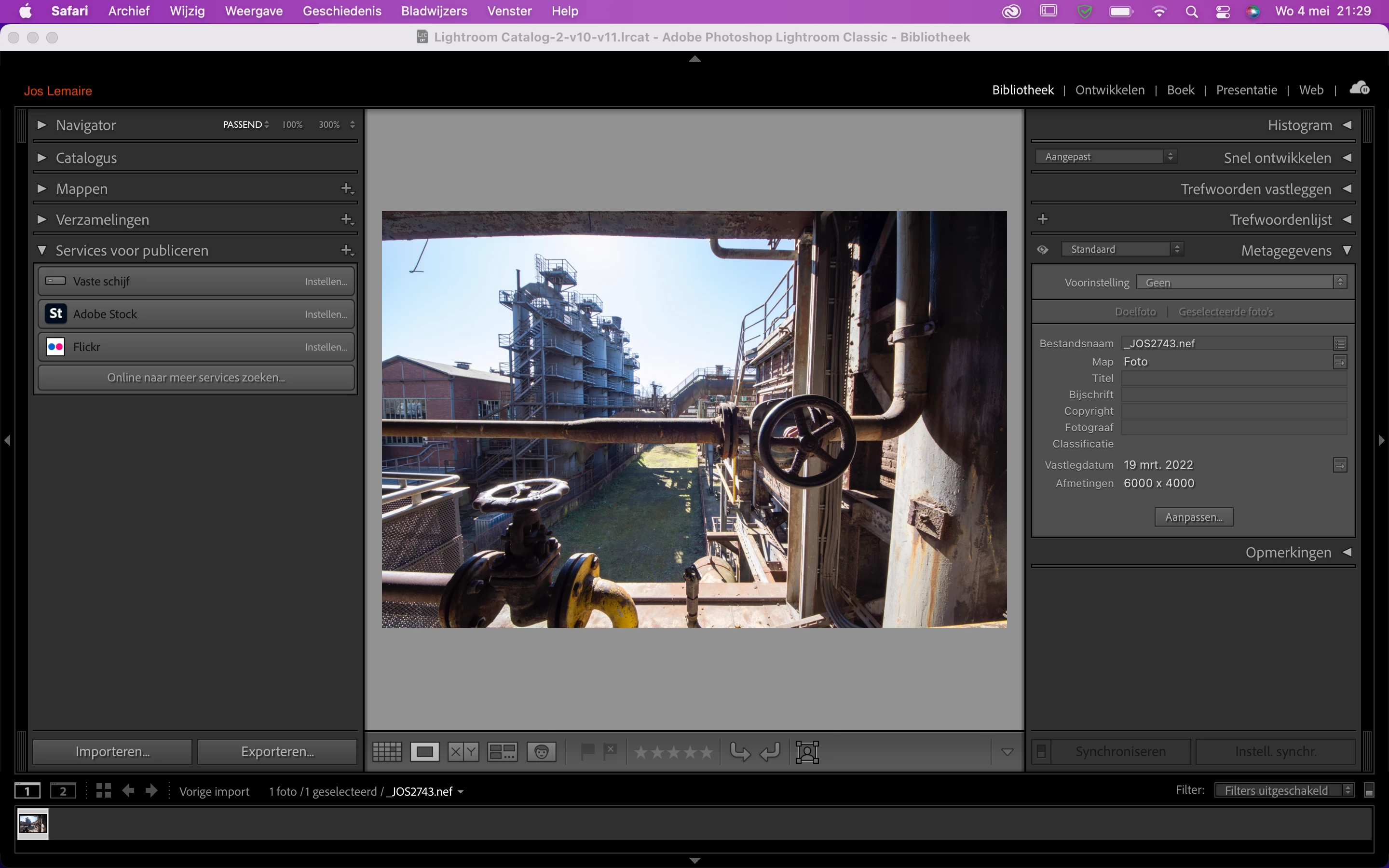
Panels are too big on screen, not enough room for photos
  • May 4, 2022
  • 2 replies
  • 1848 views

This is how my screen looks: big panels. I tried settings in preferences/interface/characters, but nothing works. Does anyone know what to do? I work on a Macbook Air, Ligthroom CC. Regards, Jos.

This topic has been closed for replies.

2 replies

Participant
May 11, 2022

😂😂

Per Berntsen
Community Expert
Community Expert
May 4, 2022

Position your mouse cursor over the inside edge of the panels, and it will become a double arrow.

You can then click and drag to make the panels smaller.


Jos Lemaire
Inspiring
May 5, 2022
Hi, no that doesn’t work either, I cannot reduce them any smaller than this… Thanks for your reply!
Per Berntsen
Community Expert
Community Expert
May 5, 2022

If you are using a reduced screen resolution because the interface text is too small, try using full (native) screen resolution, and increase the text size in Preferences > Interface.