
Panorama DNGs created from Google Pixel DNGs no longer have "google embedded camera profile"
- Version of the app: 14.1 (issue present from 13.3 onwards)
- Platform and OS version: Windows 10
Phone: Pixel 6 Pro
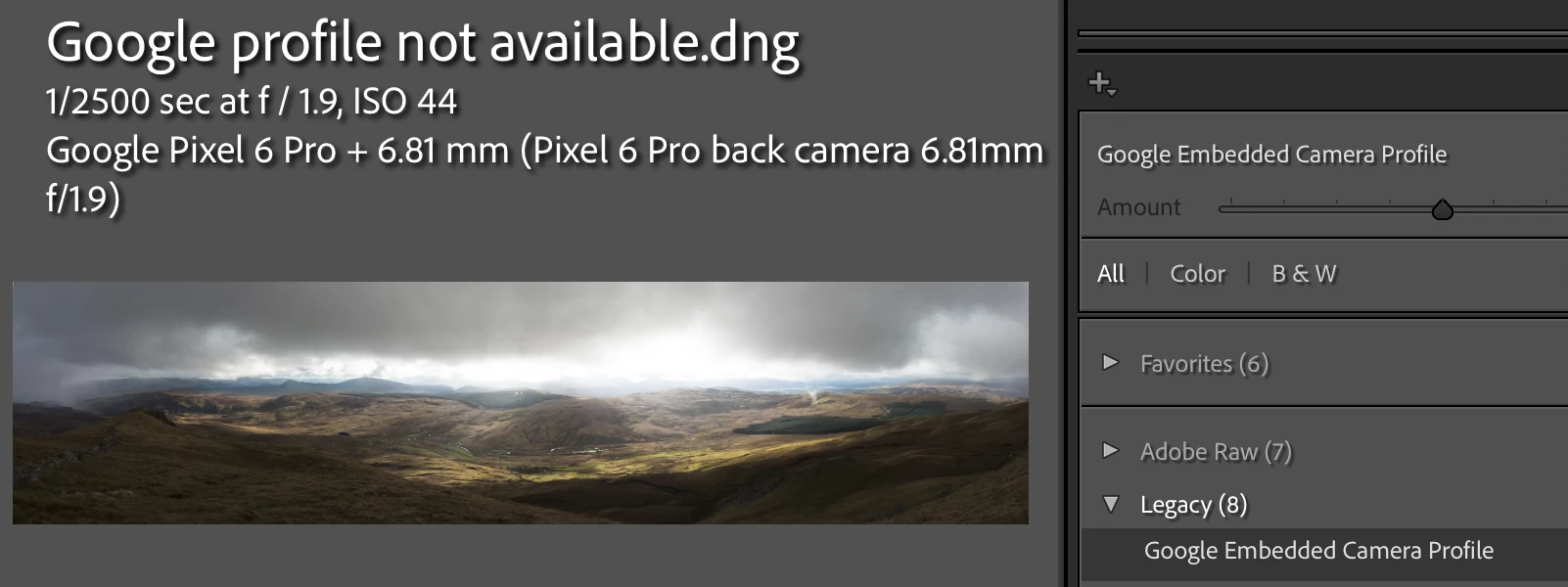
Panorama DNGs created using photo merge (ctrl+m) used to get a profile called "google embedded camera profile", however since version 13.3 they do not and only the defualt Adobe profiles are available, which give an extremely overexposed image and require a lot of processing to get a nice result.
Issue does not appear to be caused by a change on google's side, as creating a panorama using the same set of input files in the different versions of lightroom show the issue only occurs in Lightroom Classic versions since 13.3 (versions 13.2 and below were OK).
Sample files (tried to attach but got this error "does not match its file extension and has been removed": https://1drv.ms/f/c/adb60cab3509b123/Eg6TroFyRL5OvYETnFG406UBRd-fLsvvxLhWSSHL6XsXsQ?e=kul38U
Google profile available.dng - Pano created with old version of lightroom (e.g. 13.2) which has the google embedded camera profile
Google profile not available.dng - Pano created from the same set of .dng files as the previous image, but created using a recent version of Lightroom (e.g. 14.1) - google embeeded camera profile is not present
remaining files are the 8 input .dngs used to create the pano
I did try to extract the profile from an old pano with dcpTool and then import that profile to lightroom to apply to new panos, but i couldn't get the imported profile as an option on the new panos in the profile browser
if anyone can help with a workaround or advise if this could be raised as a bug, that would be great, thank you.


 AdChoices