The DNG are the raw files from the drone camera. I have it set to RAW+JPG so I also had jpg files. I just tried the jpg's and it does the same thing.
"The camera was in auto mode so the exposure settings on each shot do vary significantly."
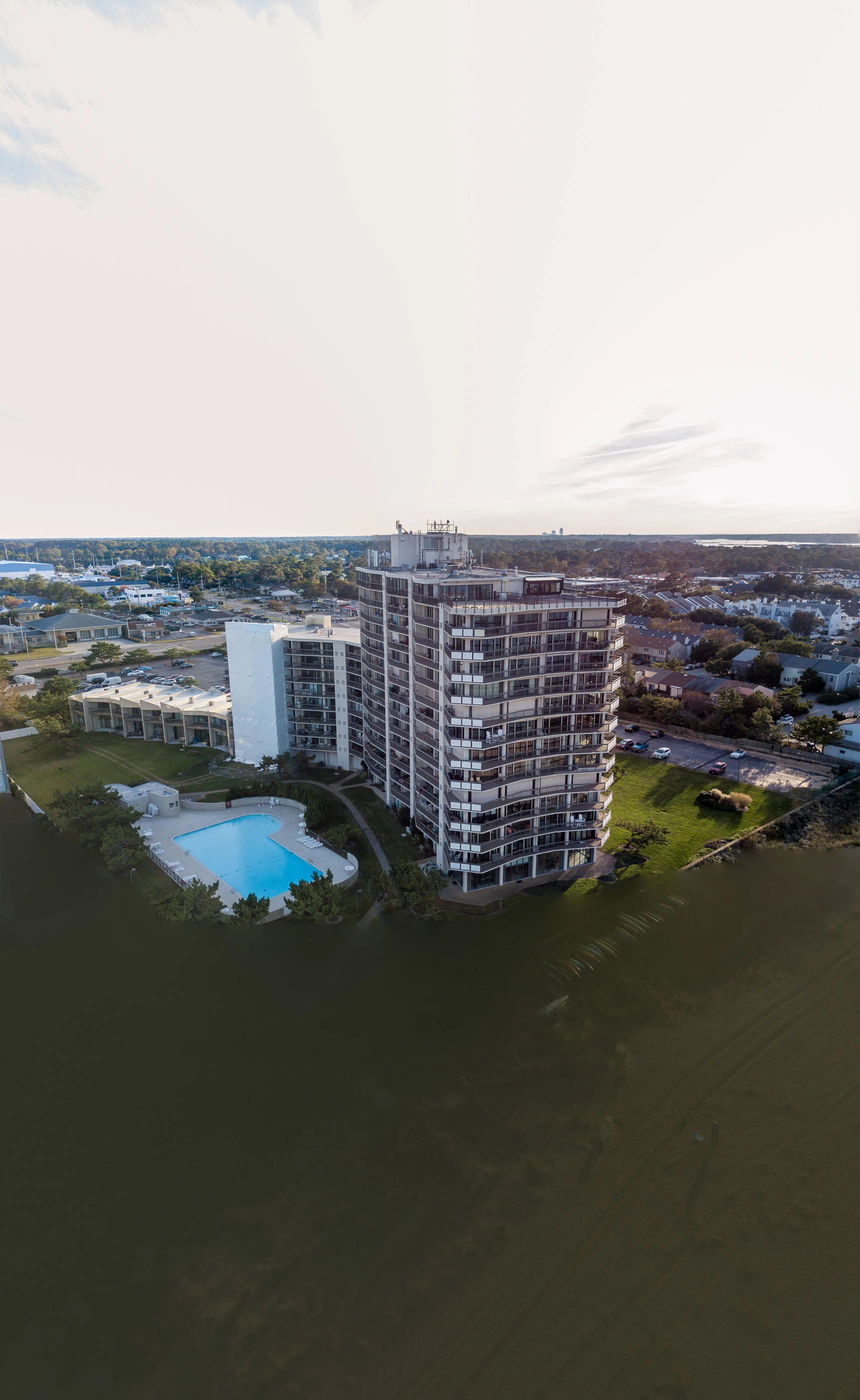
LR Photo Merge to Panorama uses the raw image data, which has been normalized to match the exposure. There's a +2.5 EV difference between files 1&2 and -7.0 EV between files 1&3 for a total range of 9.5 EV. That's a very wide range, which LR Photo Merge Panorama does not handle well.
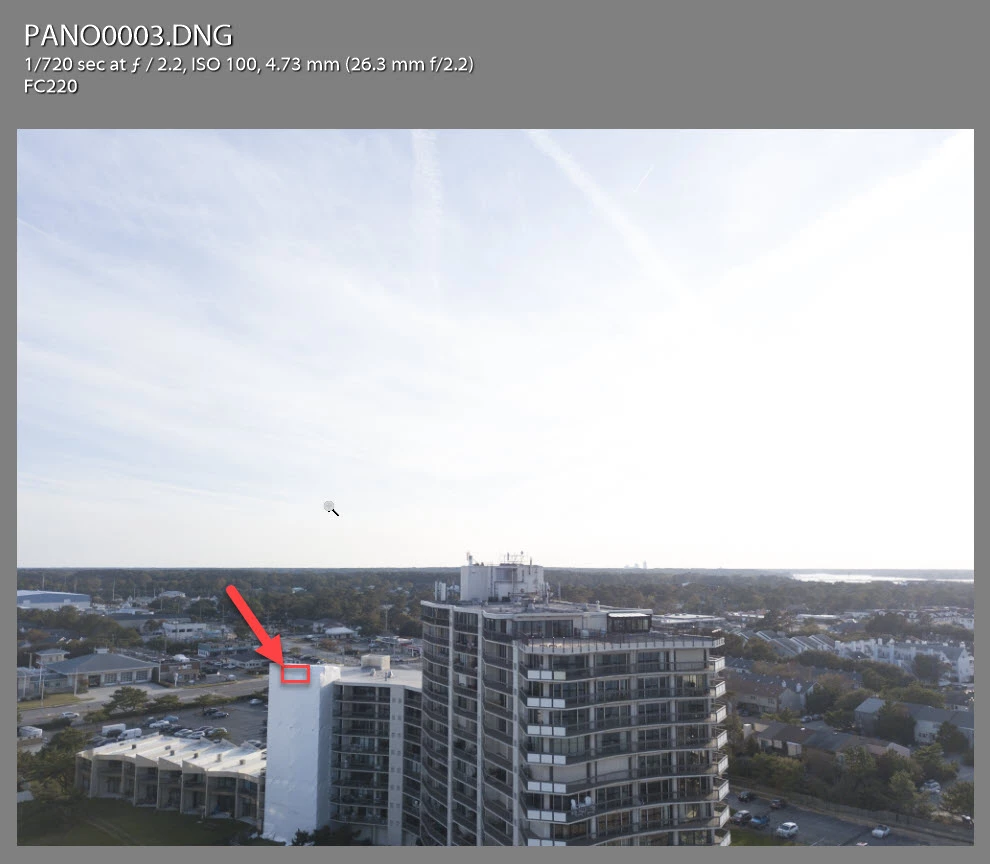
Having said that I checked the image files and there's something wrong with the recorded shutter speed. I measured the area shown below in the red box and all three files show virtually the same value in the Histogram panel when hovering the cursor over that area. The pictures were taken two seconds apart so the scene referred lighting should be the same. However, there's a large difference in the 'As Shot' shutter speed (and file 2 ISO 475), which should be refelected in the sample area as stated above (+2.5 EV difference between files 1&2 and -7.0 EV between files 1&3).
I used LensTagger to change the shutter speed in files 1&3 so they match file 2 shutter speed (1/720 ). The panorama results now look normal.
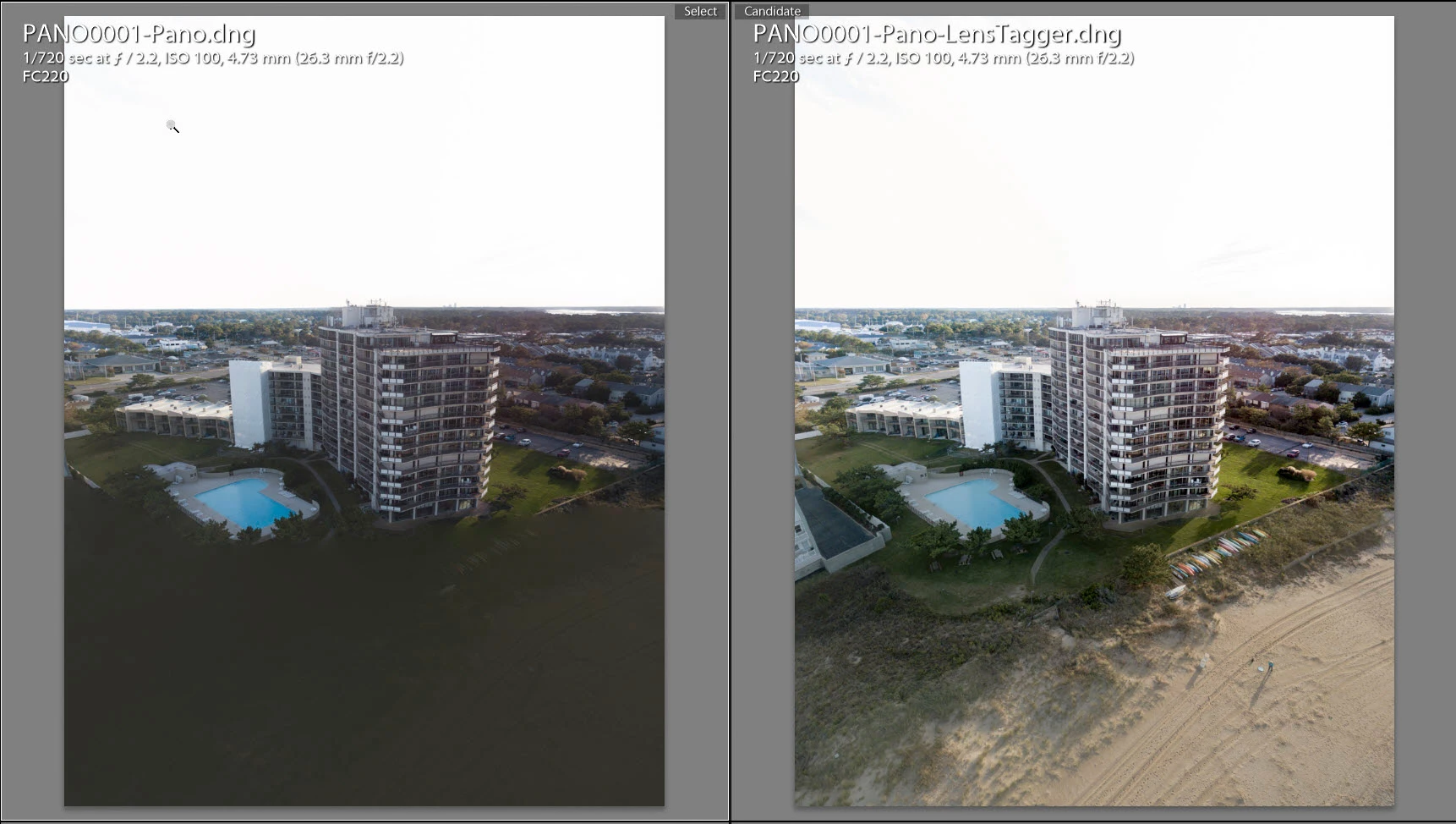
I'm not sure what's causing the camera's recorded shutter speed discrepancy, but it's generally better to use a fixed manual shutter speed. You could also shoot an exposure bracket (-2, 0, +2) and then use LR Photo Merge HDR Panorama, which should greatly improve the results.


 AdChoices