Forgive me for disagreeing Joe.
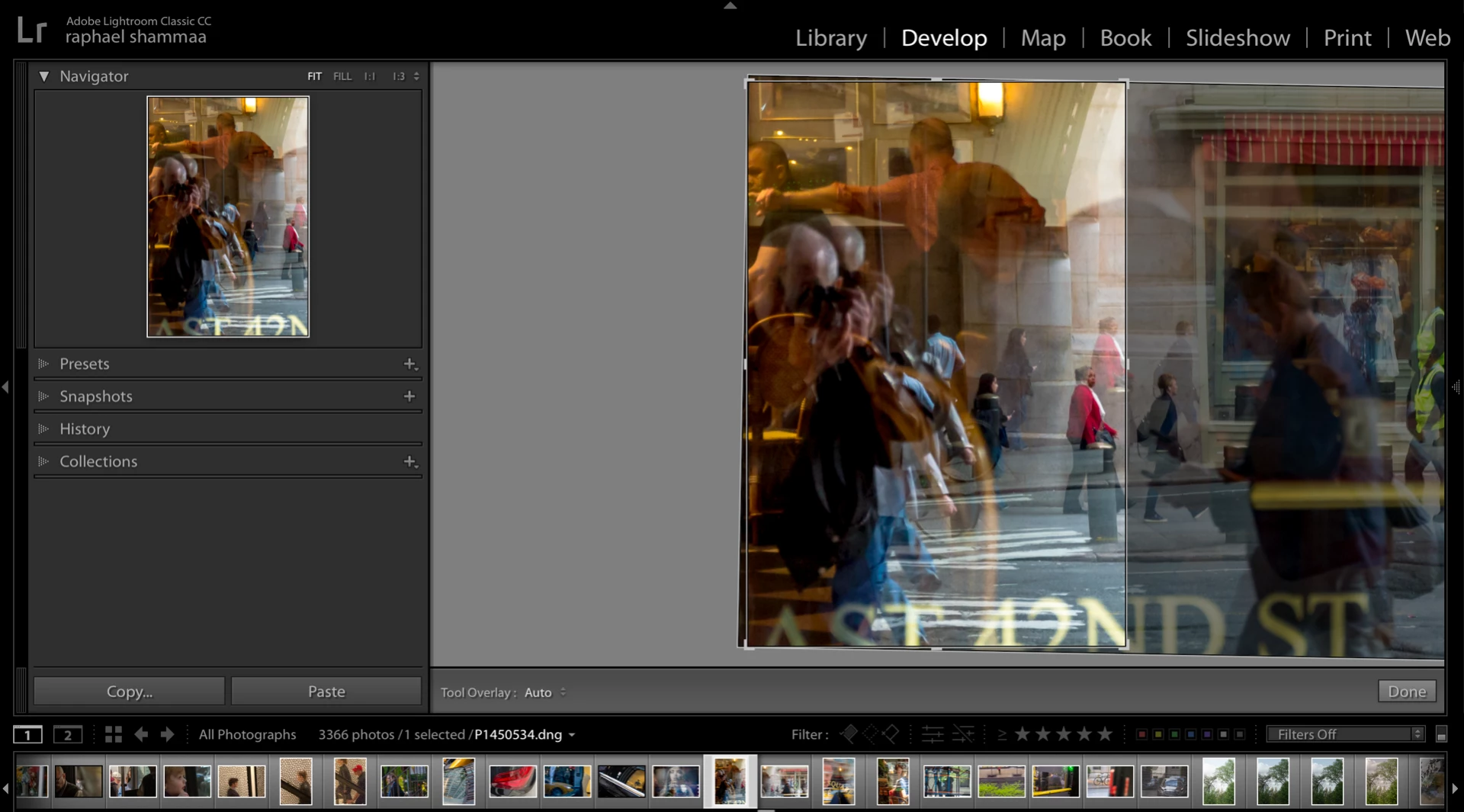
I still think it should be the same as a horizontal crop where you see the entire un-cropped image before deciding on the next step.No difference. And, consequently, what we have now is a design flaw where you have to make decisions regarding composition with part of the image concealed. I would have to totally undo what I have to see the other end of the image with no way of getting back to the same exact crop, unless I do a duplicate first.
But that's just me.
Sorry, but the horizontal crop works the same as the vertical crop. If you select a horizontal crop that only selects a small portion of the image in the lower left corner, you will see the same thing with a portion of the upper right corner off the viewer window.
raphaels28255986 wrote ... I would have to totally undo what I have to see the other end of the image with no way of getting back to the same exact crop, unless I do a duplicate first. |
Not true. You can see the right side of the image by clicking and dragging from inside the crop to move the image to the left. Control z with put you back to the exact same crop.
 AdChoices