
Perplexed - automatic vignette applied when switching from Library to Develop
Greetings,
I've been processing photos for many years but I'm new to Lightroom. I'm very happy with the program so far, but I've started having a problem with Lightroom CC Classic where it appears to be applying a vignette whenever I switch from Library mode to Develop mode. I'm shooting RAW with a Canon 5D Mark IV.
- I understand how the embedded preview images work, and this does not appear to be consistent with the normal differences between the embedded image and the RAW image.
- I don't think the program was doing this before. It seems like a setting changed.
- I've tried using the image reset options, made sure the camera settings were are set to the Adobe Default, verified no weird settings on import, etc.
- It is only happening on photos with no additional processing. If I process the photos the problem goes away. I assume this is because LR is creating a preview image consistent with the edits. But I'm very confused about why it's happening on photos with no edits.
Here's links to an example:
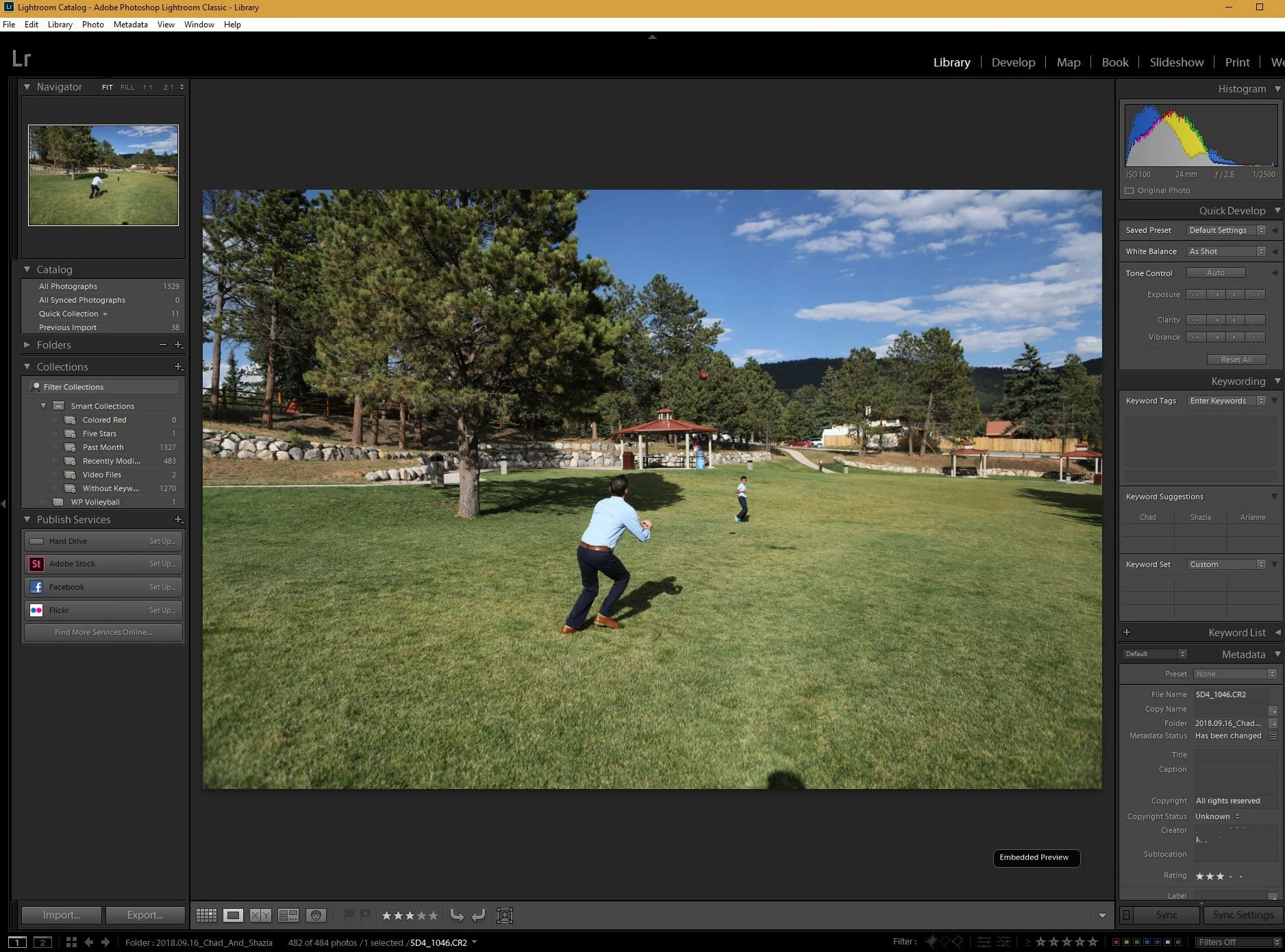
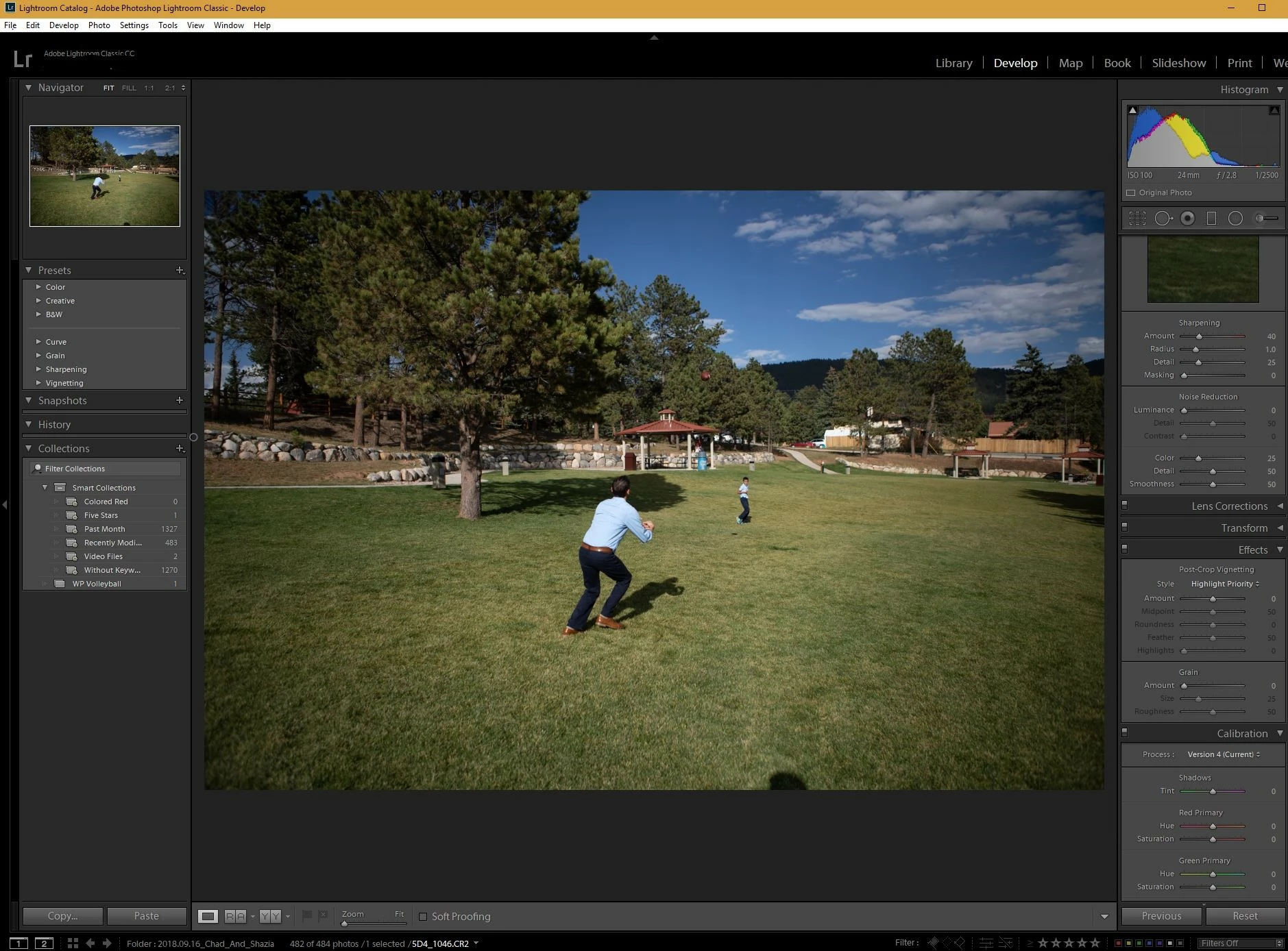
I'm at a loss. Any thoughts?
Thank you!
 AdChoices