Answered
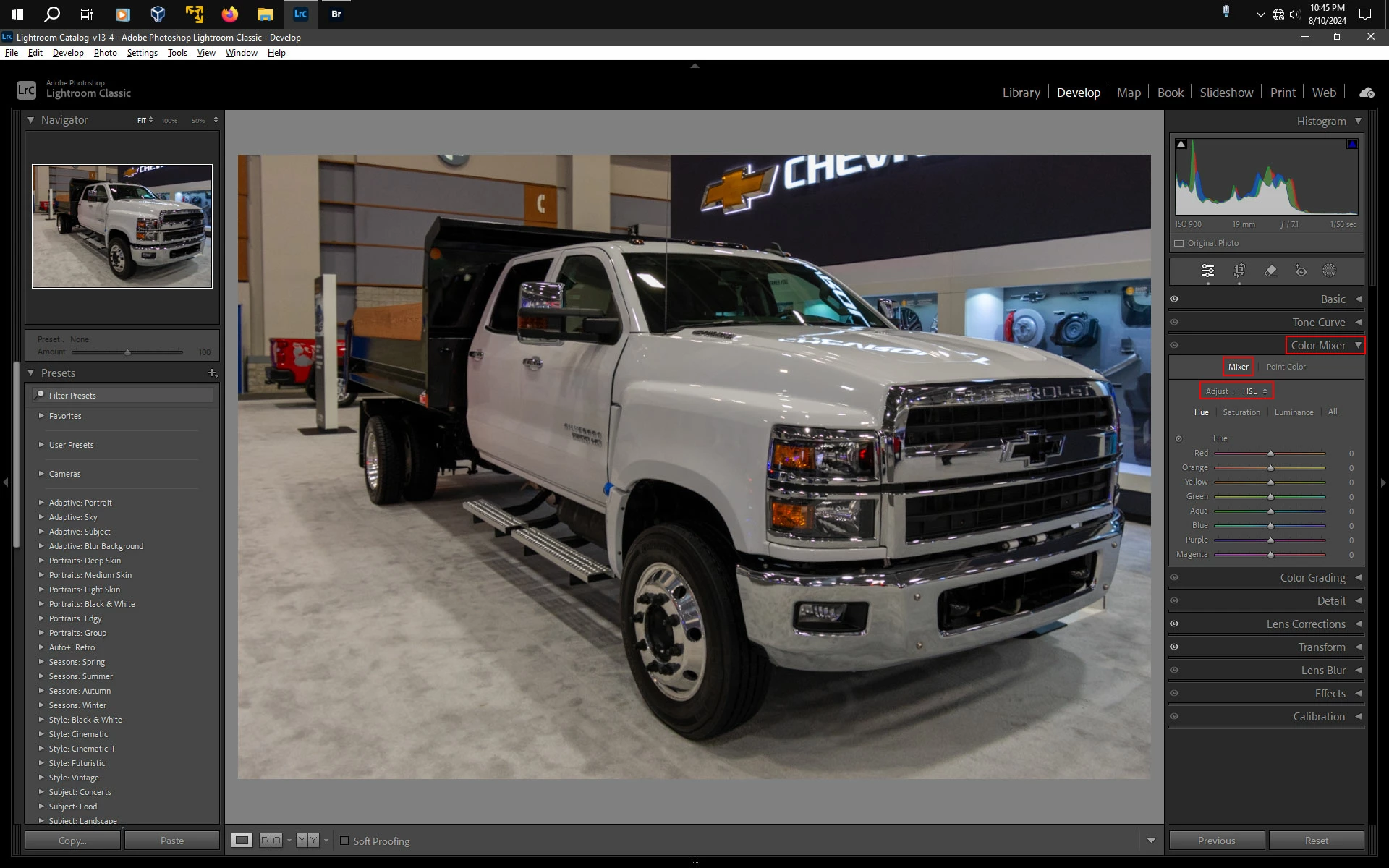
Pestaña HSL en Lightroom Classic no aparece
Hola! Tengo Lr Classic en Windows 11 version 13.4 y no aparece la pestaña HSL.
Que tendría que hacer?

Hola! Tengo Lr Classic en Windows 11 version 13.4 y no aparece la pestaña HSL.
Que tendría que hacer?
In Develop it should be under the Color Mixer panel then click Mixer and beside Adjust select HSL
Already have an account? Login
No account yet? Create an account
Enter your E-mail address. We'll send you an e-mail with instructions to reset your password.


 AdChoices