dang52479807
Participant
January 14, 2023
Question

Photo destroyed

  • January 14, 2023
  • 4 replies
  • 482 views

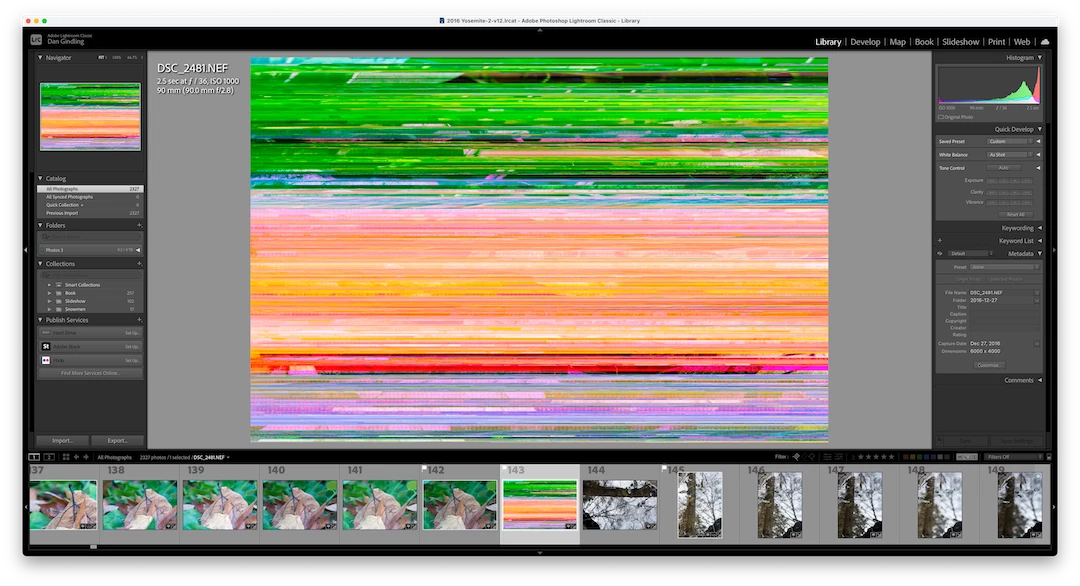
I've opened up a 2016 catalog with the latest Lightroom Classic 12.1 on my iMac (Monterey, 12.6.2). The photos are fine in Library mode but they turn to the attached photo when I go to Develop mode. Solution?

 

This topic has been closed for replies.

4 replies

Geoff the kiwi
Community Expert
Community Expert
January 15, 2023

If the GPU on/off solution doesn't work, it may well be a RAM module dying.

What year is the iMac?? 

dang52479807
Participant
January 14, 2023

When I export the photo it looks fine. When I toggle from Develop and Library the photo will appear normal and then the colored lines. I've been doing the toggling with three different photos and sometimes an adjacent photo will go from normal to the colored lines.


cmgap
Community Expert
Community Expert
January 14, 2023

Try toggling the GPU processor settings from On, Off, Auto in the Performance tab of you Lightroom Settings (used to be called Preferences).

Sean McCormack
Community Expert
Community Expert
January 14, 2023

I agree. It's most likely the GPU based on the export being clean. If @cmgap suggestion works,

upgrading to Ventura should help, though a reinstall of Monterey may also repair this. 


(It's still Preferences in Monterey BTW)

Sean McCormack. Author of 'Essential Development 3'. Magazine Writer. Former Official Fuji X-Photographer.
dj_paige
Legend
January 14, 2023

this is either a bad video driver, or more likely a corrupted file since the other photos look fine


Try turning off the GPU acceleration to check the driver — Preferences->Performance->Use Graphics Process to OFF


If that doesn't help, the file has been corrupted by some hardware malfunction somewhere, and you should restore the photo from a backup copy

cmgap
Community Expert
Community Expert
January 14, 2023

Please confirm... the image that you are referring to #344 turned into what is shown after you switched from the Library module to the Develop module and then back to the Library module? What does it look like in a finder window? Can you make a virtual copy of any image - in any folder and recreate this and post it?