jayc91888360
Participant
February 9, 2018
Question

Photo Library experienced accidental massive renaming

  • February 9, 2018
  • 2 replies
  • 289 views

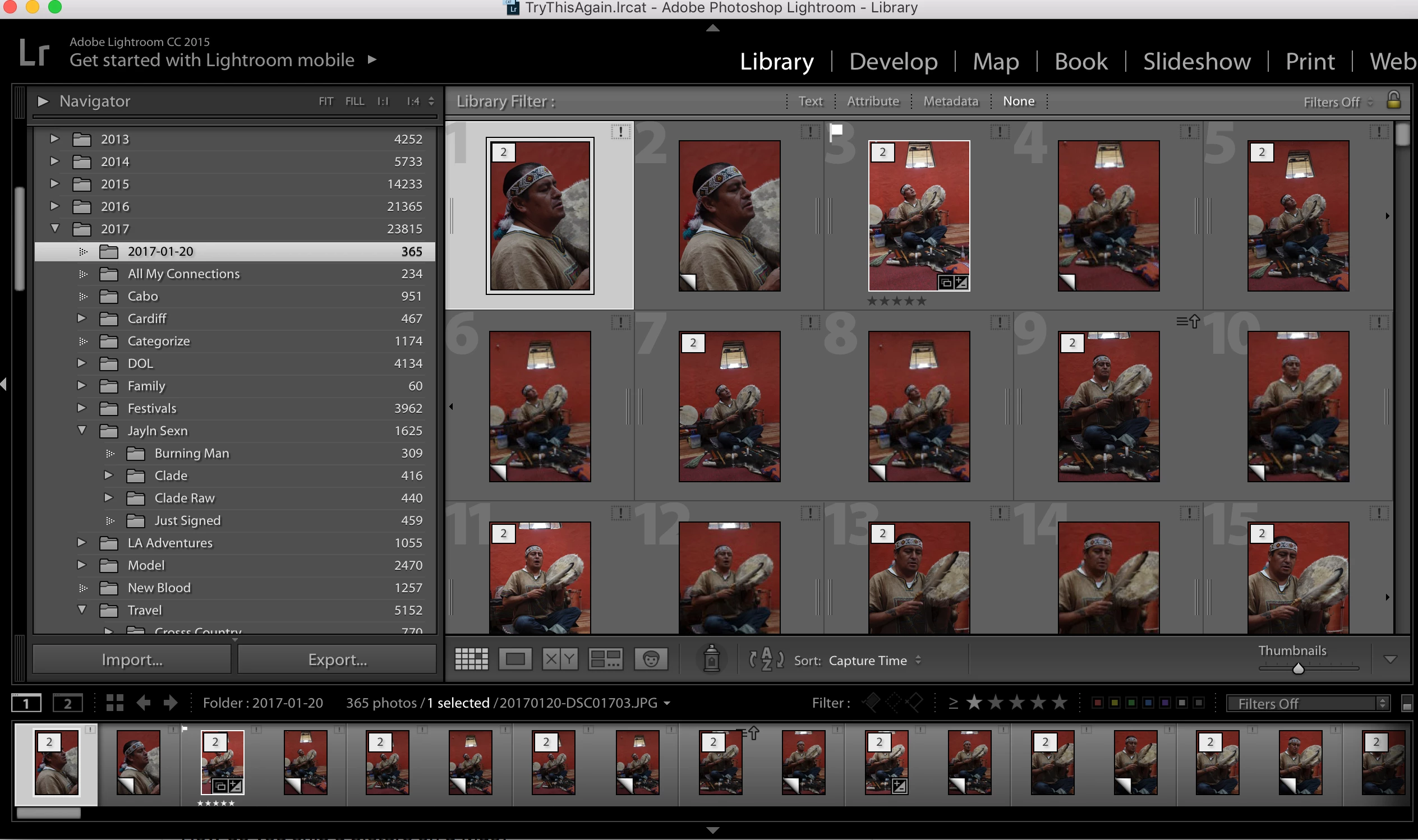
Large amounts of my Lightroom Library are experiencing issues locating my files because for some reason Lightroom is searching for the my files names with dates added to the front (which do not exist).

Example:

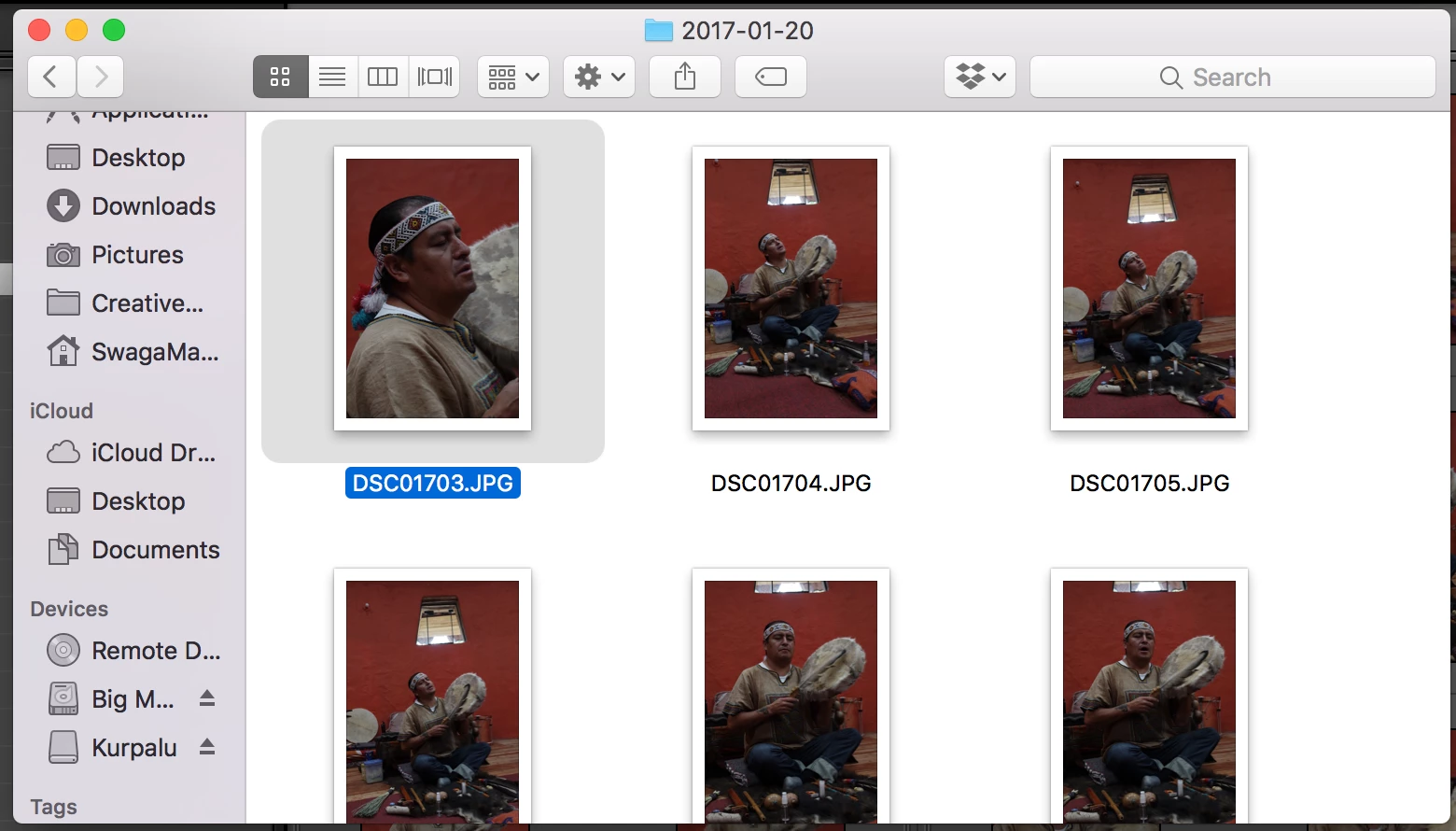
I had uploaded and edited file "DSC01703.JPG" in Lightroom, and it was categorized properly in my system at the time. For some reason now Lightroom is Looking for "20170120-DSC01703.JPG" and thus can't find the image because the original file doesn't have the date listed before it on my hard drive. This is happening on a very large scale in my Lightroom Library. I know I can reload the image folders into Lightroom, but then I would lose all my edits.

Is there any way I can tell Lightroom to stop looking for the files with the date added on the front across my library or in one specific folder?

I really appreciate all your help guys!
    This topic has been closed for replies.

    2 replies

    dj_paige
    Legend
    February 9, 2018

    In my opinion, there are three solutions:

    1. Restore a backup of your catalog file from before this renaming.
    2. Manually reconnect every photo, probably one by one.
    3. Import the photos again, copy the edits (probably one by one unless there is a plugin that can do this automatically)
    Community Expert
    February 9, 2018

    I suspect you Imported twice with a renaming instruction?  Do you now have duplicates?

    jayc91888360
    Participant
    February 9, 2018

    Thanks for your feedback. I do have duplicates on some, but both are incorrectly renamed and unlocated by Lightroom as a result.

    Community Expert
    February 9, 2018

    Due respect, but Lightroom doesn't do this without user control and direction.  To undo what is being done, there needs to be some sort of reconciliation of what you've done. 

    What have you done to cause it to search for files?  My two guesses are duplicate Imports or something to do with intentional mass renaming.