


"Photo Merge" -> "HDR Panorama" produces colour artefacts in bright areas when merging DJI Mavic 4 Pro RAW files
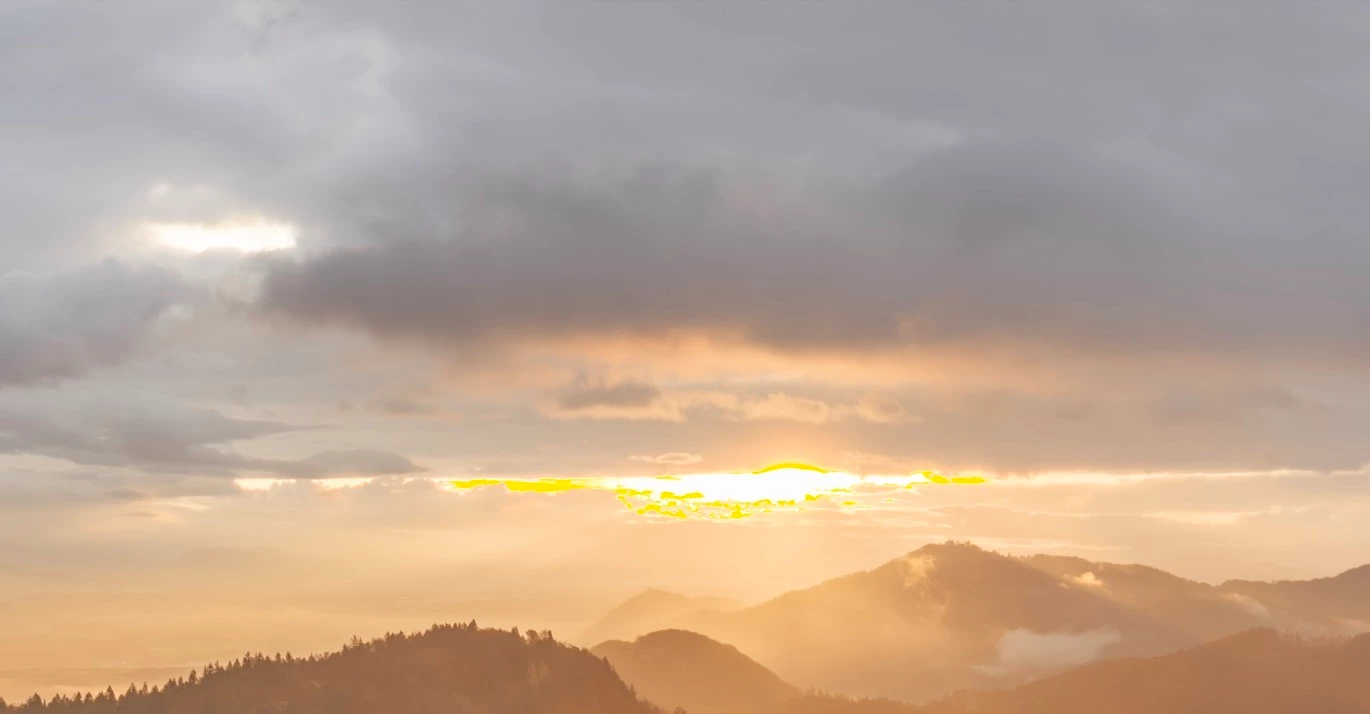
When merging exposure brackets shot with DJI Mavic 4 Pro using the "Photo Merge" -> "HDR Panorama" feature in Lightroom Classic, there are colour artefacts / blotches around bright areas in the resulting stitched panorama image.
This only happens when the exposure brackets are merged to an HDR panorama but not if the exposures are merged to single HDR files.
Here is a screenshot of a bright area in an image that was merged to an HDR panorama in Lightroom:
And here is a screenshot of the same area in an image that was merged to a single HDR in Lightroom using the same RAW files for this particular section of the panorama:
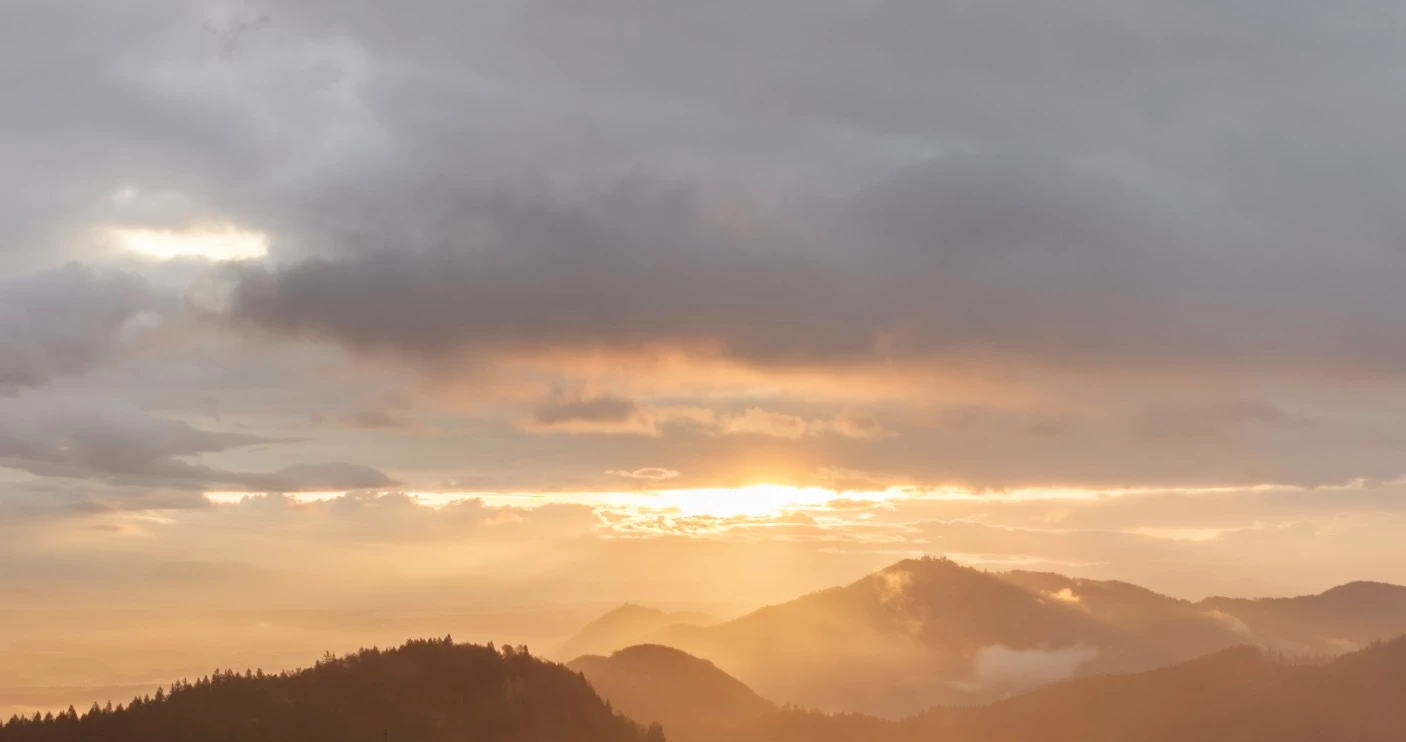
All DNG files have not been adjusted in Lightroom at all before merging them to HDRs.
I’ve done some research online and apparently, others have the same issue with DNG files shot with their Mavic 3 Pro drones.
When merging exposure brackets from older DJI drones, like Mavic 2 Pro, the resulting panoramas don’t show this issue and have smooth transitions of tones in bright areas.
So the bug must’ve been introduced in Lightroom when the Mavic 3 Pro drones were released a few years ago and is still there for RAW files shot on Mavic 4 Pro drones.
I’ve had this issue for over a year now in all Lightroom versions on Mac up to the latest version 15.5.1.
I can reproduce the problem with any exposure brackets from DJI Mavic 4 Pro containing very bright areas.
HDR panoramas using files from other cameras, like the Nikon Z series, have smooth transitions, so the problem is clearly isolated to DJI DNG files.
 AdChoices