Inspiring
Aug 24, 2024 7:09 PM UTC
Answered

Photo Merge not bringing in edits to image

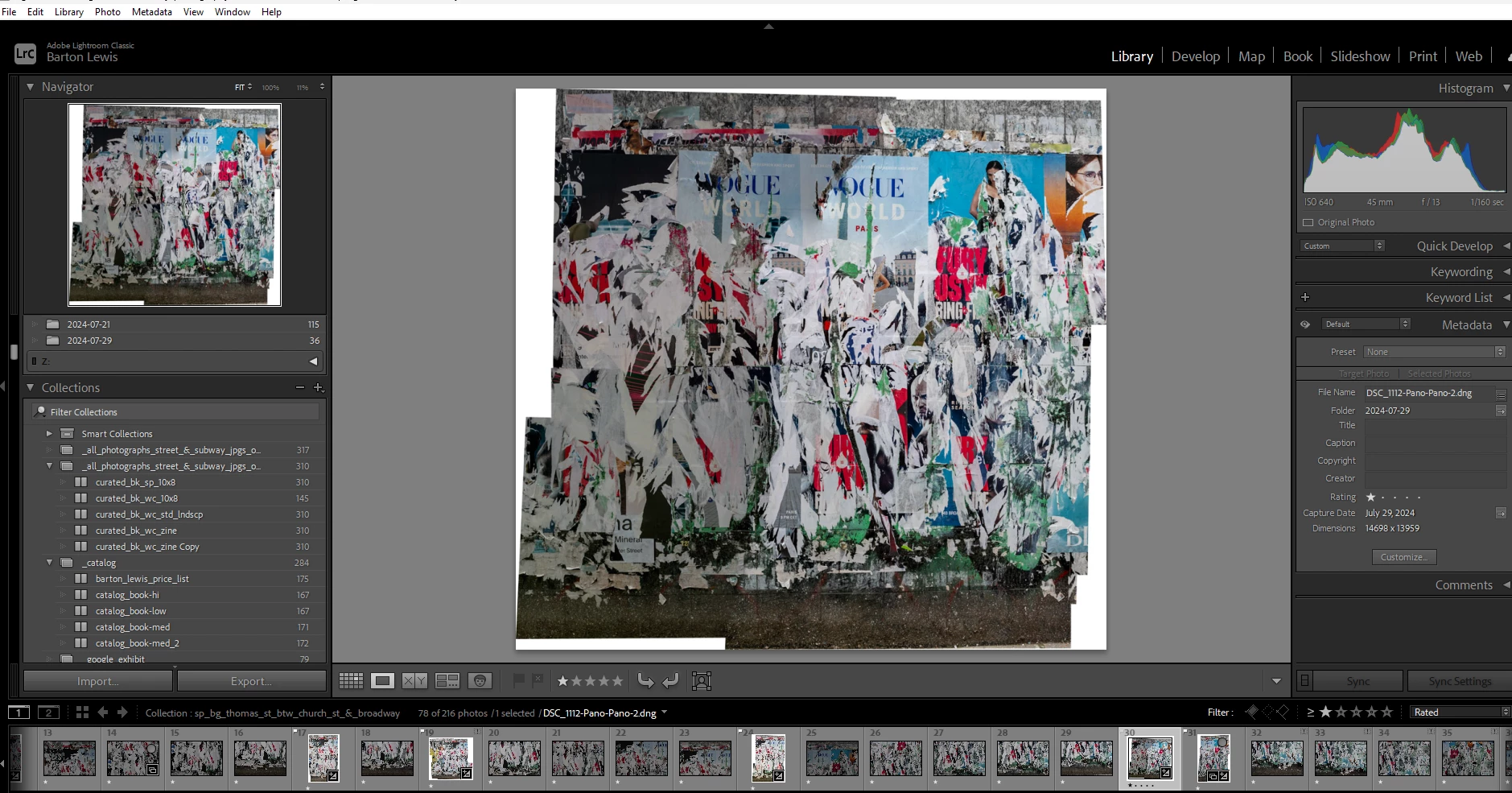
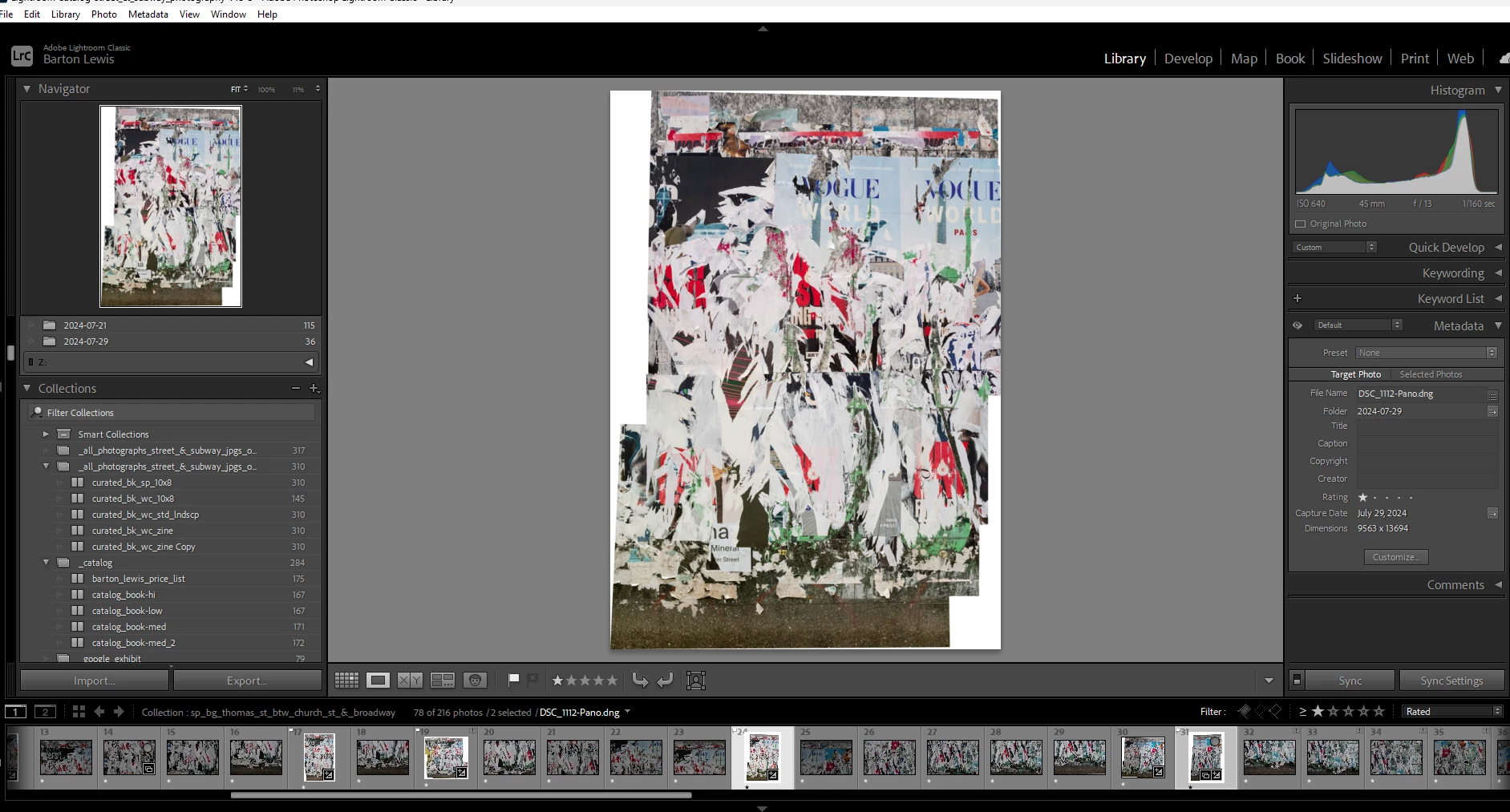
I have 2 photos that I want to merge.  The first screen shot shows the 2 selected.  The one visible in the preview had exposure edits made using Masks.  When I merge the 2 images, however, the merged file shows that photo without the exposure lightening.  See 2nd screensshot.  Why doesn't it reflect these changes?  Thanks.


This topic is closed to new replies. Start a new post to keep the conversation going.
JohanElzenga
JohanElzengaCorrect answer
Community Expert
Aug 24, 2024 9:00 PM UTC

Merging is done with the unedited originals. Any edits you made are applied after the merge is completed, but if the two images that you merged have big exposure differences to begin with, then the merge cannot correct that and so the edits won't either.


-- Johan W. Elzenga

3 replies

Community Expert
Aug 24, 2024 9:58 PM UTC

Yes: Photo merge takes as input the underlying content of the imported files, and does not work from the visual result of overlaid nondestructive edits. Effectively it sets those aside. The conception is I would think, that one would schedule the merging step early on in the editing workflow, thus before detailed editing has happened,.


If you do want your edits to be included into what Photo Merge takes as its imput, I think you are going to have to commit those edits into some freshly rendered image files. One way would be to Export these images to some intermediate TIFFs selecting the option to reimport back to the Catalog, then merge those intermediates, then you can get rid of them optionally.


Sending images out to Merge in Photoshop seems to work the same way, as when merging directly inside LrC.

Translate
Inspiring
Aug 25, 2024 1:08 AM UTC

OK thanks.  Hmmm ... seems odd you can't merge edited files, since in some cases edits will make for a more seamless composite.  Oh well.  Thanks for the suggestion for the workaround.  

Translate
JohanElzenga
Community Expert
JohanElzengaCommunity ExpertCorrect answer
Community Expert
Aug 24, 2024 9:00 PM UTC

Merging is done with the unedited originals. Any edits you made are applied after the merge is completed, but if the two images that you merged have big exposure differences to begin with, then the merge cannot correct that and so the edits won't either.


Translate
-- Johan W. Elzenga