
Participant
November 19, 2024
Question

Photo Merge Panorama is getting worse at aligning images

  • November 19, 2024
  • 2 replies
  • 600 views

Photo Merge Panorama used to be working fine, but I find that after the last few updates, it is getting worse at aligning photos.

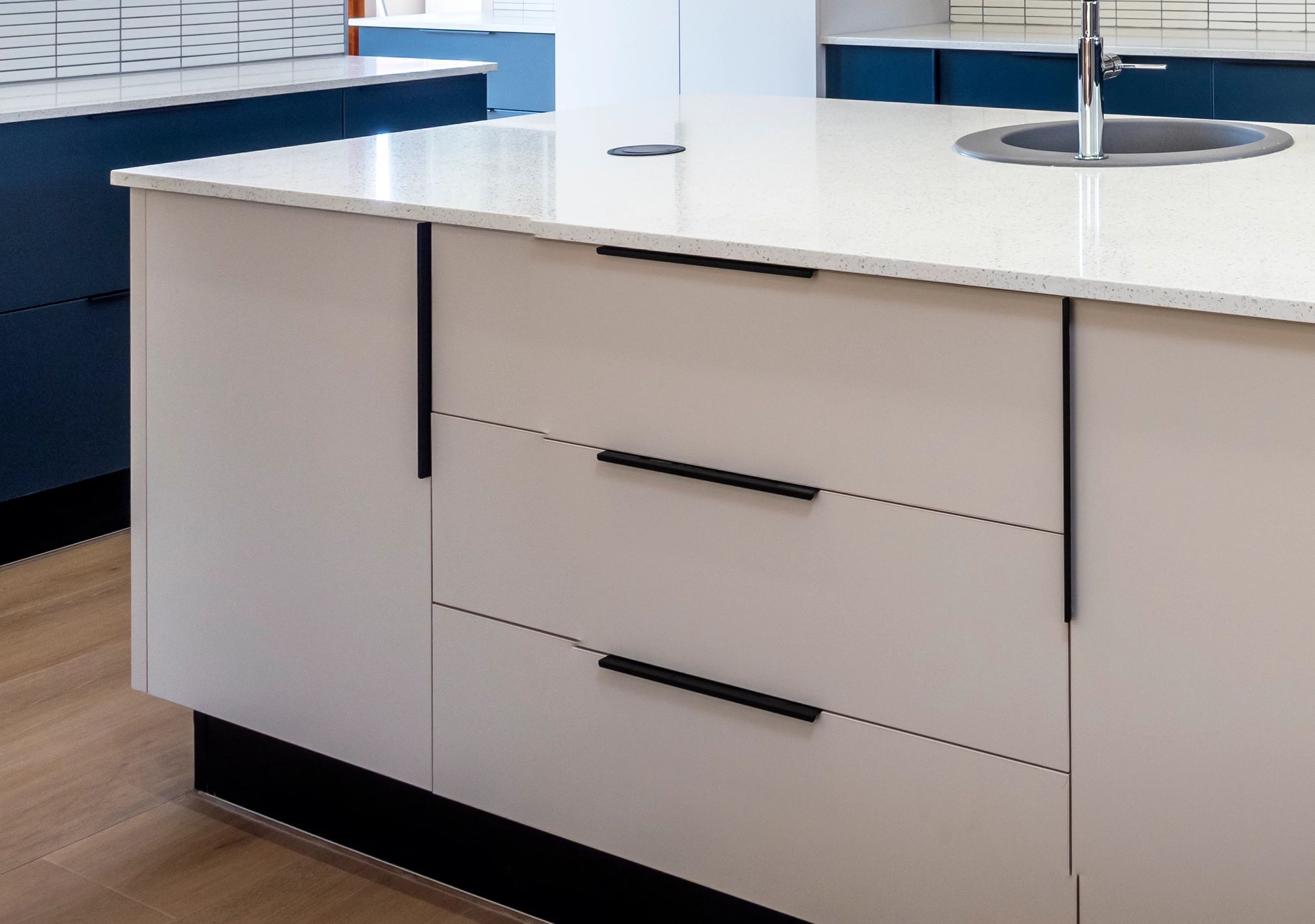
I now have to quality check merged panoramic photos every time, to look where lines (ceilings, cupboards, floors, etc.) are not matching up and then to correct it in Photoshop - at least every 2nd photo will have areas not matching up precisely. 
2 replies

thomas_bredenfeld
Community Expert
Community Expert
March 27, 2025

the edge breaks you show here are a very common problem when capturing and stitching photos to produce a panorama. the pattern recognition algorithm (afaik, adobe uses SIFT) needs clearly identifiable image features. long uniform edges and large plain white walls are nearly unusable for photomerge to deliver a proper stitch. issues are also possible with repetitions like on the ceiling on your 2nd photo. very likely to run into issues here are skyscrapers with a large number of identical windows or the "acoustic ceiling from hell".
the other issue you can have, especially indoor with objects pretty close to the camera, is a panorama tripod head not properly aligned for compensation of the parallax error. your 1st photo seems to be a candidate for this issue.
so you should 1st double check your capturing setup.
a nice helper on location can be to identify possible problematic areas and attach some post-it there. they are easy to retouch later and gives the pattern recognition some images features to work with.

Sameer K
Community Manager
Community Manager
November 19, 2024

Hey, @fRAVNz. Welcome to the Photoshop Community. I'll need more info to help you figure this out. 

Please share the system information from Photoshop Help > System Info > Copy and paste into a text document > Upload and attach here. 


Do you notice a pattern with this? Does this happen after every alternate set of images? Has this started to happen recently? 


If you notice a pattern, please share 2-3 sets of images along with a video of the steps you take. Let me know how it goes.


Thanks!

Sameer K

(Use '@mention' to tag me when you reply)

fRAVNzAuthor
Participant
November 20, 2024

Hi Sameer


Thank you for the reply.


I’ve attached another example where in LIGHTROOM CLASSIC, 2 photos that are PHOTO MERGE/PANORAMA are not perfectly aligned.


There is no pattern – when I do the above action, I find that lines are not perfectly matched in every 2nd photo merge or so.


The photo attached should really explain it perfectly.


Ricky336
Community Expert
Community Expert
November 20, 2024

Hello,

You are not the only one - I've noticed this with some landscape shots. There isn't any pattern!

It depends on the focal length used, and angle of panning etc. If your shot contains lines, as yours does, Lightroom Classic is not so good at exactly lining them up - and it's more noticeable  - hence going to Photoshop can give a better result.

With landscape shots, it's not so noticeable as the distance is further. It becomes more apparent when shot close up.