IngridVD
Inspiring
March 7, 2019
Answered

Photo on Cover Blurb photobook made in LR classic

  • March 7, 2019
  • 1 reply
  • 593 views

Hi,

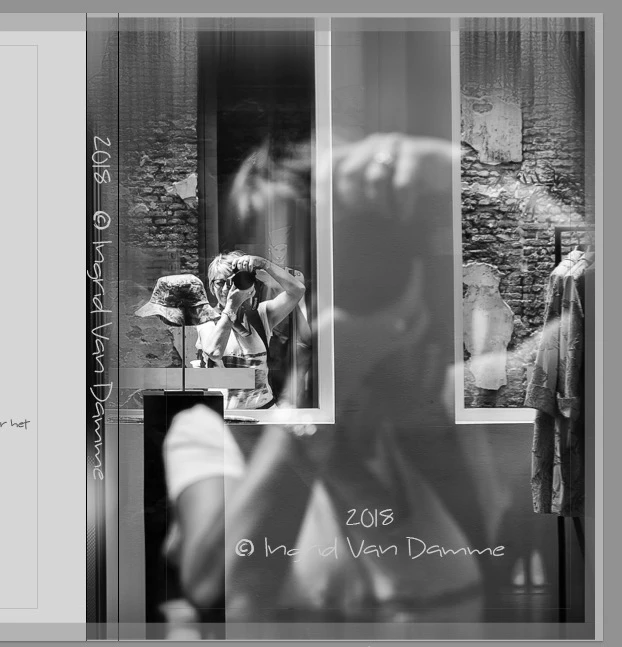
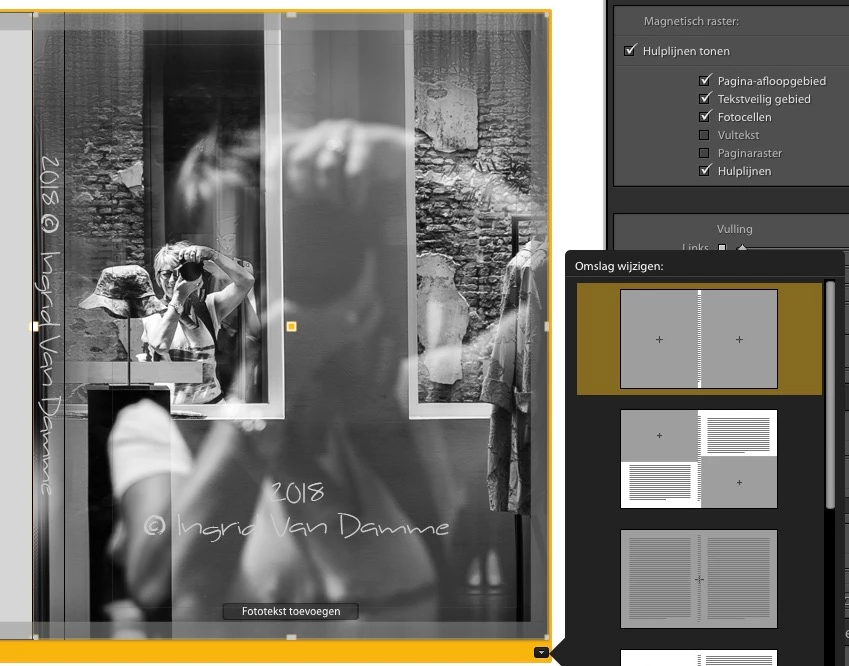
I want that my picture covered completely the cover of my book.

but get no further so you can see on the photo in annex

How can I fix this ?

Or is this ok ?
.

This topic has been closed for replies.
Correct answer IngridVD

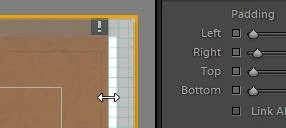
You may also be seeing some "Padding" adjustment.

You can click exactly on the photo margin and drag it out to the page edge (into the page bleed area)
And your Image 'zoom' setting may also be having an effect. Try increasing the 'zoom' amount slightly.
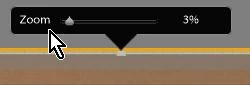
I guess you will just have to experiment with all adjustments of Cell Size, Zoom, and Padding, to achieve what you want.


Thanks.

I try this, but not working.

Have made another folder choice and now I get what I wanted.

Then on the back have adapted to my preference.
1 reply

Rob_Cullen
Community Expert
Community Expert
March 8, 2019

The 'grey' zone around the edge of the page is "Page Bleed" that may get trimmed by Blurb.

And then you also have the 12 Cover Page Templates to choose from. The grey areas of the templates show where you images are placed.  Note that only one template (3rd down the list) will place a 'panorama' image over both front and back cover areas.

And you may have a "Background" color or image that is creating the narrow grey edge on the image.

Regards. My System: Windows-11, Lightroom-Classic 15.3, Photoshop 27.5, ACR 18.3, Lightroom 9.3, Lr-iOS 10.4.0, Bridge 16.0.3 .
IngridVD
IngridVDAuthor
Inspiring
March 8, 2019

I got that also set the show guides (pages bleed)  see annex 

But in the example you can draw the picture all the way to the edge and I can't do that also see that on annex.

Can you tell me if this is ok then for print?

OK, I got that also set see annex.

But in the example you can draw the picture all the way to the edge and I can't do that all the way see annex.

If it is not ok and I send it so to Blurb I get maybe not everywhere the same Board which is not really the intention.

I would still like a fully-covered front cover

Can you tell me if this is ok then for print ?

Rob_Cullen
Community Expert
Community Expert
March 8, 2019

You may also be seeing some "Padding" adjustment.

You can click exactly on the photo margin and drag it out to the page edge (into the page bleed area)

And your Image 'zoom' setting may also be having an effect. Try increasing the 'zoom' amount slightly.

I guess you will just have to experiment with all adjustments of Cell Size, Zoom, and Padding, to achieve what you want.

Regards. My System: Windows-11, Lightroom-Classic 15.3, Photoshop 27.5, ACR 18.3, Lightroom 9.3, Lr-iOS 10.4.0, Bridge 16.0.3 .