

Photo previews disappearing & history not showing on edited photos
Hi!
So this is a bit difficult issue to explain but I'll try my best, please bear with me. I'm using Lightroom Classic (the newest version) on my Windows PC (Win10). The catalog is stored on my external hard drive because I'm traveling a lot (and using my laptop while traveling) and I want to use the same catalog while traveling. The size of the catalog isn't big - about 15k photos.
Everything has been working fine until I came home the other day, plugged my external hard drive to my PC and it informed me there's a problem. I ignored that, opened LrC to notice that it doesn't show my latest photos on their albums in the library. I checked photos from the harddrive and there were no such albums. I attached the hard drive to my laptop, found the photos and after that they were visible on PC and LrC as well.
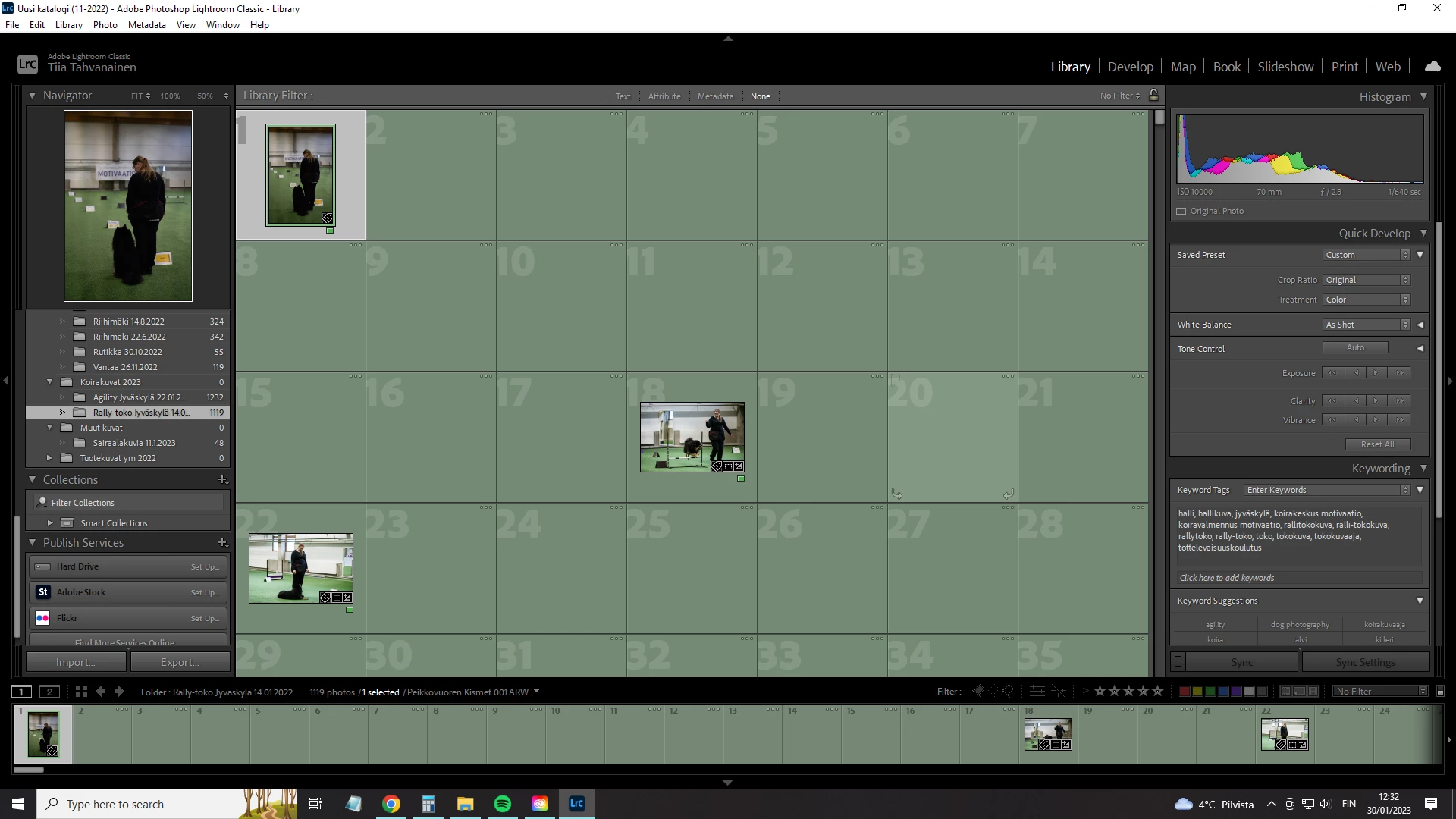
Now there's a new problem. Lightroom lost previews of these photos I was working on while traveling. The photos show like this on the library. I have to click each photo individually to be able to see the preview and to be able to edit them. Develop-mode doesn't open the photo if I haven't clicked them 'visible' on Library.
The other problem is that these edited photos aren't showing the editing when I open the photo on develop-mode. I mean the history is there and from there I can click the latest edit (in this case 'Export-Hard drive) and then all editing is visible.
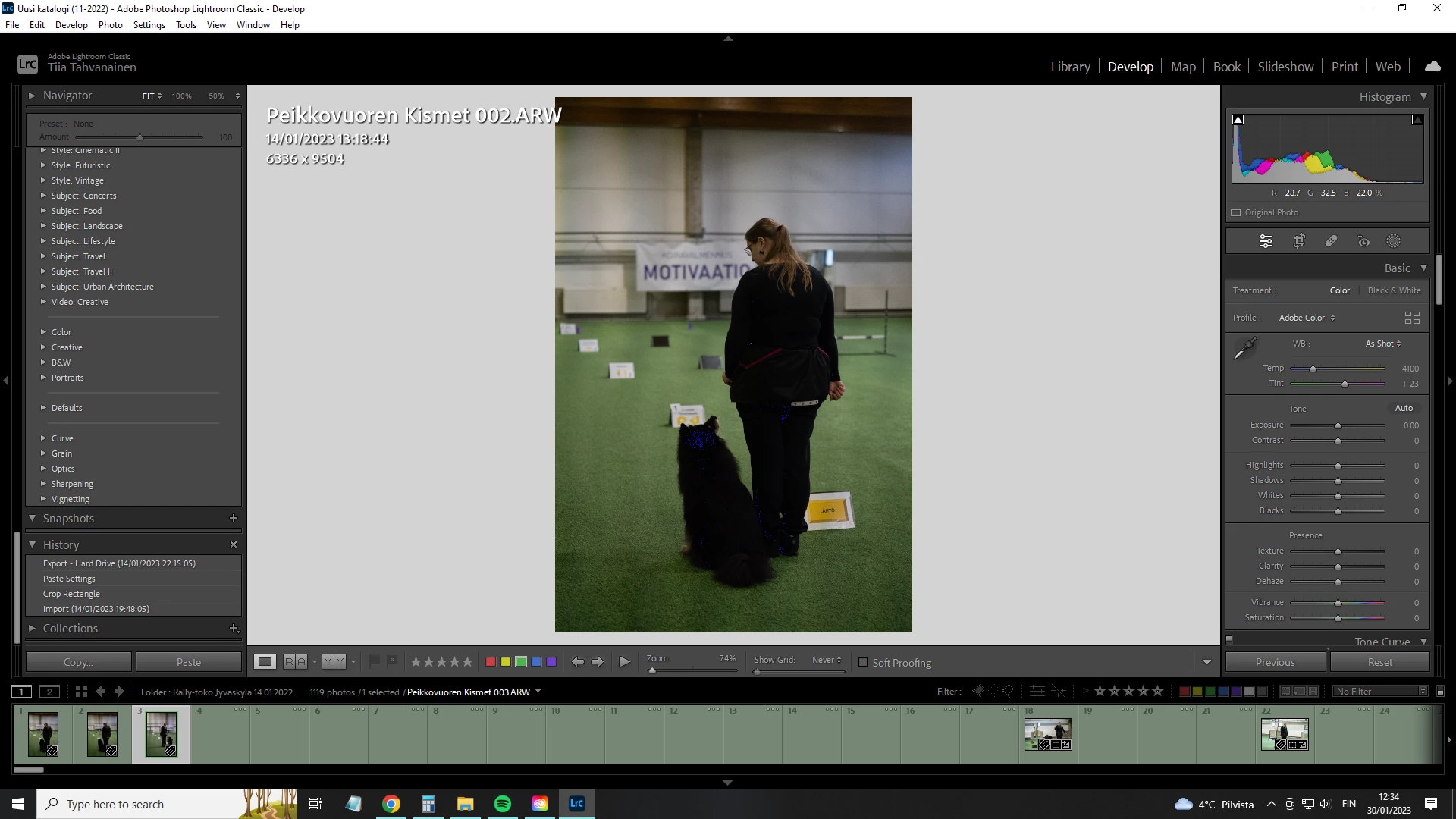
Edited photo but showing the RAW
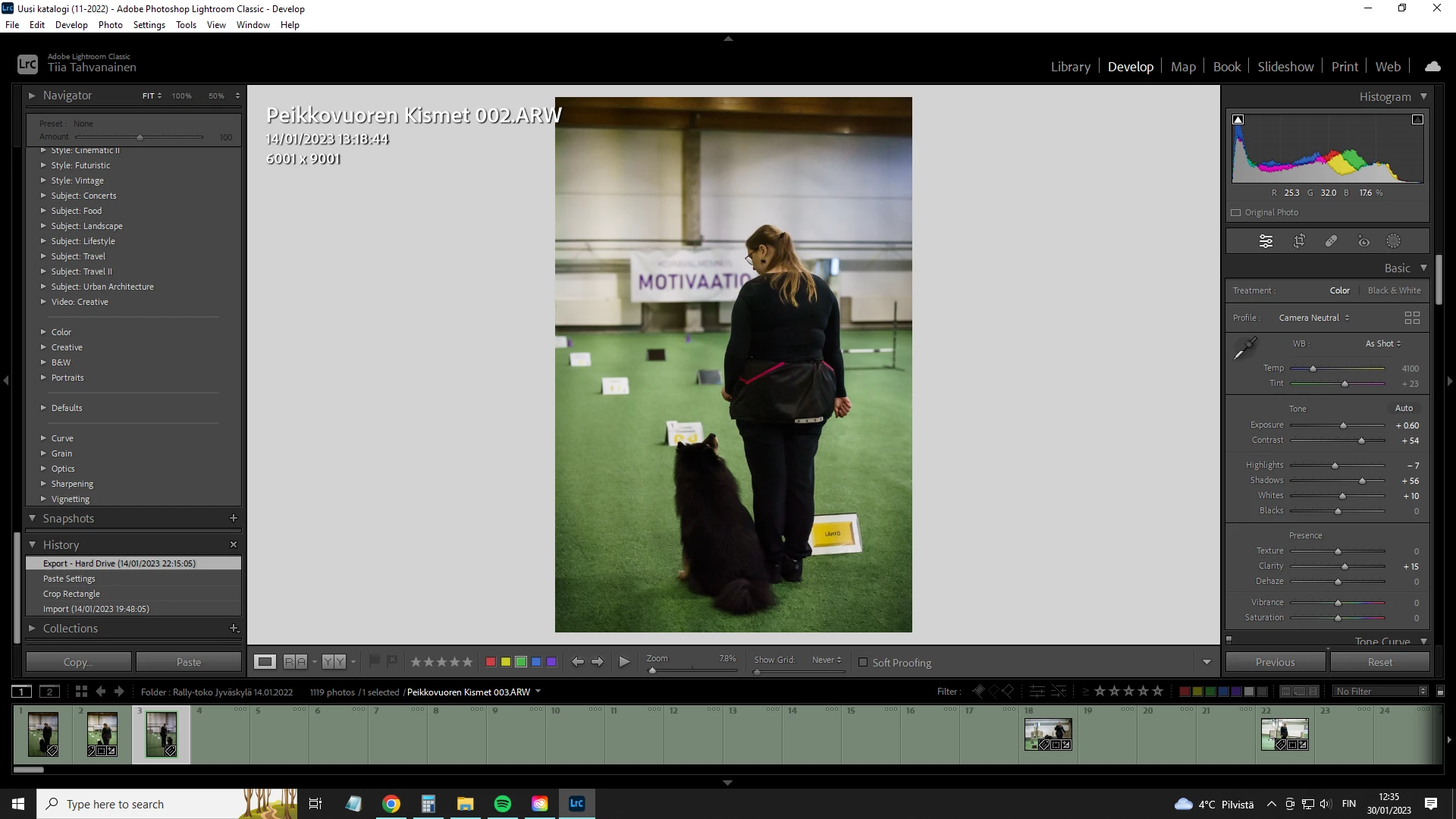
Final, edited image after clicking 'Export' on history.
This is very problematic and time-consuming for me because I need to export all these photos at once and now LR exports them without the editing if I don't do the procedure described above. Thankfully only few of my photo albums are like this - but they still have thousands of photos in them.
Any tips how to go around this? And to get previews back.
I'm sorry if my explanation was difficult to understand, I'm not native English speaker.
 AdChoices