
Inspiring
Aug 22, 2026 6:11 AM UTC
Answered

photo printing not centered

4 x 6 inch photo printing in lightroom classic not centered when i reduce the size to passport photo. it will print it all the way to the end towards the left side. But if i print the full size instead of reducing it, theres no problem at all.
    fierce_selfa8faCorrect answer
    Inspiring
    Sep 25, 2026 6:28 AM UTC

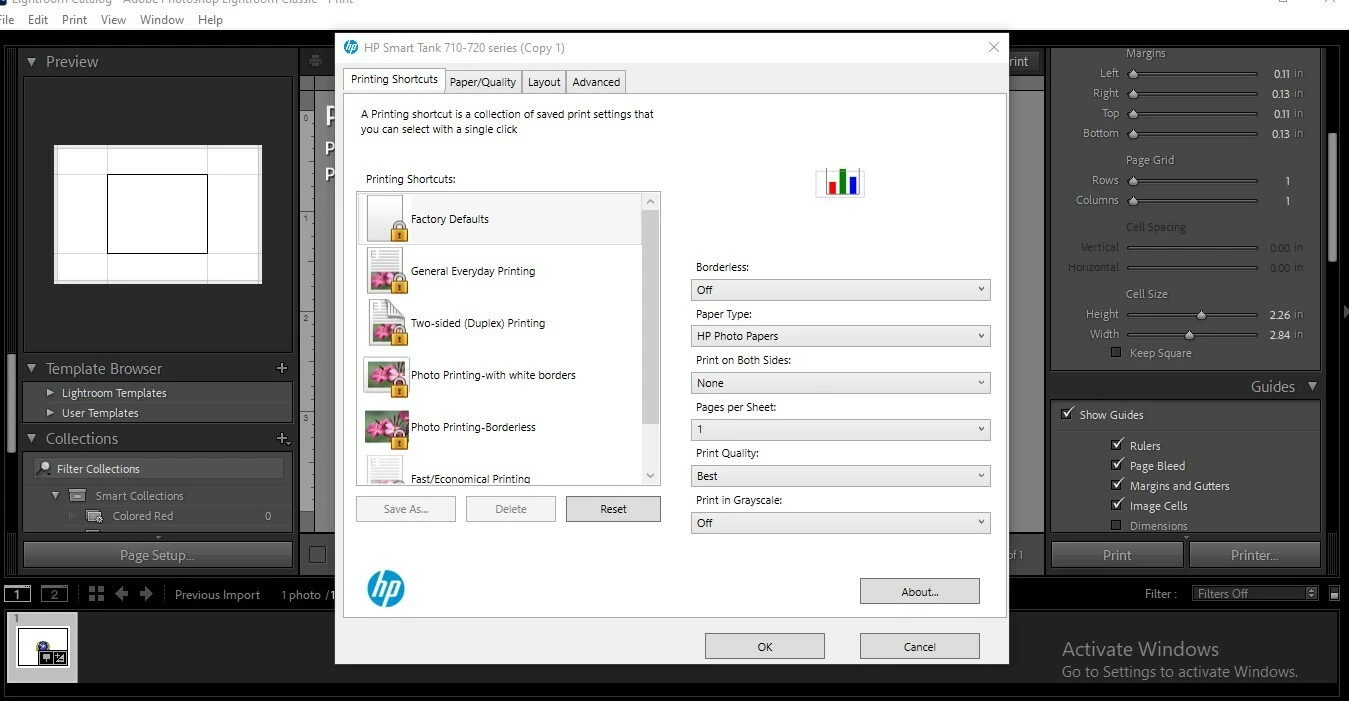
    After testing nearly 50 photo paper, i accidentally found the solution. Just click reset on factory default. And its ok now. Before i stumbled to this solution, i called Adobe, they connected with my laptop, endless calls, reinstall program, reinstall printer driver, reinstall older versions, all didnt worked until i accidentally went to printer properties and click on factory reset….


    9 replies

    Inspiring
    Aug 25, 2026 7:15 AM UTC

    All test print no matter what if i reduce the size shifting more left or right it will be printed this way.

    Translate
    KR Seals
    Community Expert
    Community Expert
    Aug 25, 2026 3:31 PM UTC

    Did you reinstall the printer driver like I suggested? 

    In Win settings, delete the printer, the run the driver that you downloaded from the manufacturers web site. Restart Windows.

    Translate
    Ken Seals - Nikon Z 9, Z 8, 14mm-800mm. Computer Win 11 Pro, I7-14700K, 64GB, RTX3070TI. Travel machine: 2021 MacBook Pro M1 MAX 64GB. All Adobe apps.
    KR Seals
    Community Expert
    Community Expert
    Aug 22, 2026 11:37 PM UTC

    More information please.

    Version of LrC? Operating System? Mac or Win?

    What type of printer are you using? 

    Have you checked the Margin settings? 

    I recently had printing issues. I solved that by reinstalling the print driver.

    Translate
    Ken Seals - Nikon Z 9, Z 8, 14mm-800mm. Computer Win 11 Pro, I7-14700K, 64GB, RTX3070TI. Travel machine: 2021 MacBook Pro M1 MAX 64GB. All Adobe apps.
    Inspiring
    Aug 25, 2026 7:14 AM UTC

    Version of LrC?   Latest Version. 15.5

    Operating System? Win 10 Home

    Mac or Win? Windows

    What type of printer are you using?  Hp Smart Tank 720

    Have you checked the Margin settings?  Yes, all are 


    Translate