Participant
May 30, 2023
Question

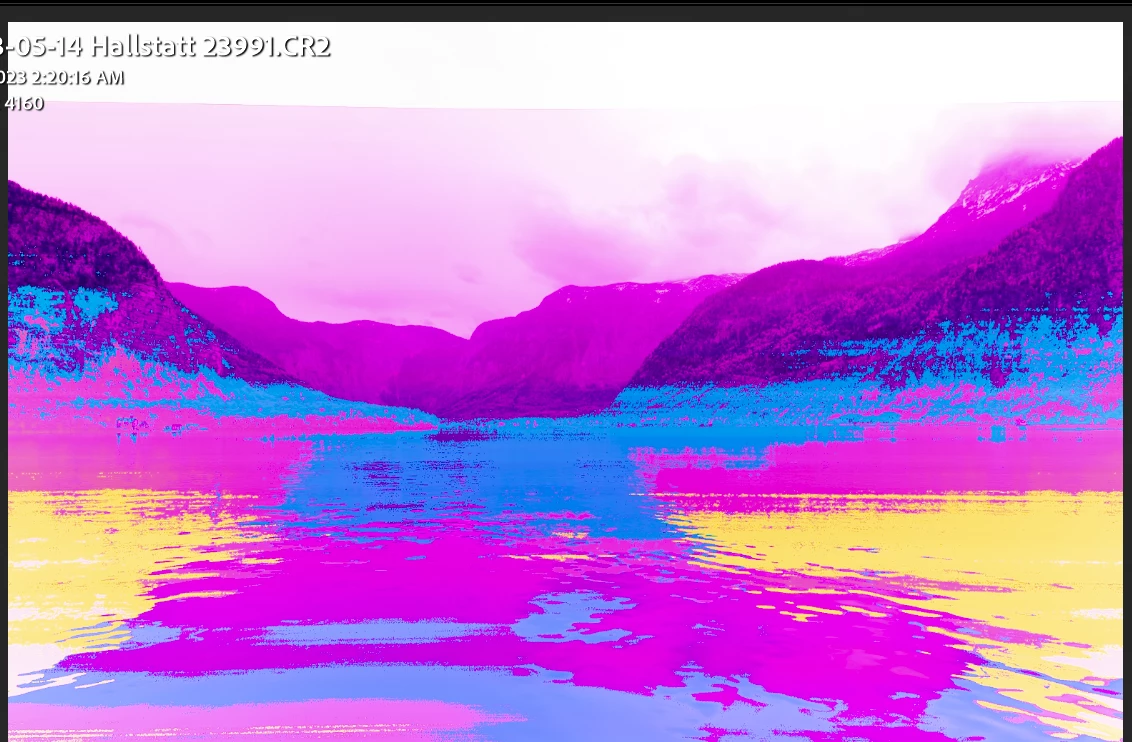
Photos corrupted in Develop.

  • May 30, 2023
  • 3 replies
  • 374 views

Photos look fine in Library, but become pixelated and colors corrupted in Develop.  Please see attached screen shot.

This topic has been closed for replies.

3 replies

Sarolta Katalin
Participant
October 26, 2024

Same here. In Develop, after a while, the photos appear such as the one I have screen captured.

Sarolta Katalin
Participant
October 26, 2024

I took my Mac to Apple Repair and they investigated if there is a hardware or other issue with it, it came back perfectly fine after days. So the problem is clearly with Lightroom Classic. I of course need to turn off the graphics processor in order to avoid this issue, but that also should not be the proper way to fix this... any other solutions would be welcome, thanks!

D Fosse
Community Expert
Community Expert
May 30, 2023

What GPU? Laptop with dual GPUs? Have you updated the driver lately?

KR Seals
Community Expert
Community Expert
May 30, 2023

Try disabling the GPU in Preferences. Does that change anything?

Please provide the following info:

Ken Seals - Nikon Z 9, Z 8, 14mm-800mm. Computer Win 11 Pro, I7-14700K, 64GB, RTX3070TI. Travel machine: 2021 MacBook Pro M1 MAX 64GB. All Adobe apps.
Jayme0101Author
Participant
June 11, 2023

Thank you and D Fosse for your responses.  I'm sorry for going silent, I have been traveling. 

Here are the details requested:

Here are the details:


Lightroom Classic -  Build 202304101834-a085245c

Windows 11 Pro - version 10.0.22621 Build 22621

No errors

Files corrupting when pening pictures in Develop

Screen shot above

Dell Optiplex 7060; 16GB RAM, Intel UHD Graphics 630; driver version 31.0.101.2121


I did just upgrade to the latest graphics driver - 31.0.101.2121.  While it didn't correct the issue, I remove the corrupted files from Lightroom and re-imported them.  Files imported well and did not corrupt when I opened them in Develop.


I know my computer is aging probably time to upgrade - open to suggestions - I'm would say I'm  a knowlegeable amatuer.  Currently using a BenQ SW2700 monitor.


Thanks!


KR Seals
Community Expert
Community Expert
June 11, 2023

That's an indication that the original file corruption was caused by any of these possibilities: the reader, the cable, the connectors on each device, the drive it's self or even a defective USB port.


Ken Seals - Nikon Z 9, Z 8, 14mm-800mm. Computer Win 11 Pro, I7-14700K, 64GB, RTX3070TI. Travel machine: 2021 MacBook Pro M1 MAX 64GB. All Adobe apps.