
Inspiring
July 11, 2024
Answered

Photos in folder in desktop, but not found in Lightroom

  • July 11, 2024
  • 1 reply
  • 487 views

I use LR to export photos after retouching.

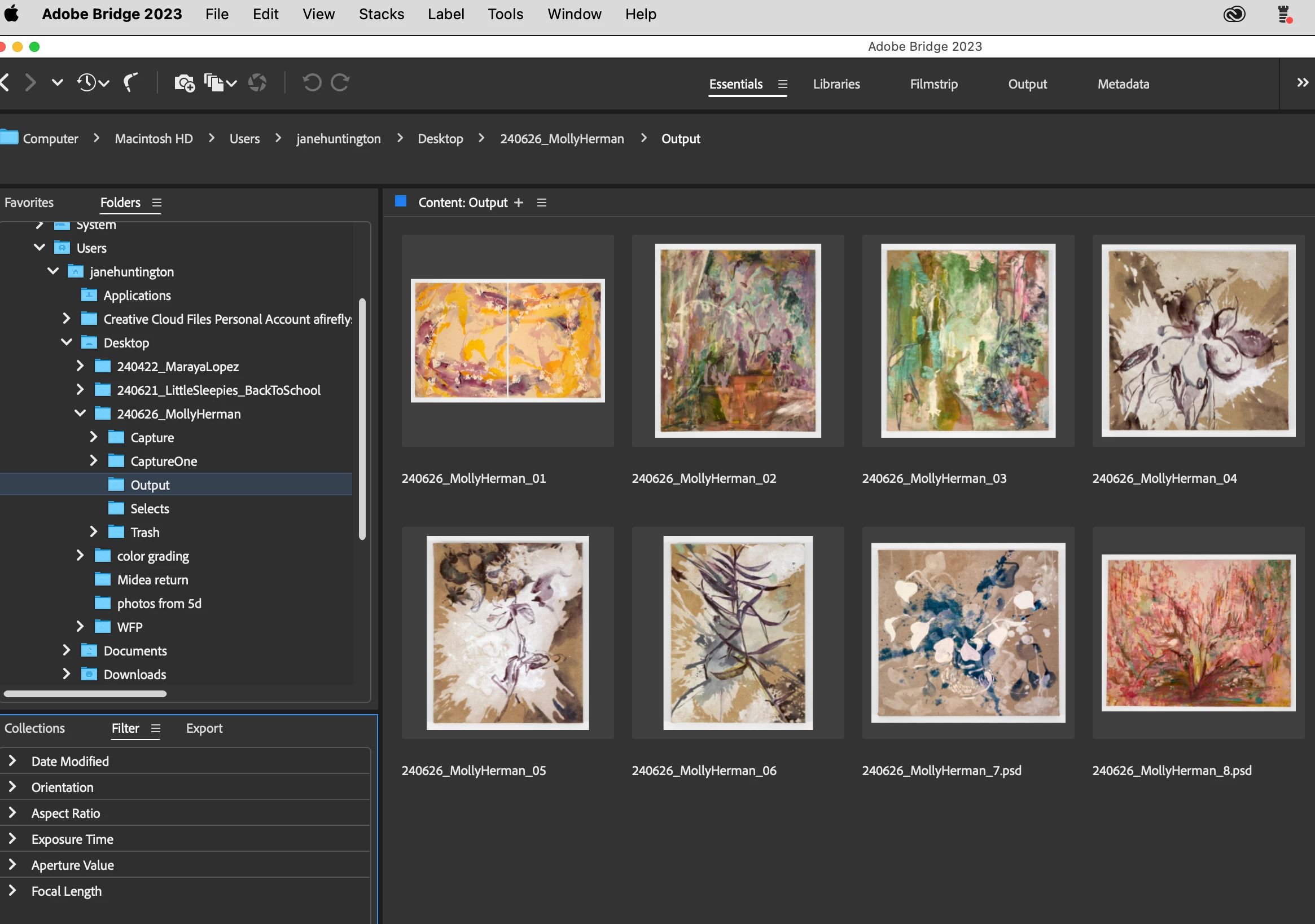
The retouched photos are on my desktop in a folder called "output". (These are not big files, only a few layers)

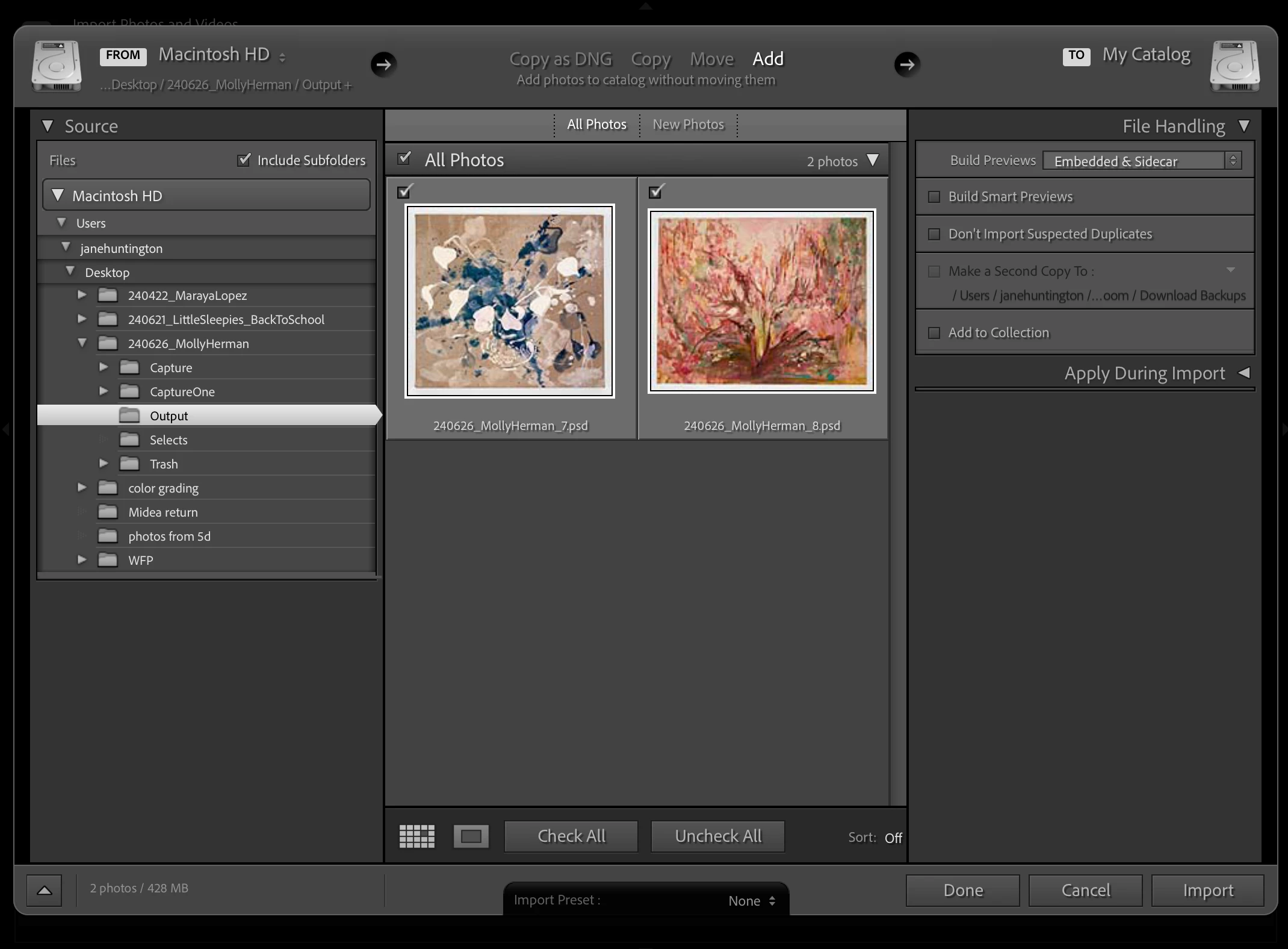
They are visible in Bridge, but not in Lightroom.

I need to output these in several different sizes and formats, which is my primary use of Lightroom. This is hindering my workflow, especially since my actions in Bridge aren't working either. (They work in Photoshop, but I need to do batch processing.)

I'm using: LR 13.4, PS 25.9, on a Mac Book Pro running Sonoma 14.5. Bridge 2023 (I've just updated to the latest version of Bridge 2024, but that doesn't solve my main problem)
This topic has been closed for replies.
Correct answer Jane needs help

The file format is missing from your screenshot for the six photos not showing in the Import dialog. What is the complete file name/format/source for one of these files? The PSDs are showing up fine - I suspect the other 6 are in an unsupported format, but that information isn't visible in your screenshots. 


That worked! Must have lost the extension during the rename.

Thanks!

1 reply

Rikk Flohr_Photography
Community Manager
July 11, 2024

"I use LR to export photos after retouching."

You need to check the "Add to This Catalog" box to have the Exported retouched photos appear in your catalog. 

Disregard - Your subsequent post clarifies the issue. 

Rikk Flohr: Adobe Photography Org
Inspiring
July 11, 2024

Thanks for your reply. I need to import the photos before they can be exported.

The visable photos are checked and can be imported. 


My issue is with the 6 other photos are not visible and cannot be imported.


Rikk Flohr_Photography
Community Manager
July 11, 2024

The file format is missing from your screenshot for the six photos not showing in the Import dialog. What is the complete file name/format/source for one of these files? The PSDs are showing up fine - I suspect the other 6 are in an unsupported format, but that information isn't visible in your screenshots. 

Rikk Flohr: Adobe Photography Org