
Eomeoni
Participant
January 3, 2024
Question

Photos missing from Lightroom won't import again.

  • January 3, 2024
  • 2 replies
  • 146 views

I had 243 image in my LR classic catalog which I had started working on. Today I went back to them and they aren't showing up. 

I go to syncronize and I can see them. 
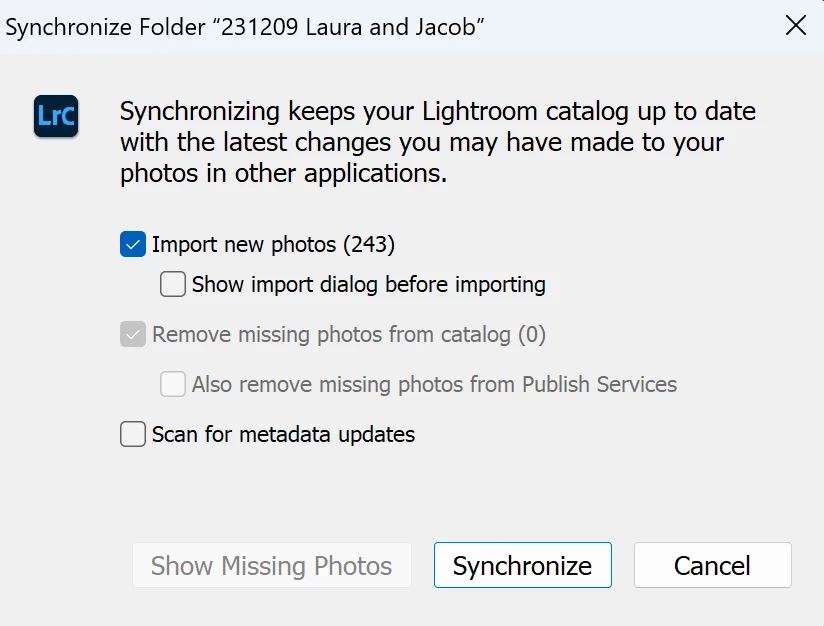
It works like it is going to bring them back in, but then I get this:
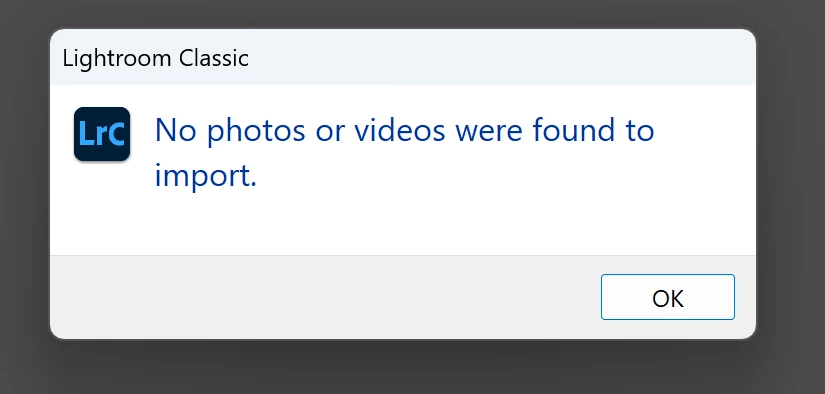
 

I've tried the import dialoge and they aren't selectable. I've tried moving them to a new folder, and I get the same issue. 


[moving from bugs to discussions, according to the community rules — Mod.]

This topic has been closed for replies.

2 replies

JohanElzenga
Community Expert
Community Expert
January 3, 2024

This probably means that the images are already in your catalog, but as a copy in another folder. Initially, when you invoke 'Synchronize Folder', Lightroom will only look at what it knows for this folder (zero images) and compare this to what it actually sees in that folder on disk (243 images). So that is why it says there are 243 images to import. But when you then try to really import them, Lightroom checks the new images against what it has anywhere in the catalog, not just in this folder. And that is when it finds that the images are already in the catalog, just not in this folder but in another folder. 


How were the images initially imported? Did you perhaps place them in this folder and then imported them? If so, then what probably happened is this. When you imported the images, you should have selected 'ADD' at the top center of the import dialog. That only adds the images to the catalog, but leaves them where they are. What you (errogeneously) did was select 'COPY' however. The result was that the images were copied to another folder, and those copies were imported. Those are also the images you worked on.


Go to 'All Photograps', and sort by Capture Date. That should make it fairly easy to find one of these images. Select one, then choose menu 'Photo - Go to Folder in Library'. Lightroom will show you in which folder this image is stored.


-- Johan W. Elzenga
GoldingD
Legend
January 3, 2024

In LrC, in the Library Module, looking at the Folders Panel, do you have any folders with a ? mark


https://www.computer-darkroom.com/lr2_find_folder/find-folder.htm