Participating Frequently
March 22, 2019
Question

Photos on external hard drive not in LR Library

  • March 22, 2019
  • 1 reply
  • 293 views

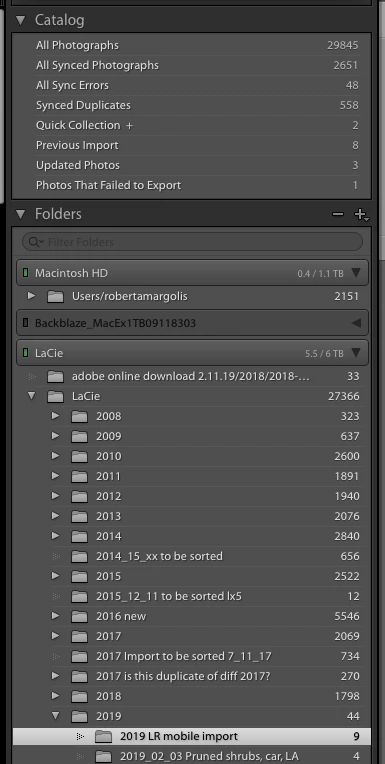
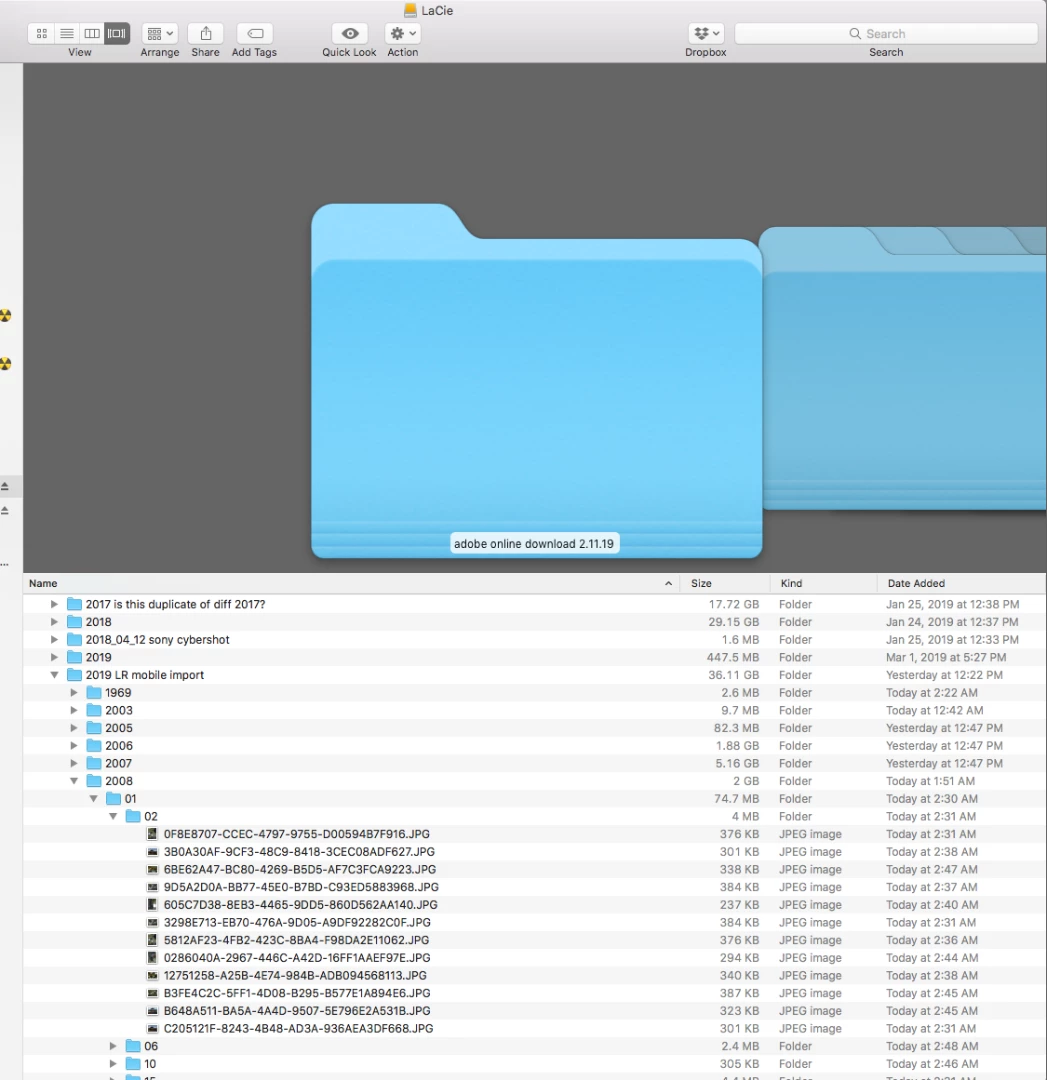
I have all my photos, not catalog, on external hard drive (EHD and LaCie). I am importing photos from my iPhone to my EHD using Photosync. I created  folder in LR to receive the import. The photos, 17,000 of them are being imported now. I see them in the EHD in the folder I created. So all seems to be working well. However, when look at the Library in that folder in LR, the photos aren't there. I do have a few photos that I imported directly from Pictures so they are there. I don't think that I should reimport the photos because  i would be importing them from the LACie to the LaCie. See the attached images. What do I not understand? Thanks.
 

This topic has been closed for replies.

1 reply

JP Hess
Inspiring
March 22, 2019

You used Photosync to move the images to your external hard drive. However, have those images been imported into Lightroom? It is necessary to use the Lightroom import dialog and the standard Lightroom import process to accomplish that.

rmargolisAuthor
Participating Frequently
March 22, 2019

No they haven't been imported. So it seems since they havent been, they can

be imported. I know it causes big problems when you import photos that

havent been imported so was concerned about that. Since they are in the

right place when I import them, I can use the Add function and leave them

where they are.

Correct?

Best.. Roberta

JP Hess
Inspiring
March 22, 2019

Yes, that is correct. Lightroom is not a browser in that sense. The Lightroom catalog is a database. Your images must be added to that database through the import process in order for Lightroom to know where they are located. Until you have gone through the Lightroom import process Lightroom cannot know where the images are located on your computer. Using the Add option would be a good choice in this instance.

Your dialog box did not come through. You cannot add images using your phone.