
Participant
April 23, 2023
Pregunta

Photos on external hard drive or visible in LR Classic on new Macbook

  • April 23, 2023
  • 1 respuesta
  • 658 visualizaciones

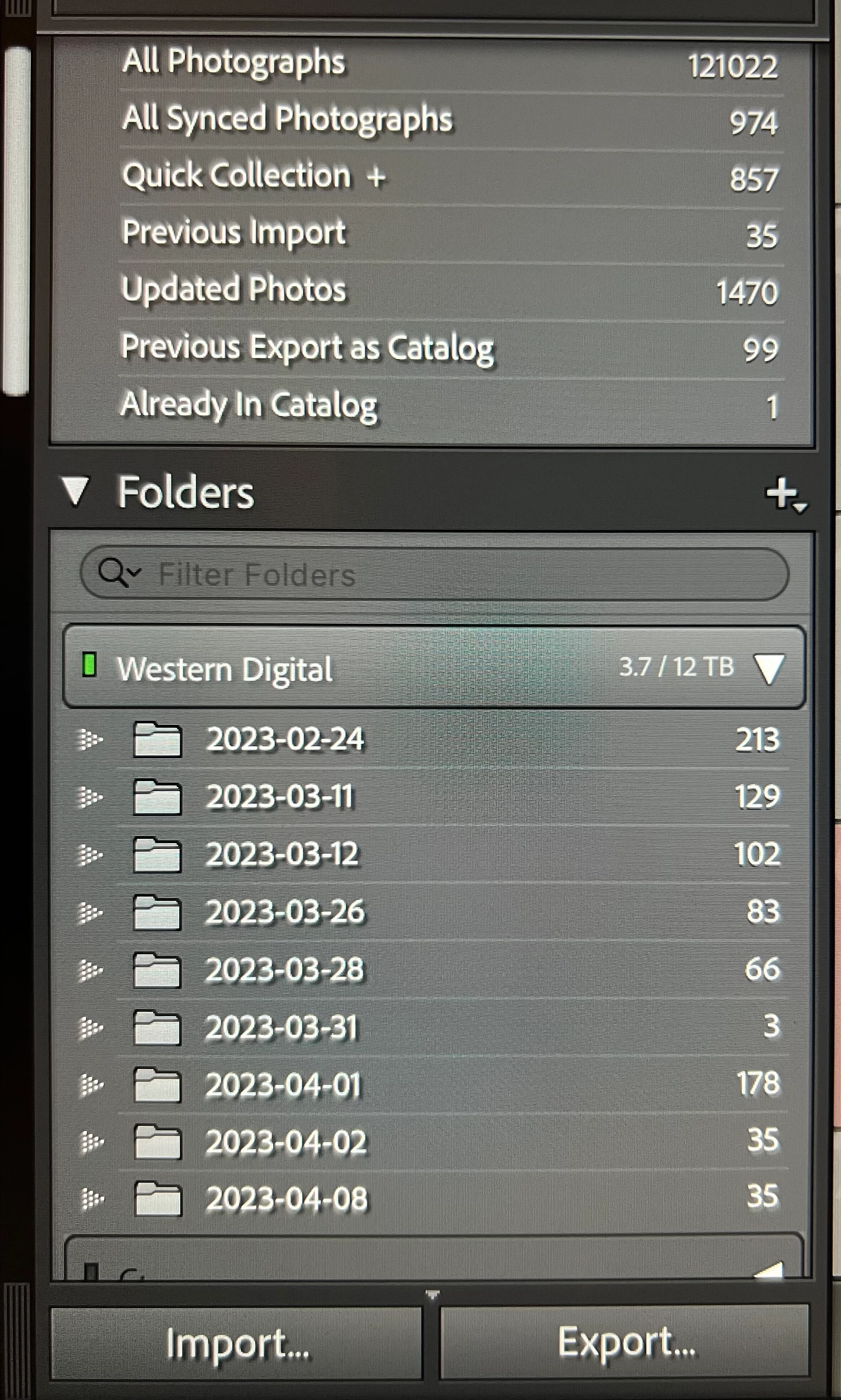
I'm likely being dumb Mac user noob. I have transferred my LR Classic catalogue to a new MacBook M2 (with latest Ventura update) from Windows PC. Photos are kept on a WD external hard drive. As you can see from the photo, there are about 122k photos on the hard drive but LR can only seemingly access about 840. They all appear as greyed out thumbnails with the usual exclamation mark within LR but I can't remind them.  What do I need to resolve this. Thanks! 
Este tema ha sido cerrado para respuestas.

1 respuesta

JohanElzenga
Community Expert
Community Expert
April 23, 2023

Looks like Lightroom thinks the other folders and images are still on the C drive of the PC (barely visible at the bottom of the folder panel). You will have to relink these: https://www.lightroomqueen.com/lightroom-photos-missing-fix/


-- Johan W. Elzenga
Participant
April 23, 2023

Thanks for that Johan. They are all on the external drive which is labelled M drive, the C drive didn't hold any photos, 99% are on the WD "M" external drive it wasn't changed moving the drive over to the Mac. It is detecting the drive and acknowledges that 9tb of photos are there but only showing the 9 small folders of just those 840 ish files. I've dived into how to solve it before posting this and have read that article but it doesn't solve it. As I say this is my first Mac so my inexperience within the Mac ios system is limited to day the least. 

JohanElzenga
Community Expert
Community Expert
April 24, 2023

The M drive is the old Windows drive? That means you still have to relink the images as described. The error may come if that drive is NTFS formatted. MacOS can read such a drive, but cannot write to it. After relinking the problem should be gone.


-- Johan W. Elzenga