
Participant
September 4, 2024
Question

Photos pixelisées dans la bibliothèque

  • September 4, 2024
  • 1 reply
  • 184 views

Bonjour, 


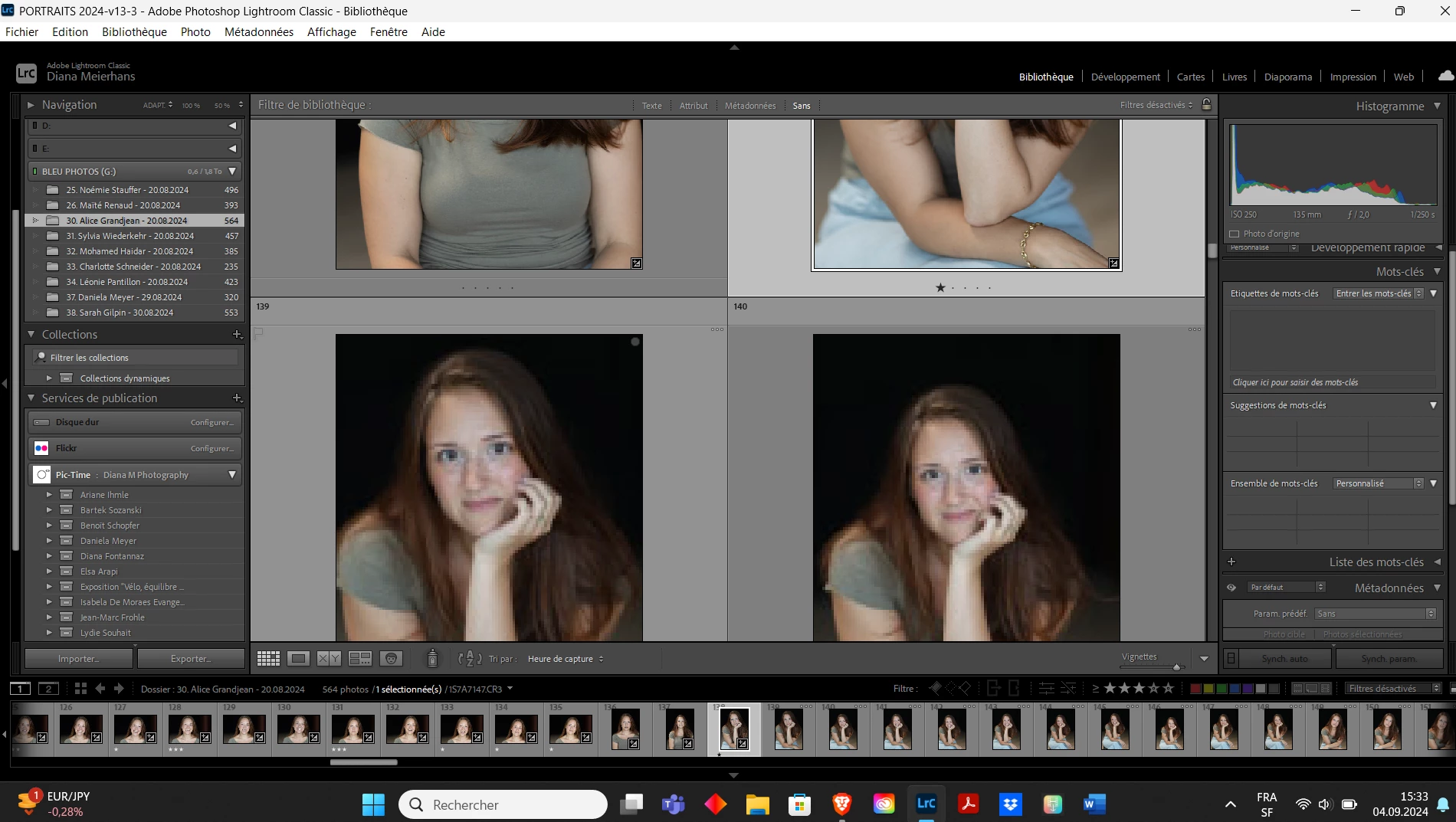
J'ai un problème lorsque je trie mes photos dans la bibliothèque. Toutes les photos visionnées une par une apparaissent bien, par contre toutes celles non visionnées apparaissent pixelisées. Il m'est donc impossible de faire mes sélections avec une vue d'ensemble de plusieurs photos à la fois, je suis obligée de cliquer sur chaque photo. Comment résoudre ça svp ? 
 

This topic has been closed for replies.

1 reply

Per Berntsen
Community Expert
Community Expert
September 4, 2024


I'm having a problem sorting my photos in the library. All the photos viewed one by one appear well, but all the ones not viewed appear pixelated. It is therefore impossible for me to make my selections with an overview of several photos at the same time, I am forced to click on each photo. How to solve this please?

By @Diana3449654905bp


The three dots in the top right corner of the thumbnails means that LrC is checking if the previews are current, building new previews, or waiting for a better quality thumbnail to load. So you probably have a corrupted Library preview cache, and the usual fix is to delete it.

Go to Edit > Catalog settings, click the Show button on the right, which will open a File explorer window with the catalog folder. Then Close LrC.

In the File explorer, delete the file whose name ends with .Previews.lrdata.

Open LrC, and the previews will be rebuilt as you browse folders in the Library.


See also https://www.lightroomqueen.com/lightroom-says-preview-cache-corrupted-fix/