
Picture is different between Library and Develop mode. on Windows.
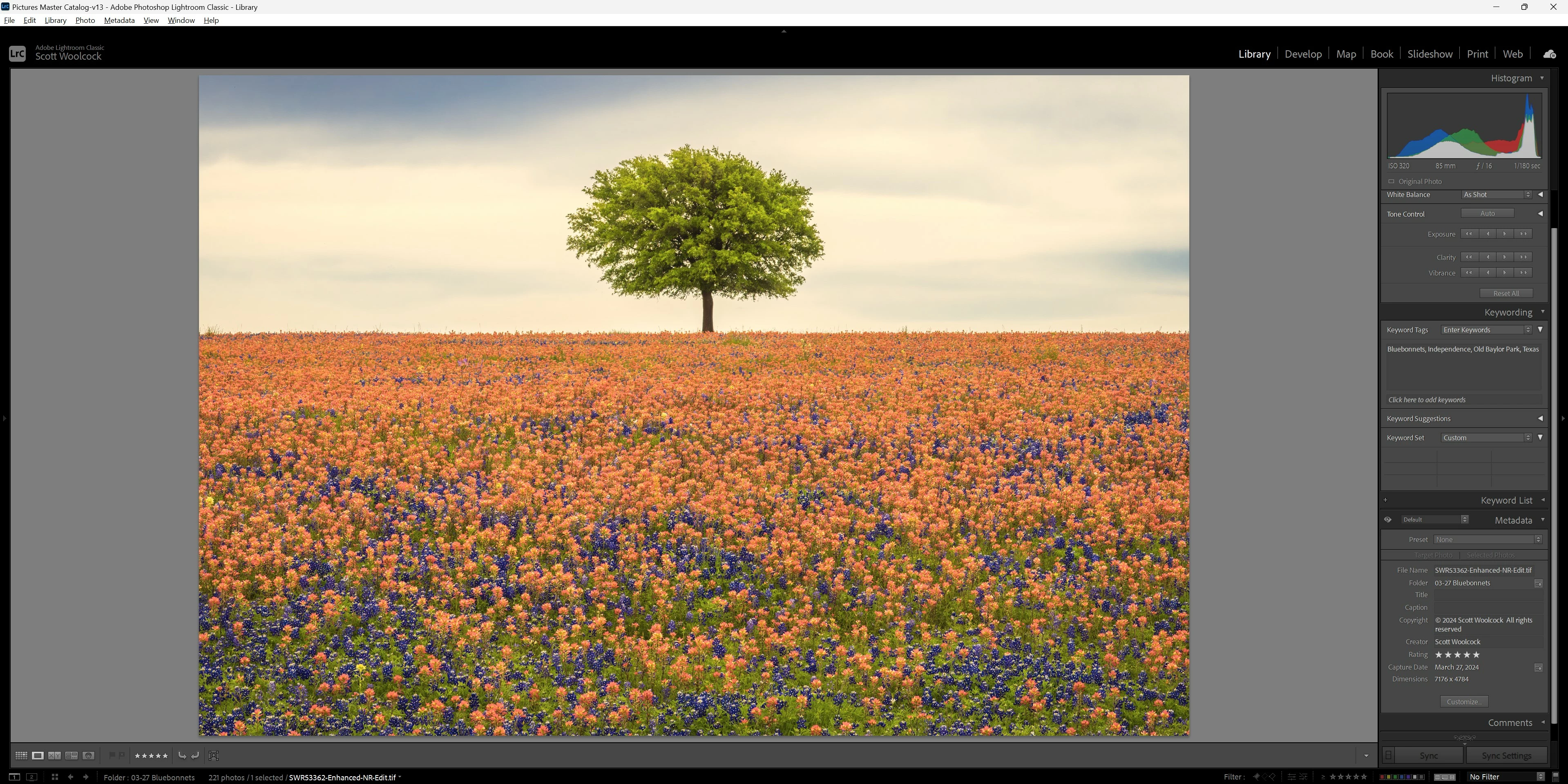
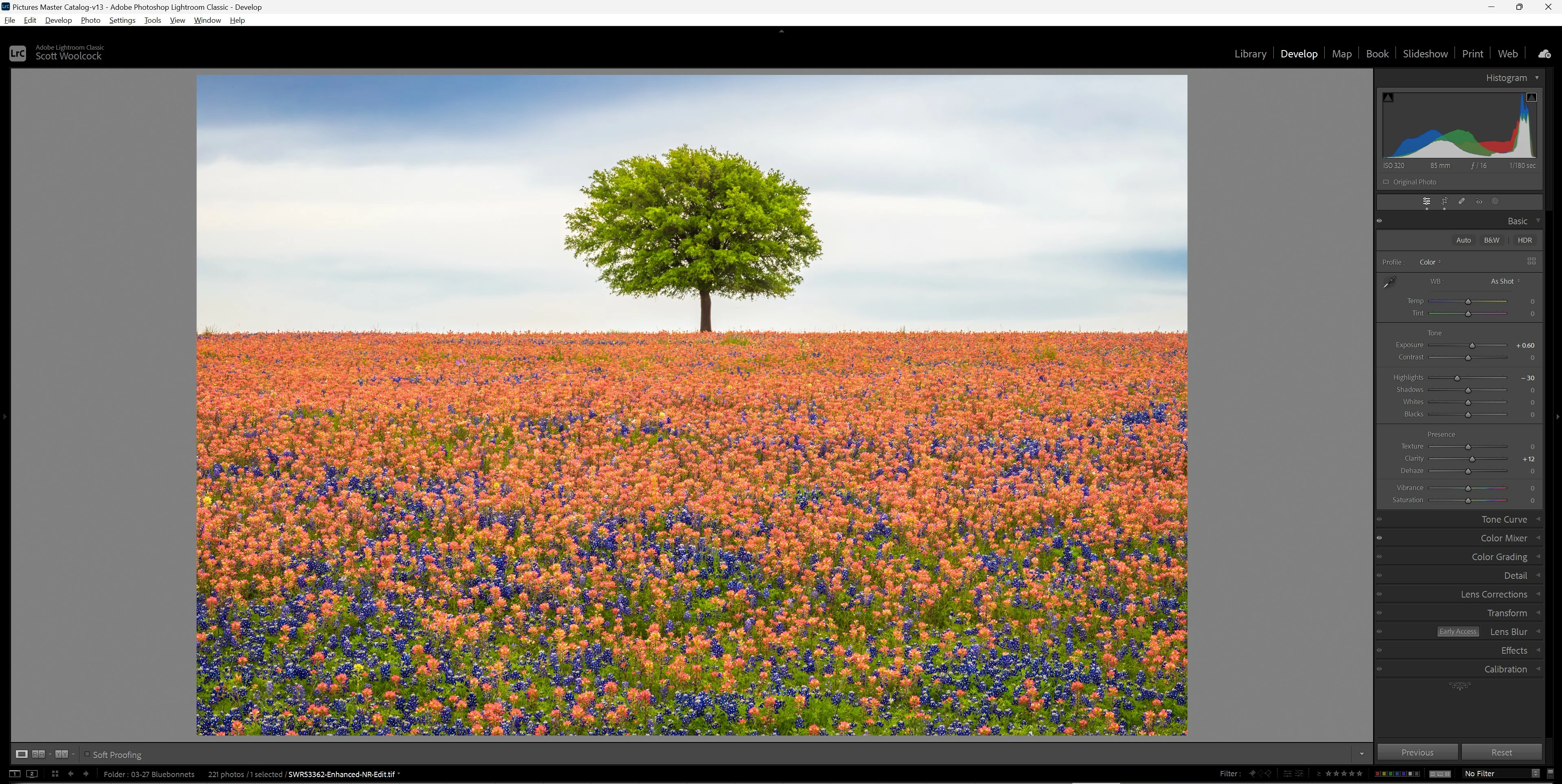
I see a massive difference between a picture in Library module and Develop module. The picture in Develop mode is what I am looking for, with all the tweaks I've made, but the library view is close to as shot. I've attached examples below. It's not just one picture either. it appears to be across my whole catalog. I have turned on lens correction on import. It's almost as if Lightroom has forgotten my edits when I leave develop mode.
Further, the picture exports as it looks in Library, not Develop as I would expect. I've tried exporting with different color spaces (Adobe RGB, ProPhoto RGB and sRGB) and nothing changes.
I'm running the latest update for Lr Classic (13.2) and Windows 11 Home is up to date as well.
I've searched through the community and haven't found an answer that fits for me , so I'm bringing my problem in with the hope someone can tell me what the issue is.


 AdChoices