
Question
Picture turns into black and white when using Lightroom Develop - Erasure Tool button.
Today I used Generative Remove AI in Lightroom for the very first time. Nevertheless I have now encountered a problem. Since then, every time I click the Erasure Tool button my photo changes from color to black and white. Does anybody have an idea what's going wrong? Why can I no longer edit the photo in color (the problem occurs both in Generative Remove AI and in the old situation as I was used to). In short, when I click the Erasure Tool button the photo immediately changes from color to black and white.
Thank you very much for your cooperation!!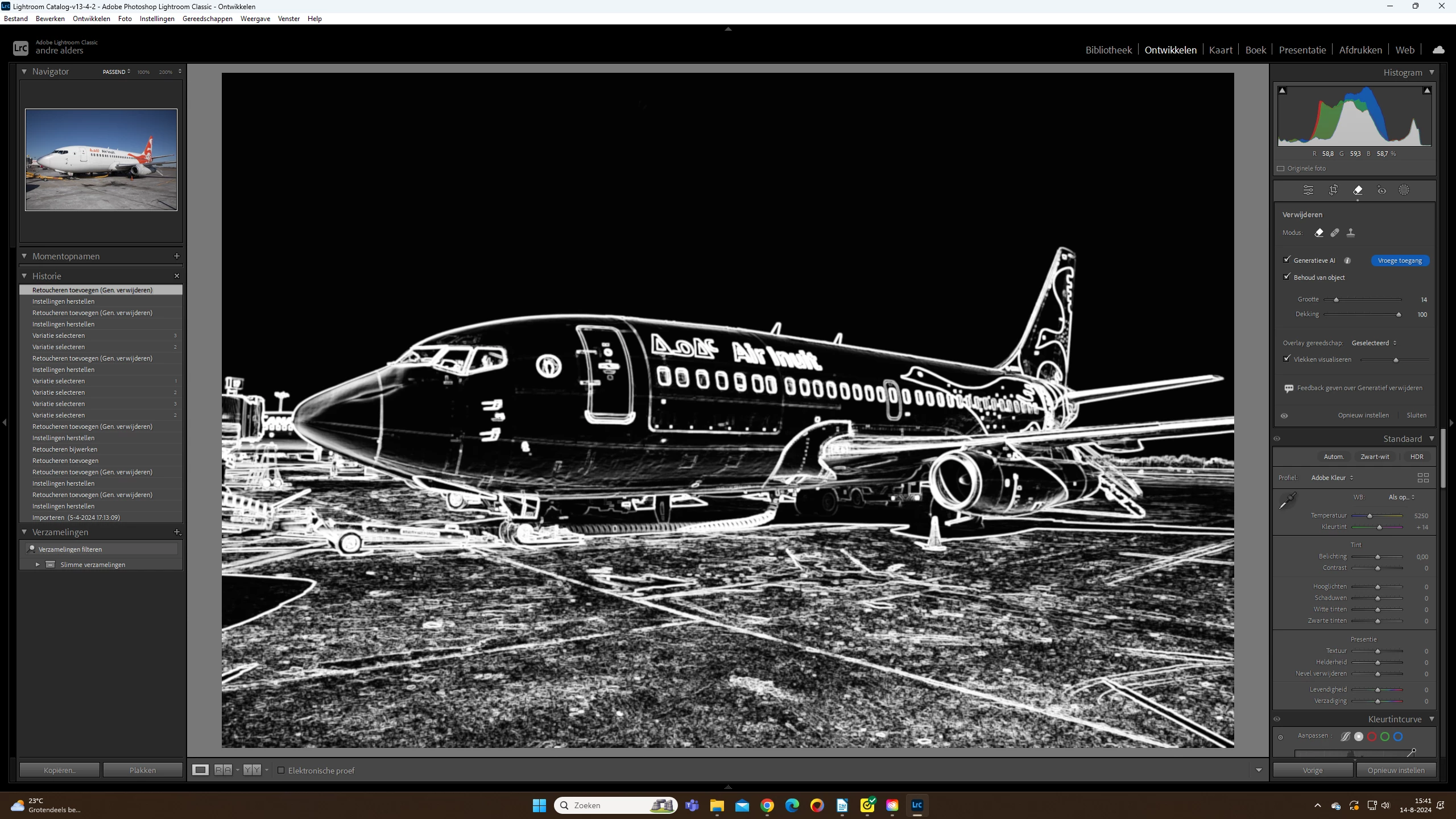
Andre'
[Moved from ‘Bugs’ to ‘Discussions’ by moderator, according to forum rules. A ‘bug’ is not just another word for any problem with software!]


 AdChoices