


January 7, 2026
Question

Pictures > Lightroom Folder on Mac: Which files can I delete?

  • January 7, 2026
  • 1 reply
  • 164 views

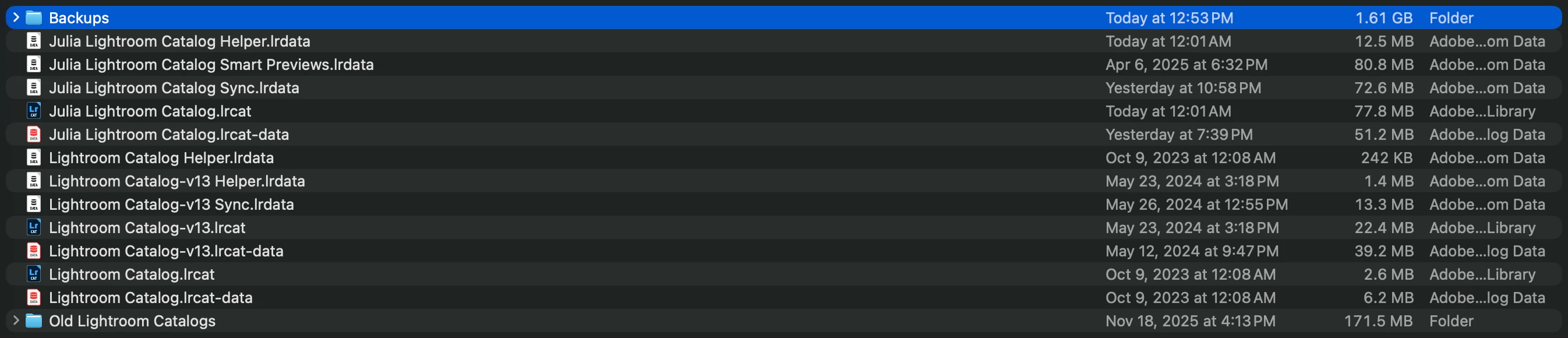
The Lightroom Folder on my Mac is taking up 2GB. Which files can I safely delete to free up space?
JuliaGuo_0-1767808710062.png

JuliaGuo_1-1767808779200.png

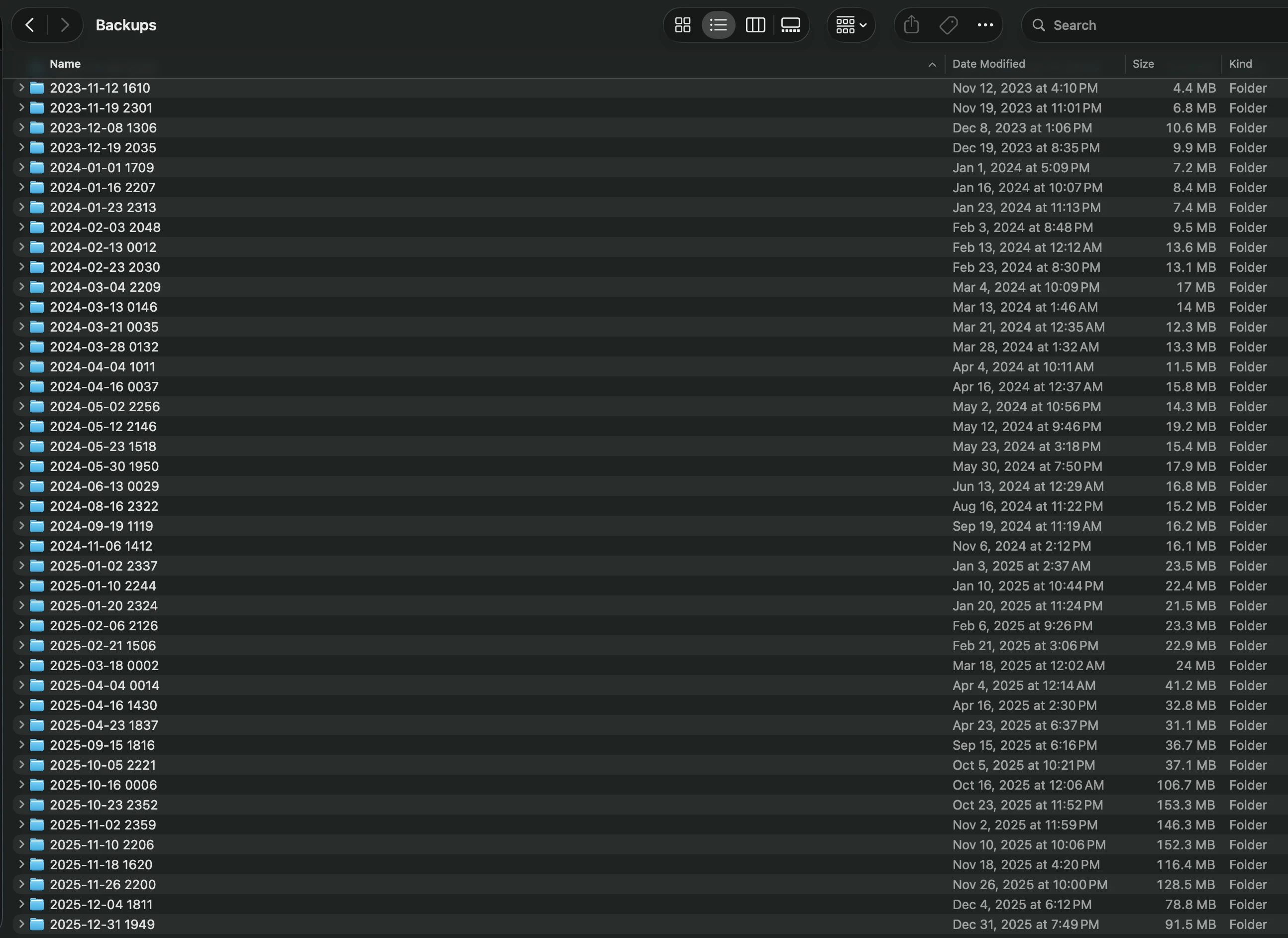
The Backups folder is taking up most of the space.


Apologies if this question has been asked before, I'm a novice at file management and would greatly appreciate any help + explanations. 


Thank you, 
Julia

1 reply

dj_paige
Legend
January 7, 2026

Backups should NEVER be on the same disk as the working catalog file. NEVER is a strong word, and I mean it to be a strong word. NEVER NEVER NEVER.


Why? Because if you hard disk crashes (and it will some day possibly without warning) then you have zero copies of the working catalog file and zero backups, and I'm guessing you won't like that. MOVE (not delete) these backups to a different disk.


You have several catalog files in this folder, some of which haven't been touched since 2024 or 2023. I would move these catalogs and associated files as well to a different disk, and if after a few weeks you are sure you still have everything in the working catalog file and no photos have disappeared, then you probably don't need these old catalog files.

January 8, 2026

Thanks for the reply. I have an SSD that I was planning to backup my whole hard drive to after clearing out and reorganizing all of my files. I also wanted to reorganize my whole catalog before making the backup. 

Could you give me specific instructions on next steps? I'm still confused about what the other lrcat and lrdata files are for and how they're different from the backups, as well as which specific ones to keep and which to delete

dj_paige
Legend
January 8, 2026

The .LRCAT files are your "original" or working catalog. A backup is an exact copy* which you can place on another disk. I don't know what you mean by re-organize, so I can't help with that.


* — the Lightroom Classic backup function actually zips the backup catalog, you would have to unzip it to use it, but it will be an exact copy after unzipping.