AshleyWarnerAPhotographer
Participant
January 7, 2018
Answered

Pictures look different between Developer and Library

  • January 7, 2018
  • 5 replies
  • 1536 views

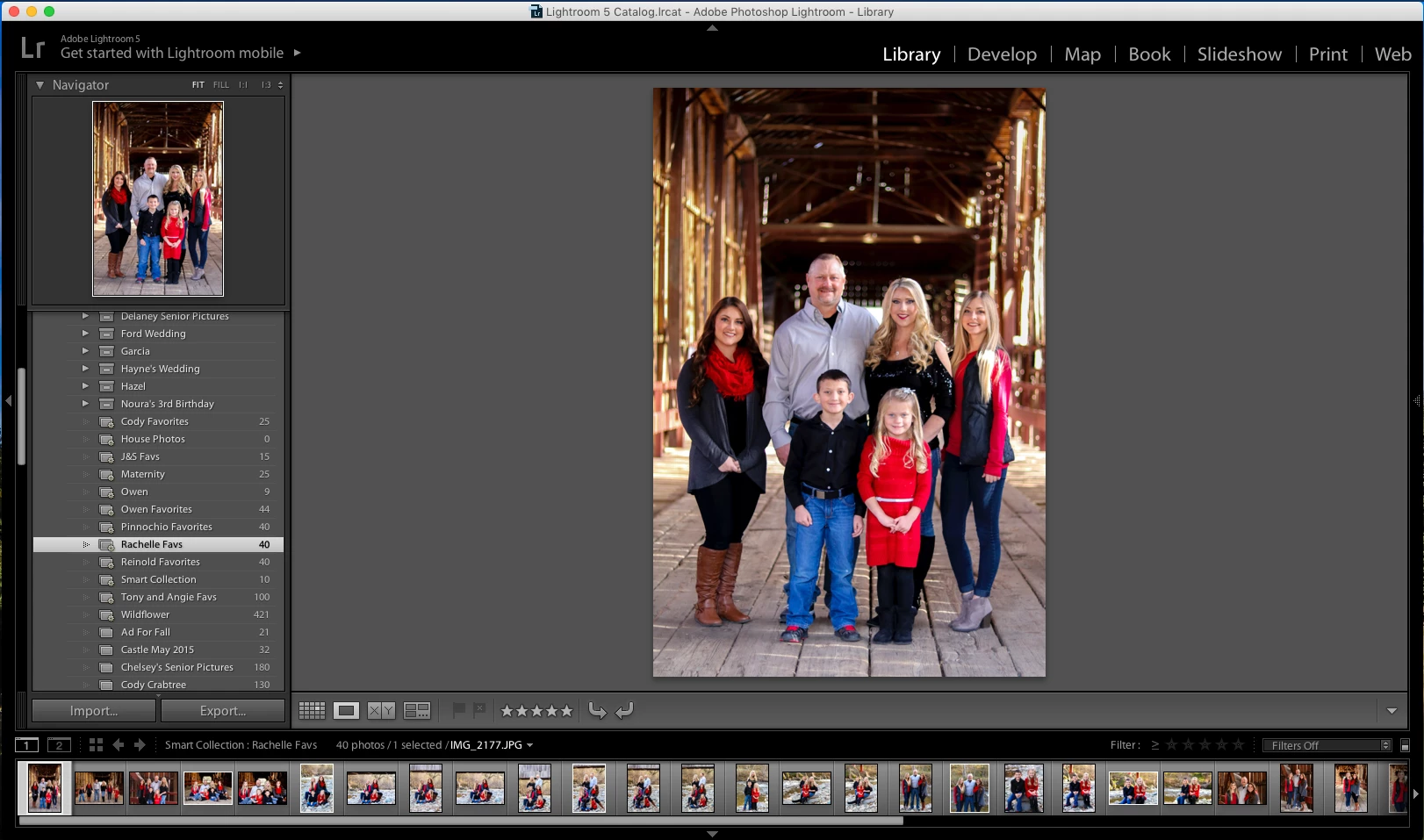
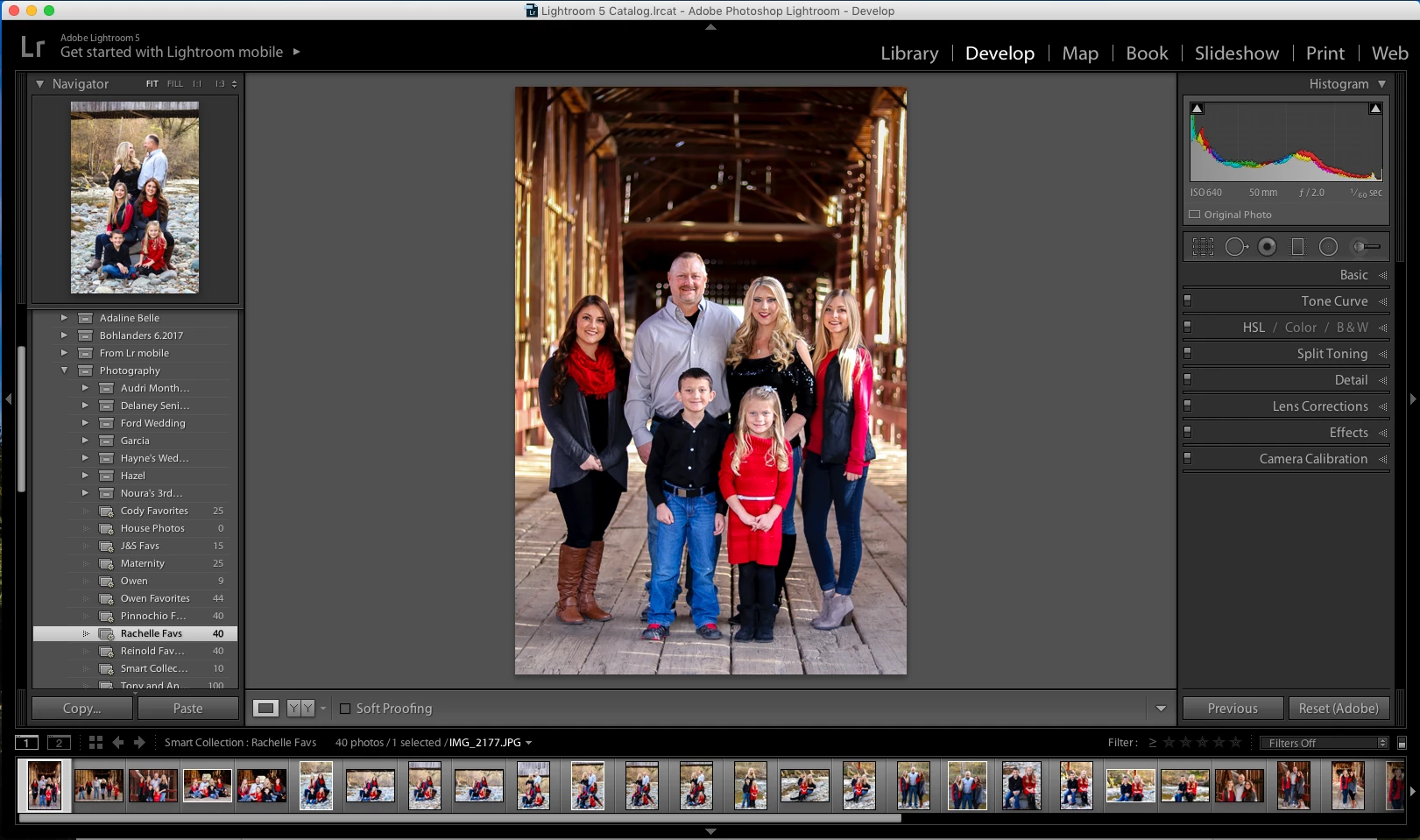
Hi everyone, I'm having a weird new issue with my Lightroom Classic CC. When I switch back to the Library after I have finished editing a photo it's like only some of the editing is coming through - some of the brush strokes in particular are missing (you can really see the difference if you look and the dad's face). I've attached an example for you all to see. This is something that just started happening and I'm not sure why. I was hoping that it was just the Library not fully loading the images, but they look the same after I've exported. I know it's hard to see the change in quality from a screenshot. As you can see, the top picture is the Library version and the bottom picture is the Develop/edited version.
    This topic has been closed for replies.
    Correct answer Just Shoot Me

    Looking at your screen shots on my secondary monitor I don't see any real difference between the 2.

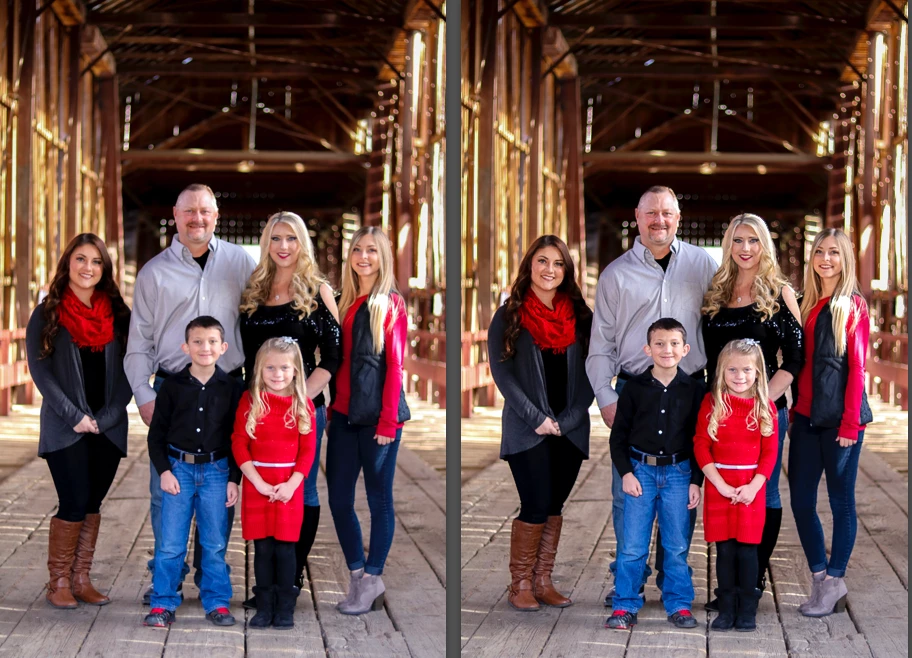
    Here they are put together in PS.

    5 replies

    Participating Frequently
    August 24, 2020

    I had the same issue..

    Switching of  GPU in performence (preferences) solved the problem!

    Neox99
    Legend
    January 7, 2018

    Comparing images in differing modules is kinda like comparing them on different monitors or different computers or on pads or phones.

    They will NEVER be the same.

    If you intend to Print the images use the Develop Module to get the Printed look you want.

    If you intend to show them on Web, develop them for that look.

    Just Shoot Me
    Just Shoot MeCorrect answer
    Legend
    January 7, 2018

    Looking at your screen shots on my secondary monitor I don't see any real difference between the 2.

    Here they are put together in PS.

    Per Berntsen
    Community Expert
    Community Expert
    January 7, 2018

    I don't think this has anything to do with the monitor profile - the colors are identical in Library and Develop.

    I see a slight difference in the man's forehead, it looks like you may have darkened the highlight a little.

    Have you tried viewing the image at 1:1? This is the only view that's completely accurate.

    Also view the exported image at 1:1.

    AshleyWarnerAPhotographer
    Participant
    January 7, 2018

    I agree that there really doesn't seem to be any color variation between the two tabs. I viewed them at 1:1 and strangely they look the same. I did change the highlights as well as the sharpness level (which seems to be lost on all faces). I've attached a more zoomed in version of the picture so you can see the issue a little clearer. The top one is the the view from the Library (and what ends up being exported), the bottom picture is what I see in Developer. The top one is almost blurry, which obviously I don't want to turn over a blurry image to a client.

    Thank you for your help!

    Per Berntsen
    Community Expert
    Community Expert
    January 7, 2018

    I viewed them at 1:1 and strangely they look the same. I did change the highlights as well as the sharpness level (which seems to be lost on all faces).

    Sharpening and noise reduction must always be applied and assessed at 1:1 view - any other view will be inaccurate and misleading because of image scaling.

    I rarely enlarge images in Library (Loupe view), I prefer Develop, because I don't normally create 1:1 previews.

    But I did a test now, and images looked soft in Fit view in Library. I then went to Library > Previews > Build 1:1 previews, which rebuilt the preview for the selected file.

    The image then displayed much sharper in Fit view, so try rebuilding the previews.

    Library and Develop use separate previews.

    The Library previews are stored on disk in the Preview cache, whereas Develop previews are created on the fly.

    So you are never looking at the original in Lightroom, you are looking at previews.

    The top one is the the view from the Library (and what ends up being exported)

    When you export a file, the edits you have done are applied to a copy of the original, so the exported file is not based on a preview.

    Did you view the exported file at 1:1?

    dj_paige
    Legend
    January 7, 2018

    First thing to try is to re-calibrate your monitor. That is almost always the reason for mismatch between Library and Develop.

    AshleyWarnerAPhotographer
    Participant
    January 7, 2018

    I've never calibrated my monitor before. Does it make a difference that I'm using an iMac to edit?

    Just Shoot Me
    Legend
    January 7, 2018

    ashleywarneraphotographer  wrote

    I've never calibrated my monitor before. Does it make a difference that I'm using an iMac to edit?

    No but the problem might be the monitor profile that is being used now is corrupted.

    Take a look at this webpage on how to switch the profile to sRGB to test.

    http://www.lightroomqueen.com/articles-page/how-do-i-change-my-monitor-profile-to-check-whether-its-corrupted/