
Question
Pink oversaturation when exporting from LR
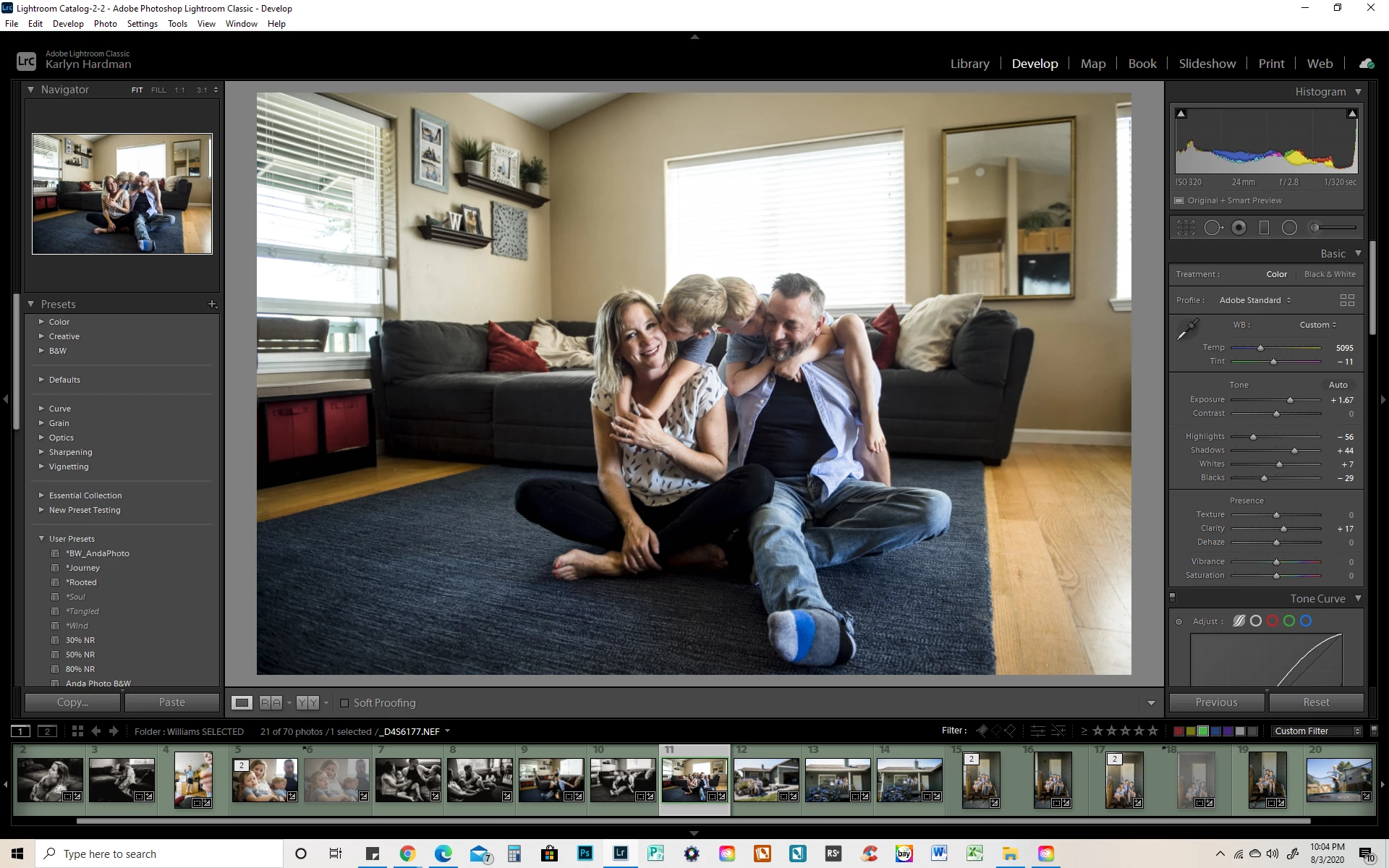
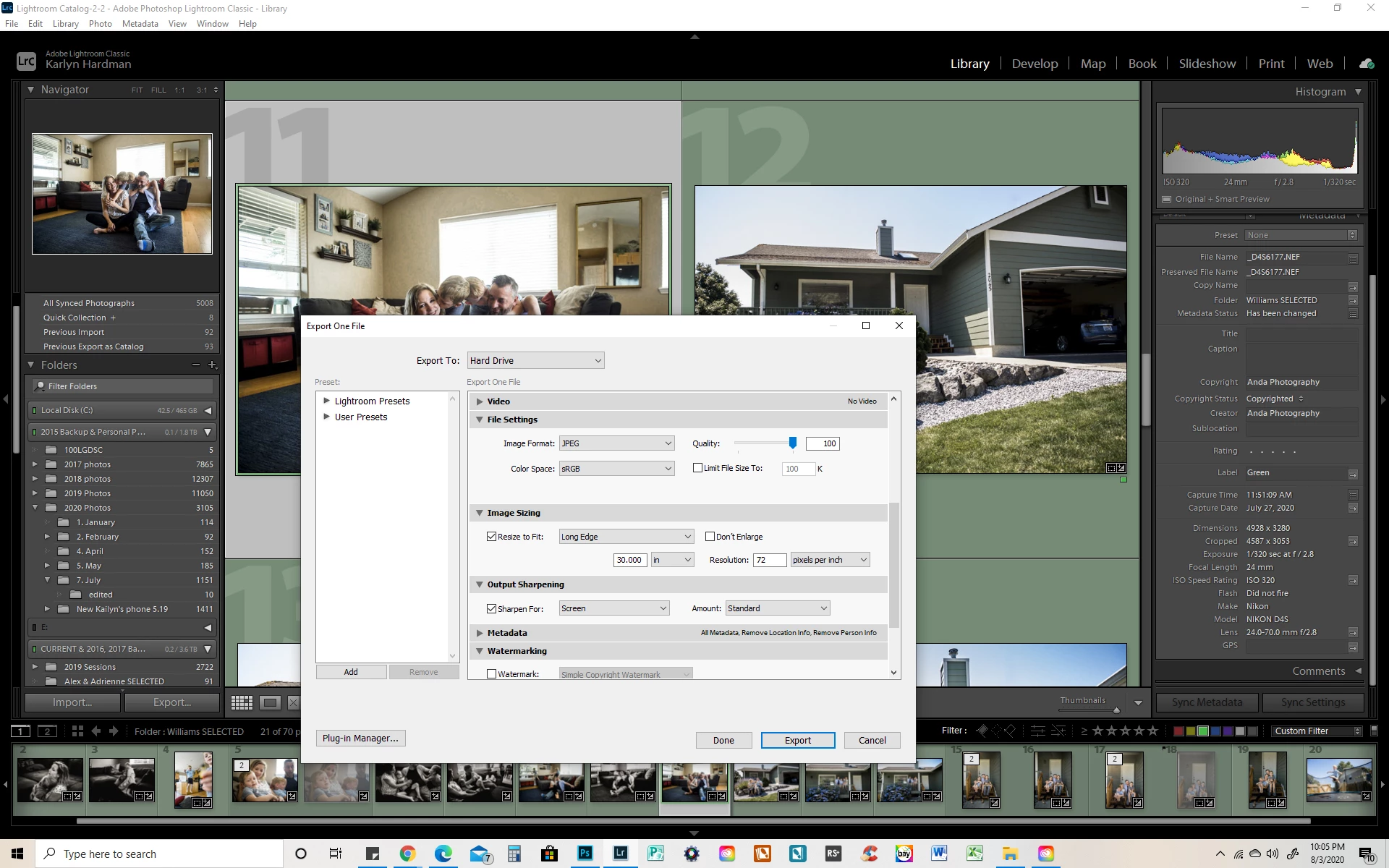
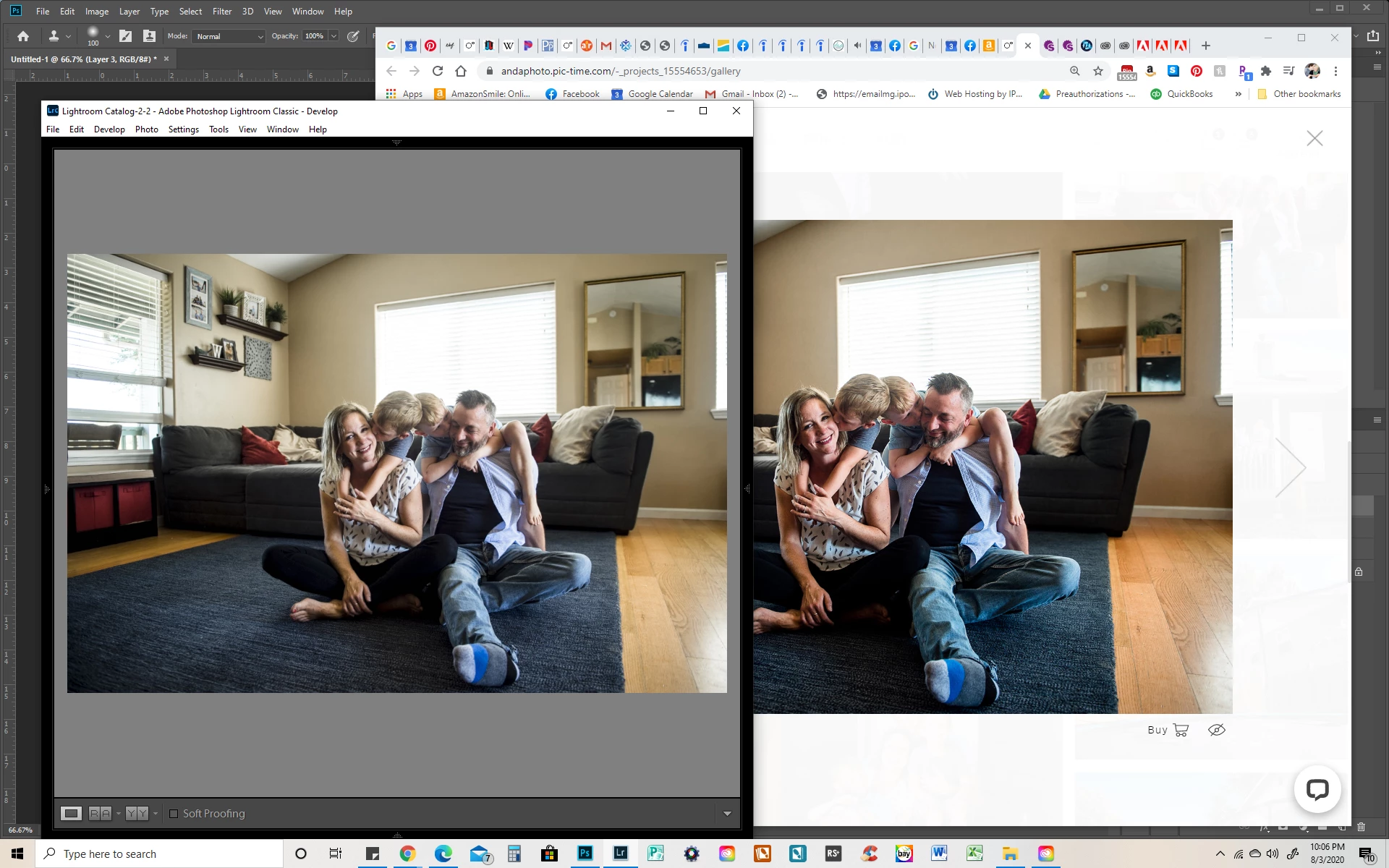
My recent photos have been exporting out of LR with a pink hue; they look oversaturated and nowhere near the edit that I did. I am on Windows 10, and the image looks great in LR then crappy in windows explorer; however, when I order prints from my lab (obv using the exported file) they look great, just as they do in LR. BUT when I upload the same files to my client gallery site, they look like the crappy version.
I have done some reading on color profiles and color management; I'm trying hard to grasp all of it but I'm so confused. What the heck is happening and how do I just get the photos to come out the way I edited them??
 AdChoices