
Participant
November 14, 2023
Question

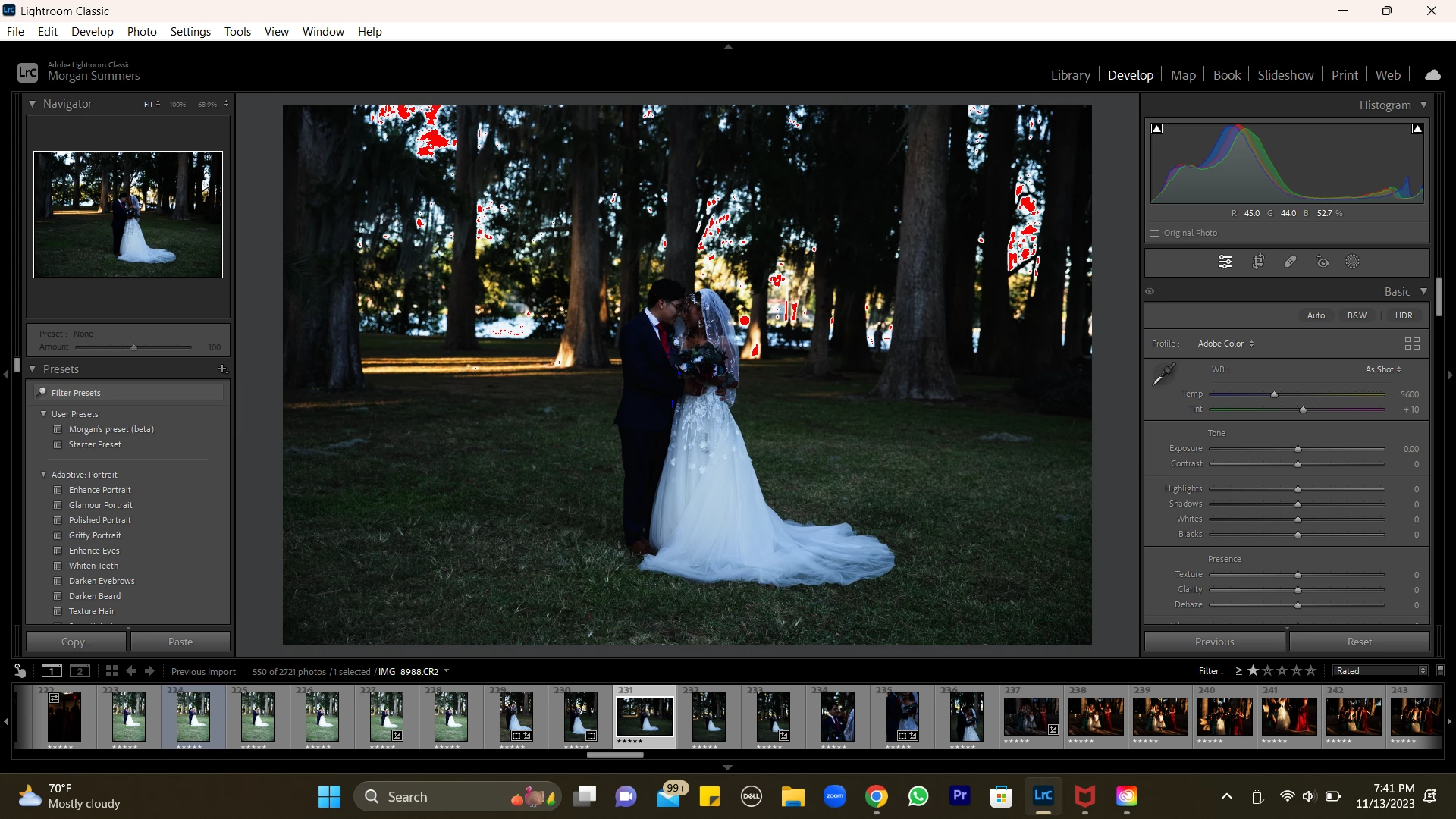
Please Help! Photos Darkened. In Lightroom but fine when exporting.

  • November 14, 2023
  • 1 reply
  • 117 views

Lightroom has darkened all of my photos. But when I export it is completely fine! I have a huge gallery to deliver soon and do not know what to do. I've tried everything, reinstalling lightroom, creating a new catalog with the original raw images, restarting my computer, etc. I even tried it out with some old photos and Lightroom does it to everything. I called adobe support, was on hold for an hour,and then they hung up. Has anyone else had this problem?! 
This topic has been closed for replies.

1 reply

johnrellis
Legend
November 15, 2023

Troubleshooting steps:


1. Try setting Preferences > Performance > Use Graphics Processor to Off -- does the issue go away?


2. Regardless of step 1, try updating your graphics driver by going directly to the manufacturer's web site:
https://helpx.adobe.com/lightroom-classic/kb/troubleshoot-gpu.html#solution-4


If that doesn't help, please copy/paste here the entire contents of the LR menu command Help > System Info -- that will let us see exactly which versions of hardware and software LR thinks you're running.


3. Quickly test if you have a bad display profile (Windows has a nasty habit of "updating" them): 

http://www.lightroomqueen.com/articles-page/how-do-i-change-my-monitor-profile-to-check-whether-its-corrupted/