yosir46450219
Participating Frequently
December 18, 2020
Question

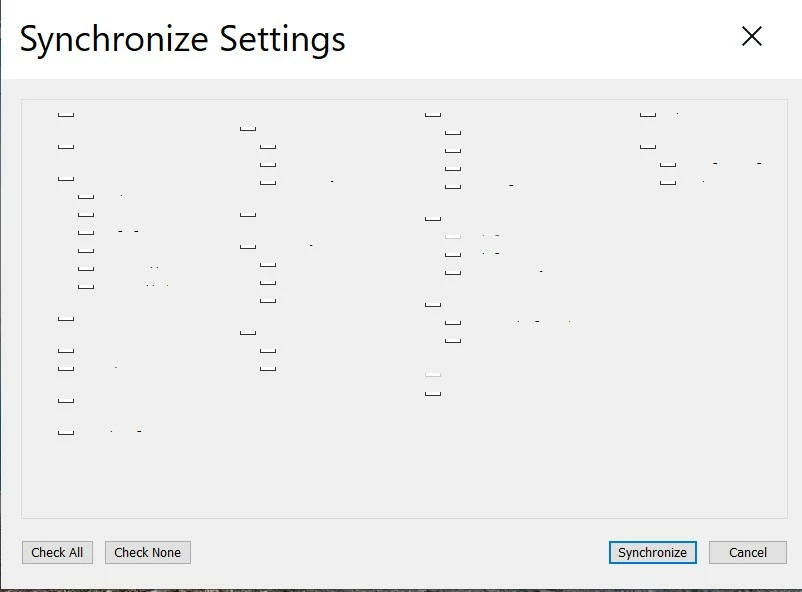
Please take a look at the screenshot , anyone has an idea why its happened? (Synchronize Settings)
  • December 18, 2020
  • 2 replies
  • 234 views


{Moved from Lightroom Cloud to Lightroom Classic Forum by Moderator} 

This topic has been closed for replies.

2 replies

Per Berntsen
Community Expert
Community Expert
December 18, 2020

What is the font size set to under Edit > Preferences > Interface?

If it is set to something large, try setting it to Automatic, then restart Lightroom.


Also check your Windows display settings.

If scaling is set to more than 100%, try setting it to 100%.

dj_paige
Legend
December 18, 2020

Restart LrC. If that doesn't help, try turning off the Graphics Processor in Preferences->Performance.

yosir46450219
Participating Frequently
December 18, 2020

Hello, thanks, but I've change the Graphics Processor in Preferences to OFF, restart LRC, same problem

dj_paige
Legend
December 18, 2020

Try re-starting the computer.


If that doesn't help, please provide the following information:


What is the version NUMBER of your Lightroom Classic? We need the version NUMBER and not words like "up-to-date" or "current".


What is the version NUMBER of your operating system? We need the version NUMBER and not words like "up-to-date" or "current".