
Participant
May 7, 2024
Question

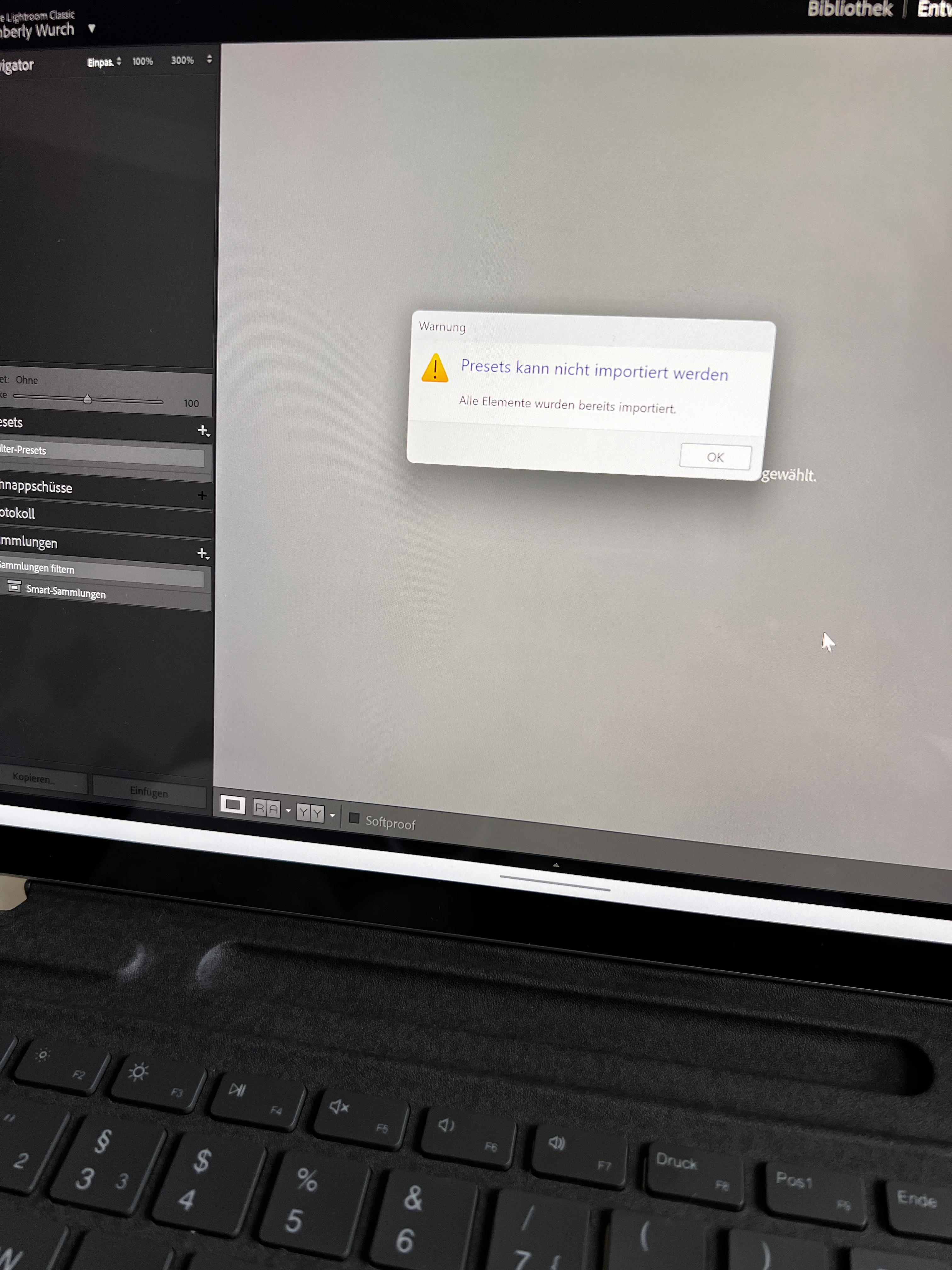
Presets…. Already imported

  • May 7, 2024
  • 1 reply
  • 142 views

Hallo Zusammen,

ich habe ein neues Laptop und dort Lightroom classic installiert. Auf dem alten habe ich alles deinstalliert.

Nun werden mir aber meine Presets nicht mehr angezeigt. Wenn ich sie neu installieren möchte, kommt eine Fehlermeldung, wie im Anhang. 
Was kann ich machen?

{Moved from Lightroom Cloud to Lightroom Classic Forum and thread title edited by Moderator} 

This topic has been closed for replies.

1 reply

Rob_Cullen
Community Expert
Community Expert
May 7, 2024

Error message is "all elements have already been imported".

-You can only import presets once. The message indicates you have already done that.

-Do you have a photo visible in the Develop module main window? Presets will be greyed out if no photo selected.

-Are the Presets specific for RAW photos? They will not show with a JPG if the preset is made for RAW files.

-Do the Presets require a Profile Preset?  They will not be visible if they rely on a Profile that has not also been imported.

-Did you copy your preset files from the old computer? FILE LOCATIONS 


In future please use the Windows Snipping Tool for clarity of inserted photos.

-Post a screen-clip of the Preset Panel with Preset Groups expanded.

-Where are the Preset files that you are trying to Import?

-Are the Preset files 'purchased', or presets that you have created?


Moderator- Please move thread to the Lightroom-Classic forum.


Regards. My System: Windows-11, Lightroom-Classic 15.3, Photoshop 27.5, ACR 18.3, Lightroom 9.3, Lr-iOS 10.4.0, Bridge 16.0.3 .