Participant
September 25, 2021
Question

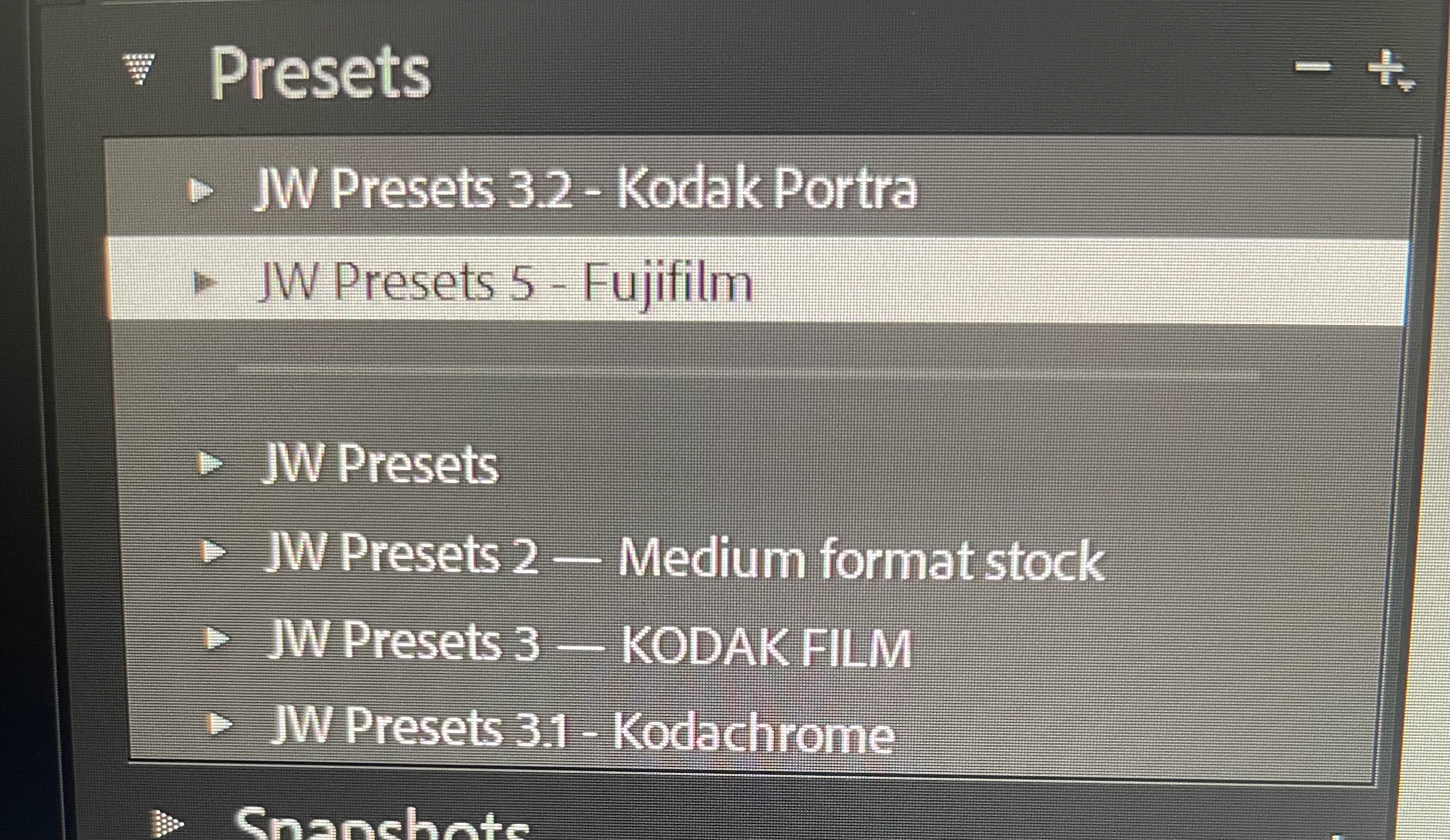
Presets are organizing into two separate areas! [Help!]
  • September 25, 2021
  • 1 reply
  • 531 views

 I have several preset packs I've purchased over the years, along side two that I have just bought. All of them are made by the same person, and as you can see they are numbered sequentially. For some reason LR decided to separate the newer two in there own area while the ones I've had for a while are completely separate. Any one know a way to get them to stack in order and clean this up?


on Windows 10, if that matters. 

This topic has been closed for replies.

1 reply

Rob_Cullen
Community Expert
Community Expert
September 25, 2021

If you look into one of the Presets .XMP with Windows Notepad (text editor) you may find that some of the Presets have a defined "Cluster" which places Presets within the dividing lines in the panel. Something I do NOT understand!!

eg. No cluster defined-

It might be easier to try using the Plugin from John Ellis- "Fix Presets" which can be used to set the Preset panel to echo your folder structure of Presets-

Fix Presets Lightroom Plugin


Regards. My System: Windows-11, Lightroom-Classic 15.1.1, Photoshop 27.3.1, ACR 18.1.1, Lightroom 9.0, Lr-iOS 10.4.0, Bridge 16.0.2 .
Participant
September 25, 2021

I'll have to try and give note pad a try, I attempted the "fix presets" approach twice to no avail. The first time looked correct but it effectively hid some of the presets and if you tried to reupload a missing one, it would say it's already there.  (between everything there are about 150 different presets.) and the second time it just dumped them all into one pool of "user presets" with no organization and no folders/groups.  Thank you though!