Participant
July 16, 2022
Question

Presets Missing After Upgrade to 11.

  • July 16, 2022
  • 2 replies
  • 270 views

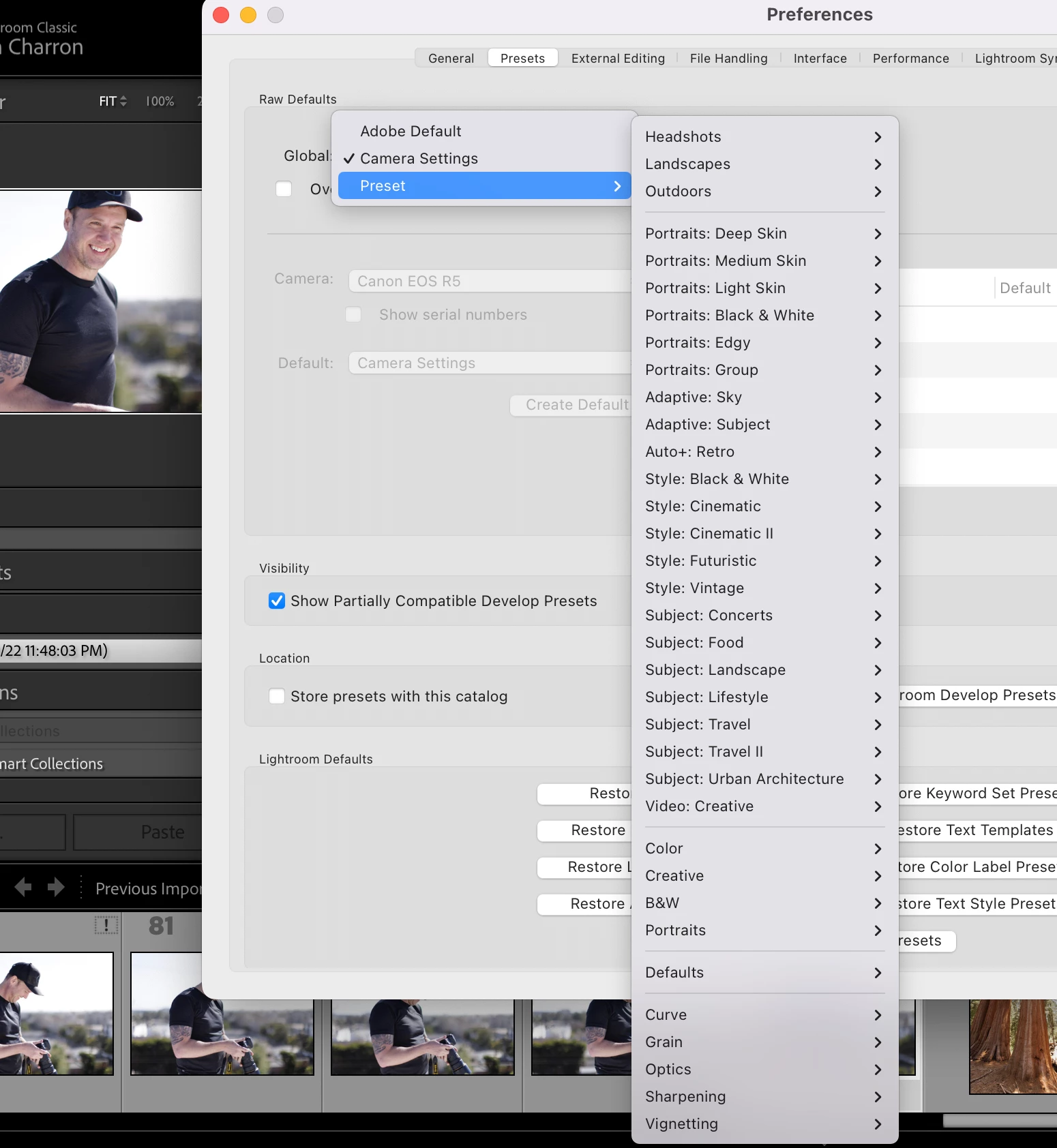
All of my develop presets are gone now. I have checked the box under preferences to show partially compatible ones and that didn't work. The Presets sidebar is just an empty grey box.

If I go into Preferences > Presets > Global > Preset dropdown I can see all my presets names and folders but they are not appearing in the develop sidebar and I cannot find them in my MacOS Library.  What happened? That's a TON of presets from several years work. 
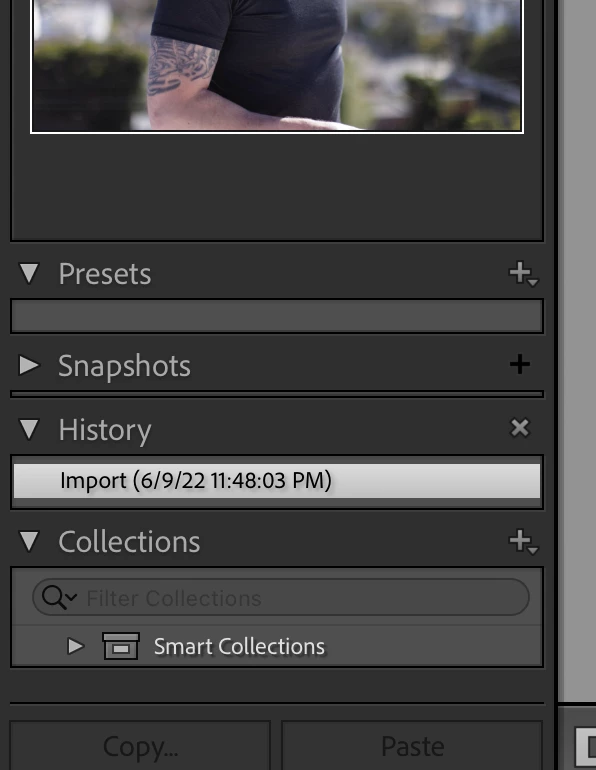


I went in and gave full disk access to Lightroom classic and Creative Cloud, Accesibility too, but none of that worked. 

I also tried downgrading to the previous version.  No luck.  Went back another version, now my librairies are not compatible.  This is extremely frustrating. 

I'm on Mac OS Monterery 12.4 and M1 Mac.

This topic has been closed for replies.

2 replies

Participant
July 16, 2022

So I downgraded all the way back to 11 and that did not work.  Went back to 11.4 and now everything is back and working properly thank God. Holy crap that was sketch.

JohanElzenga
Community Expert
Community Expert
July 16, 2022

Maybe you should reset the preferences. I have no problems with the same setup (11.4.1, M1 Mac, MacOS Monterey), so there is no bug in 11.4.1 that causes this. Consequently, going back to 11.4 is not a solution, unless you've decided to keep this version for the rest of your life.


-- Johan W. Elzenga
JohanElzenga
Community Expert
Community Expert
July 16, 2022

Have you tried clicking on the plus icon in the right corner? Select "Manage Presets" and check out the panel. Maybe all presets are turned off.


-- Johan W. Elzenga
Participant
July 16, 2022

Yes.  Only option is to import presets.