You could delete the whole preview cache and start over building previews.
Lightroom will then rebuild the previews as you browse the folders in the Library, i.e. a folder you haven't visited will not rebuild previews until you click on it. Alternatively, click on All photographs in the Catalog panel, and Lightroom will create standard previews for all of them, which might take several hours.
To delete the preview cache, with Lightroom closed, go to the folder containing your catalog, then delete the folder (may be listed as a file on a Mac) whose name ends in Previews.lrdata. Do not delete anything else.
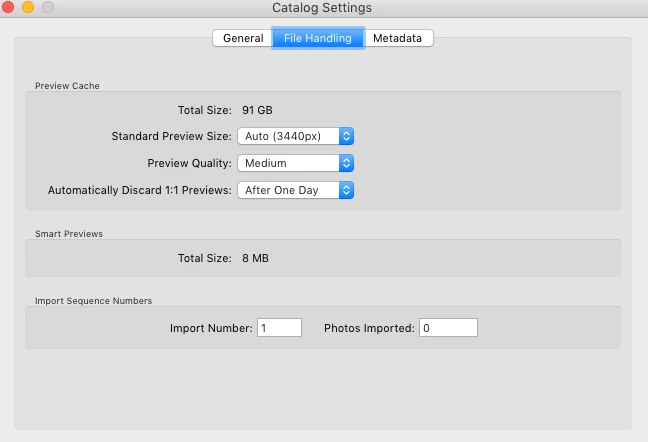
It seems that you have a 4k monitor since your standard previews are 3440 pixels, and that will of course lead to a much larger preview cache than with a regular monitor. My monitor is 1920 pixels wide, so my standard previews are only 1440 pixels.
If we had the same number of images, your preview cache would probably be more than twice the size of mine.


 AdChoices