Participant
November 3, 2017
Answered

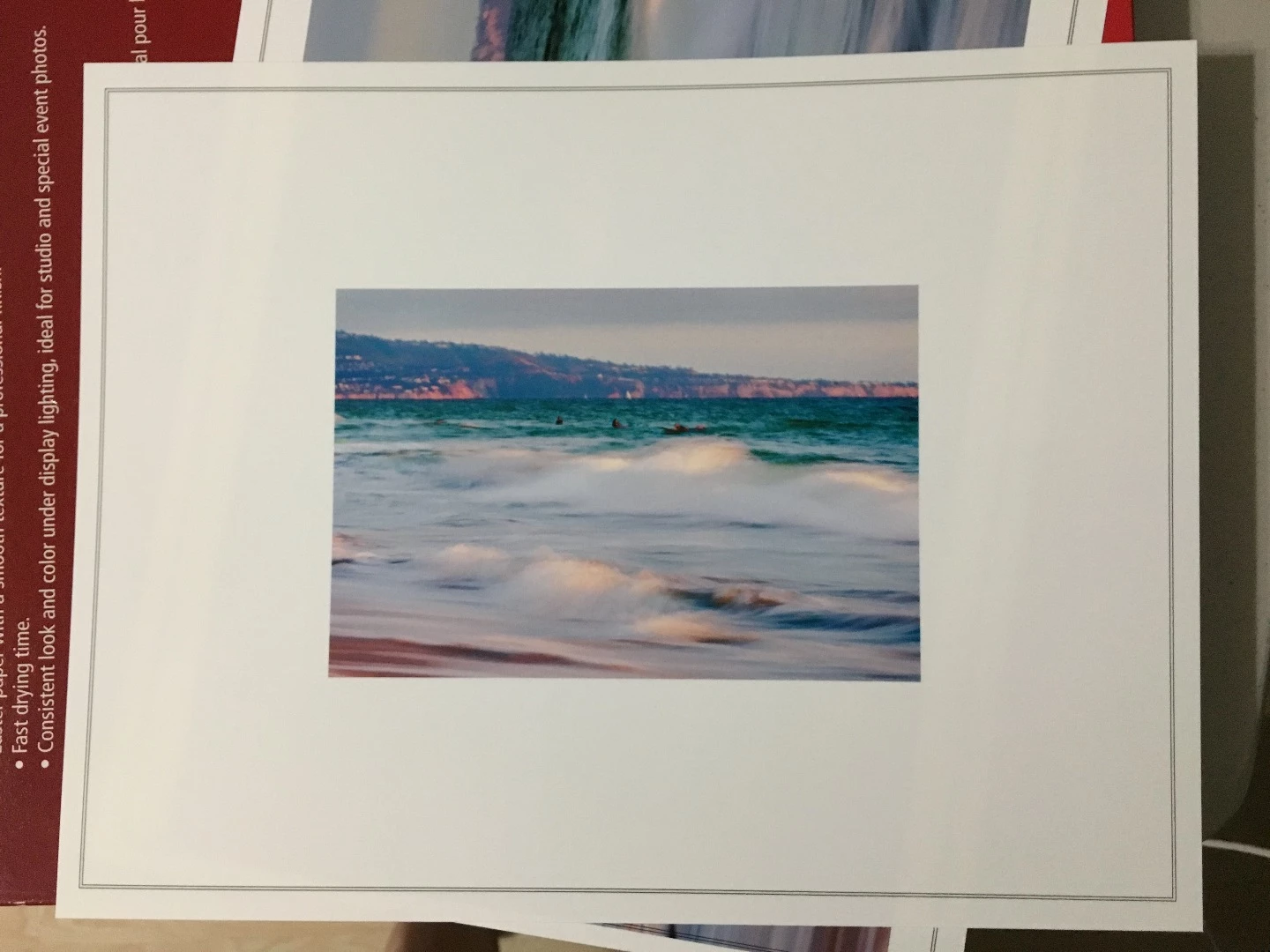
Print Grid/Cut Lines ??? Where are these lines being generated from Lightroom or Photoshop ?

  • November 3, 2017
  • 3 replies
  • 1011 views

These lines are being generated from a dialogue box that I guess I have inadvertently checked.  Can someone help me with this problem ?

The are appearing when I print and are not on the file/image itself.

Thank you,

Jacqueline
    This topic has been closed for replies.
    Correct answer JoeKostoss

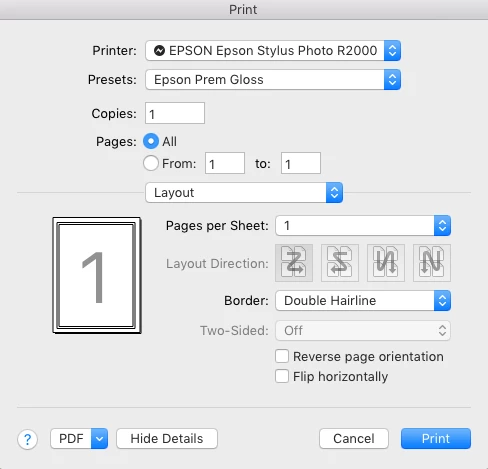
    This Double Hairline border is generated in the print dialog box under the layout menu.  They are probably built into the print preset you are using.

    3 replies

    JoeKostoss
    Community Expert
    JoeKostossCommunity ExpertCorrect answer
    Community Expert
    November 4, 2017

    This Double Hairline border is generated in the print dialog box under the layout menu.  They are probably built into the print preset you are using.

    Participant
    November 4, 2017

    That was it !!  I actually had found that the borders were in the layout function of my printer.  Geez...something so simple !! 

    Thank you for you help !

    Rob_Cullen
    Community Expert
    Community Expert
    November 3, 2017

    It will not be lightroom creating the double-line border.

    Lr 'Stroke border' would place a single stroke right on the image edge.

    So it has to be something else!

    Any more information about your workflow and printer settings?

    Regards. My System: Windows-11, Lightroom-Classic 15.3, Photoshop 27.5, ACR 18.3, Lightroom 9.3, Lr-iOS 10.4.0, Bridge 16.0.3 .
    cmgap
    Community Expert
    Community Expert
    November 3, 2017

    Check to see if you have the stroke on:

    If this is checked it will print at the width specified.