

MarkGilvey
Inspiring
October 10, 2025
Answered

Print to File from Print Module

  • October 10, 2025
  • 1 reply
  • 232 views

Wouldn't it be great if you could print to a file from the print module? I like to set up print pages so that my image is optically centered on a specific page size. I don't have a printer, but if I could print to a file like a JPEG or tiff, I could then send that file to a printing company.
Correct answer Rob_Cullen

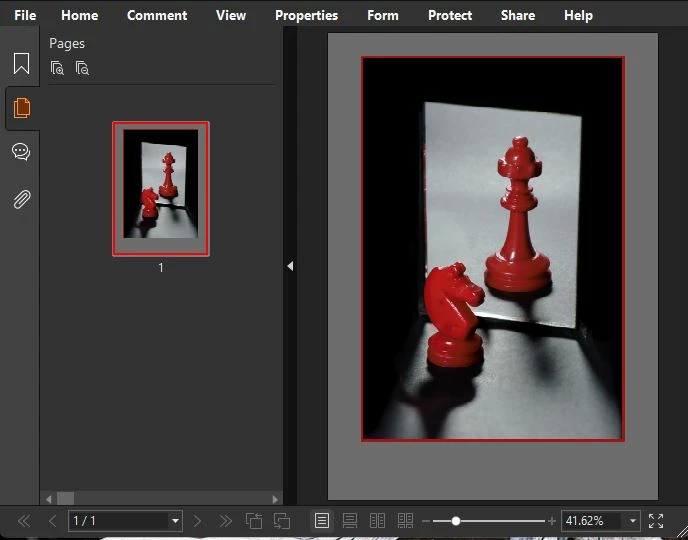
Hi @MarkGilvey   print to PDF?  Yes you can.  Its counter-intuitive, but-

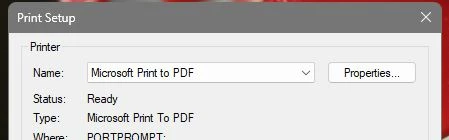
Set LrC   [Print To: ]  as "Printer" and in the Printer Setup dialog you can-

In Windows - Choose one of the Printer options like 'Microsoft Print to PDF' - I use PrimoPDF. Acrobat would have that capability.

In Mac-  I believe there is a PDF option checkbox in the Printer setup dialog.


1 reply

Michael J. Hoffman
Community Expert
Community Expert
October 10, 2025

Hi Mark, you absolutely can do this. Just look in the Print Job panel, the setting "Print to:"

(1) Choose the drop down

(2) Change from Printer to JPEG file:


MarkGilvey
Inspiring
October 11, 2025

Found it! Can you also print to PDF?

Rob_Cullen
Community Expert
Rob_CullenCommunity ExpertCorrect answer
Community Expert
October 13, 2025

Hi @MarkGilvey   print to PDF?  Yes you can.  Its counter-intuitive, but-

Set LrC   [Print To: ]  as "Printer" and in the Printer Setup dialog you can-

In Windows - Choose one of the Printer options like 'Microsoft Print to PDF' - I use PrimoPDF. Acrobat would have that capability.

In Mac-  I believe there is a PDF option checkbox in the Printer setup dialog.


Regards. My System: Windows-11, Lightroom-Classic 15.1.1, Photoshop 27.3.1, ACR 18.1.1, Lightroom 9.0, Lr-iOS 10.4.0, Bridge 16.0.2 .