jamesp25382533
Participant
March 6, 2019
Question

Printer doubles picture and lines at bottom

  • March 6, 2019
  • 1 reply
  • 192 views

I add a 4 k monitor and can’t printer correctly from Lightroom I can print from othe programs. I tried Adobe RGB profile. All profiles look the same
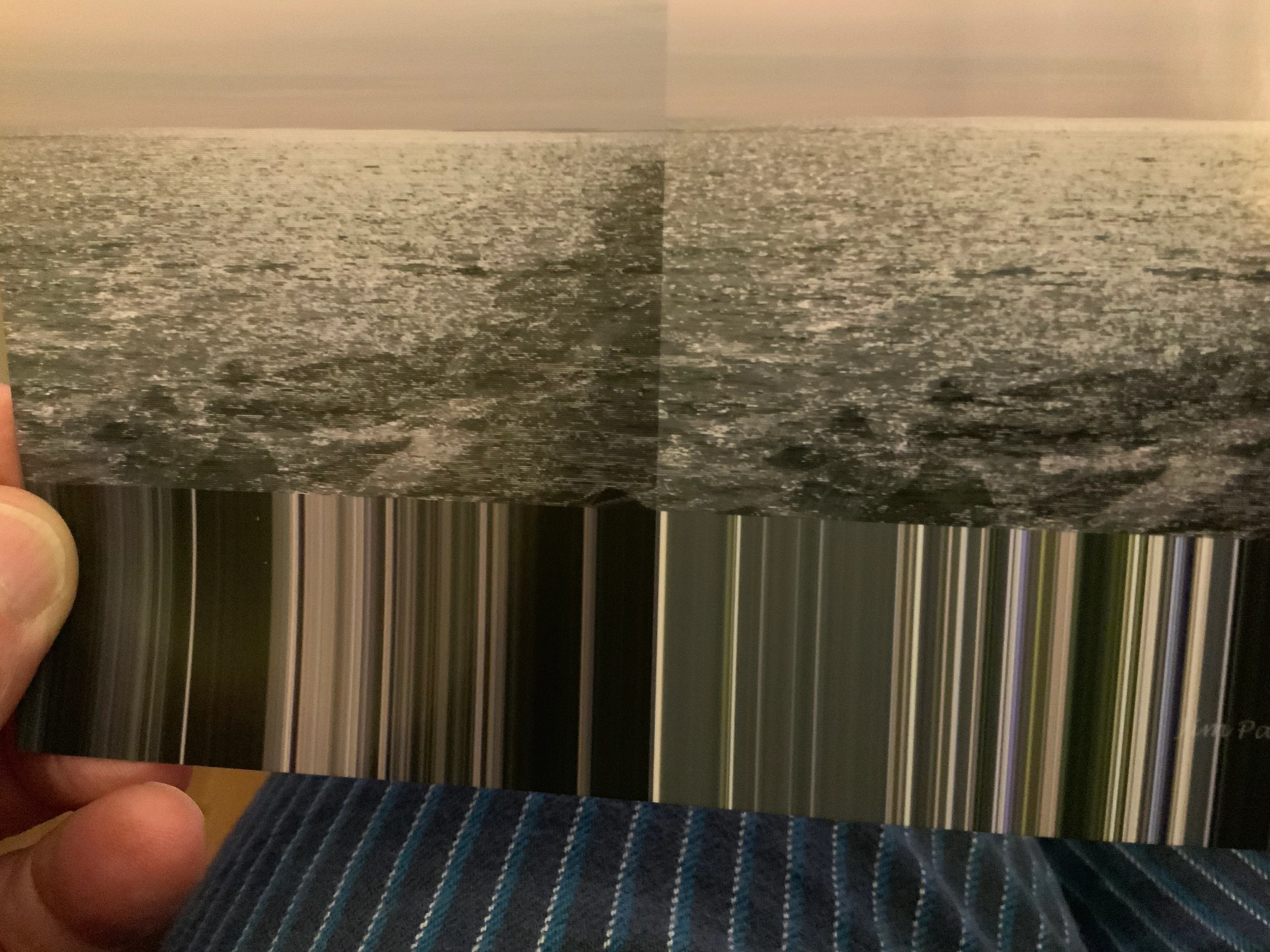
This topic has been closed for replies.

1 reply

Community Expert
March 6, 2019

Please try switch off the GPU support from the Lightroom preferences and check if that helps to fix the issue

Go to Lightroom > Preferences > Performance tab > Uncheck "Use Graphics Processor" > Restart Lightroom.

Adobe Lightroom GPU Troubleshooting and FAQ

Have you checked your printer driver? Have you triy to reinstall the driver? Is there a new version available?

If this doesn't help we eed more inforamtions about your system.

Which operating system? Please post the exact version and not only words as "actual" or "latest".

Which version of Lightroom? Please post the exact version and not only words as "actual" or "latest".

Which type of printer do you use?

My System: Intel i7-8700K - 64GB RAM - NVidia Geforce RTX 3060 - Windows 11 Pro 25H2 -- LR-Classic 15 - Photoshop 27 - Nik Collection 9 - PureRAW 6 - Topaz Photo AI
jamesp25382533
Participant
March 7, 2019

That did not work.

I have canon pro 10. Mac bookpro. 2012 Mojave 10.14.4 . Asus MG28UQ monitor 1920x 1080

Classic CC 8.2 build 1204643

Have a great day

Jim