Participant
December 5, 2022
Question

Printer Profile Canon SELPHY 1500

  • December 5, 2022
  • 3 replies
  • 14143 views

Hello!


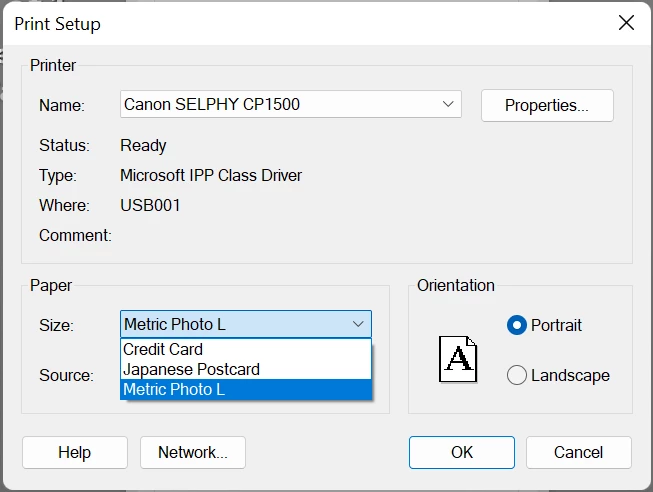
I am trying to print from Lightroom Classic straight to a printer.  I bought a Canon SELPHY 1500.  When I plug the printer in, Lightroom does not load the paper size correctly.  It only offers Japanese Post Card, Credit Card, and Metric Photo L.
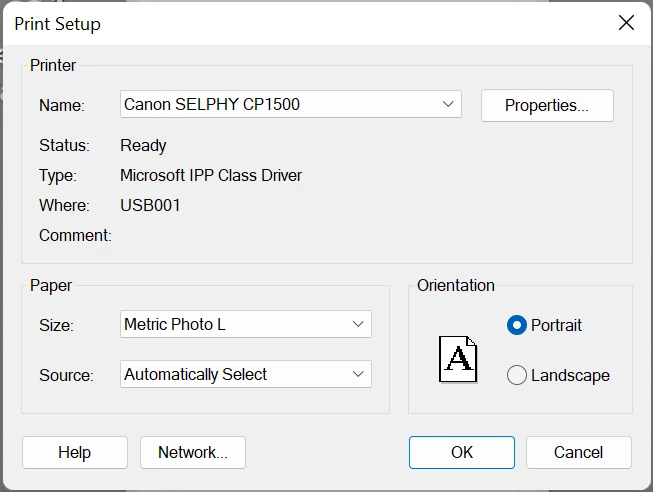
 

It will not print a proper 4X6, like intended for the printer.  It won't even let me create a custom size.


What am I doing wrong?

3 replies

Participating Frequently
October 30, 2023

Choose Japanese post card - which is strictly 100mmx148mm or very roughly 4x6 inches.

Participant
February 9, 2023

I get 4x6 if I use Japanese postcard. Maybe this will work. I however get borders around my image on the Selphy and I want to print borderless. Unsure how to get this to happen.

TheDigitalDog
Inspiring
February 9, 2023

We also need to see how you've setup the page size and all other attributes in the Print Module template. 

Author “Color Management for Photographers" & "Photoshop CC Color Management/pluralsight"
TheDigitalDog
Inspiring
December 5, 2022

So from your test, this sounds like nothing to do with a profile but rather a page size and setup. 

Is there another command or option for either Page Setup or Custom page size in that printer driver? 

Try: https://support.usa.canon.com/kb/index?page=content&id=ART180917#page_layout

LR doesn't load anything in terms of this print driver so you need to be viewing the options for the driver from Canon etc.

Author “Color Management for Photographers" & "Photoshop CC Color Management/pluralsight"
Participating Frequently
July 13, 2023

You probably already figured this out but my Selphy prints best using these lightroom settings. Zoom to fill is checked and all the margins at 0 except for the bottom at 0.01 in( portrait mode with height at 5.50 and width at 3.70 or if in lanscape it would change to 0.01 for the rightand height at 5.50 and width at 3.70. Then in the advance printer properties turn borderless printing on and scaling to none.