
maucamo
Inspiring
June 2, 2020
Answered

Printing bad colors
  • June 2, 2020
  • 5 replies
  • 5308 views

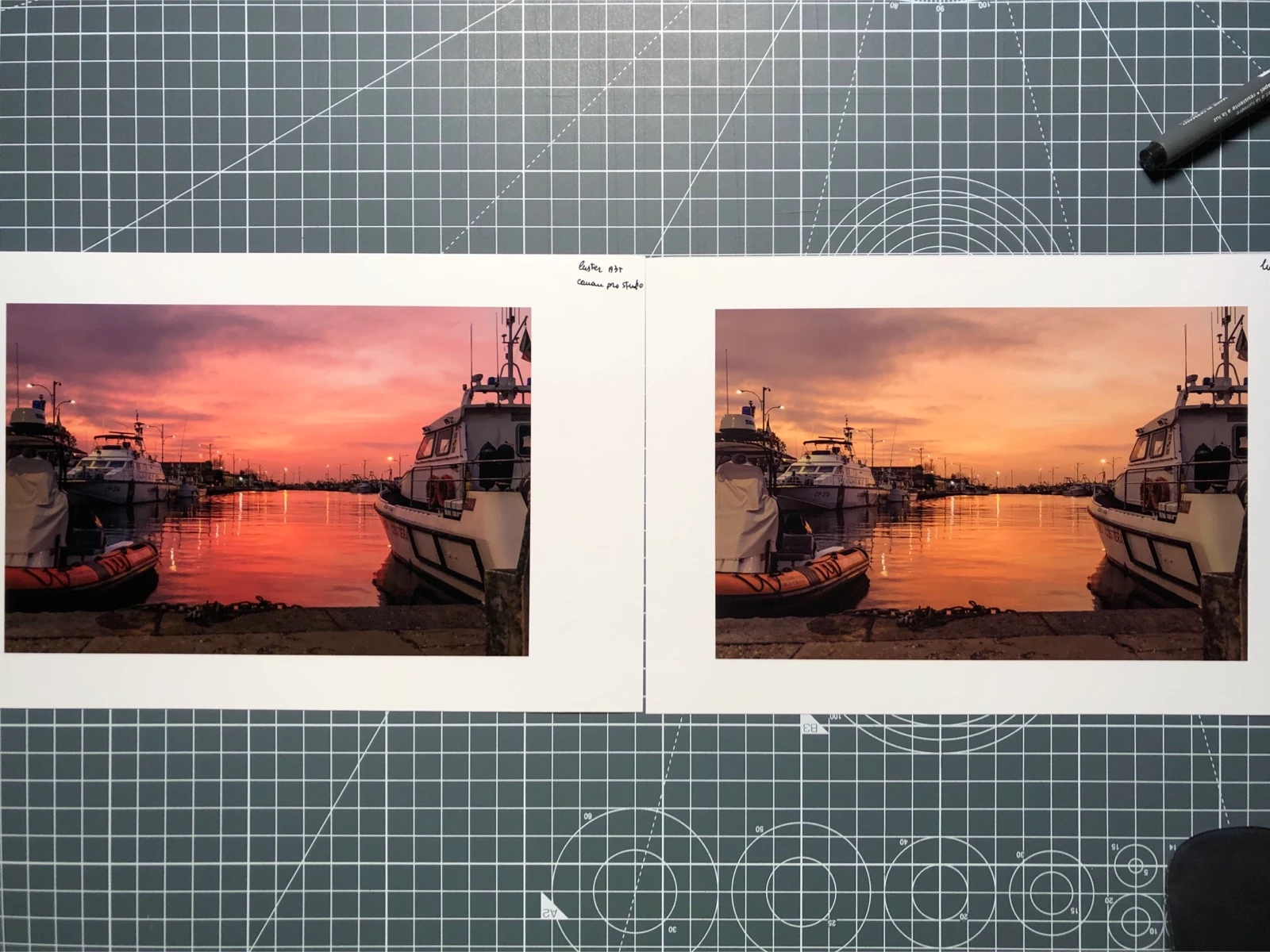
I have mac OS X Catalina with Lightroom and photoshop last updates. I print with a Canon pro 1000, drivers are updates. No problems with nozzle clogged. I use my ICC profiles, they are correct. Monitor calibrated. My last prints with Lightroom or photoshop print box make prints wrong, red/magenta are orange. Printing with Canon pro studio software prints are correct. I use ICC color management. It seem a problem with Adobe softwares.

This topic has been closed for replies.
Correct answer maucamo

Ok, deleting printer and all printer preference from Mac osx and re-installing all, it seem to work well. Probably some Adobe or Mac updates created some problems with drivers

5 replies

maucamo
maucamoAuthorCorrect answer
Inspiring
June 23, 2020

Ok, deleting printer and all printer preference from Mac osx and re-installing all, it seem to work well. Probably some Adobe or Mac updates created some problems with drivers

cmgap
Community Expert
Community Expert
March 9, 2021

Whenever there is a major OS release it's best practice to update your drivers. Especially since the security and privacy changes in Catalina and beyond.

Participating Frequently
September 6, 2021

I recently bought a Canon PRO200 which worked really well until just around 2 weeks ago (mid August) suddenly greens and blues are ghastly, saturated and nothing whatsoever like the screen image.   I've contacted Canon, who advised me to use Canon easy photo editor.  It's awful, I can't use that!!  full of ready made cards, with borders and gimmicks, I want to be able to print from my LR templates for my own stock supply of different goods, but I can't get away from these colours!  I downloaded the new driver, but it hasn't made any difference, I'm tearing my hair out, while wasting good ink and paper here.... any clues?

maucamo
maucamoAuthor
Inspiring
June 4, 2020
Thank but I know how print using profile and I know the 2 links above. I think there is something wrong in Adobe updates or Osx updates or Adobe preference corruption
Participant
March 8, 2021

Hi, I completely agree with you. I have the same problem. My prints when sending them to the printer straight from photoshop to my canon pro 1000 come out with a red hue (especially in the skin). When I save the file as TIFF and print it directly from preview it works fine (but of course in that case i can't select icc profile for my paper).  I've contacted canon and adobe and both say it's a problem from the other party. It's really frustrating. Any advice? Many thanks!

maucamo
maucamoAuthor
Inspiring
June 4, 2020

Here some evaluation prints. Tried to re-install drivers and print an evaluation image on Canon pro luster. 3 prints, On top left printed via photoshop and cannon managed, on bottom left printed via photoshop then Qimage and canon managed, on the right photoshop + canon pro studio and canon managed. On Photoshop or Qimage strawberries are more orange and green/blue gradients not correct; Canon print studio works fine. So, printer is ok, driver update, where is the problem?

JP Hess
Inspiring
June 2, 2020

Could this be a case of double color management? If you select the profile in Lightroom or Photoshop then you must NOT choose a profile in the printer driver. The other option is, in Lightroom or Photoshop, let the printer manage the color and choose the profile in the printer driver. If you already know all this, I apologize.

maucamo
maucamoAuthor
Inspiring
June 2, 2020
I known, on Mac when I select ICC profile in Lightroom or photoshop print box Driver management is turned off
cmgap
Community Expert
Community Expert
June 2, 2020

Have you tried to print this same image from Photoshop? How old is the paper? Do you have the same result with  a different paper? Did you just start to see this problem with printing?

maucamo
maucamoAuthor
Inspiring
June 2, 2020

yes tried both photoshop and Lightroom. Paper is new and tried with other photo paper. Problem stared last month after some Adobe updates and print updates. With other software like Canon print studio pro with same paper, ICC, render intent prints are good