
Participant
September 12, 2017
Answered

Printing in lightroom. How to print multiple different images on one page.

  • September 12, 2017
  • 2 replies
  • 23839 views

How do I stop the same image from repeating it self in Lightroom?

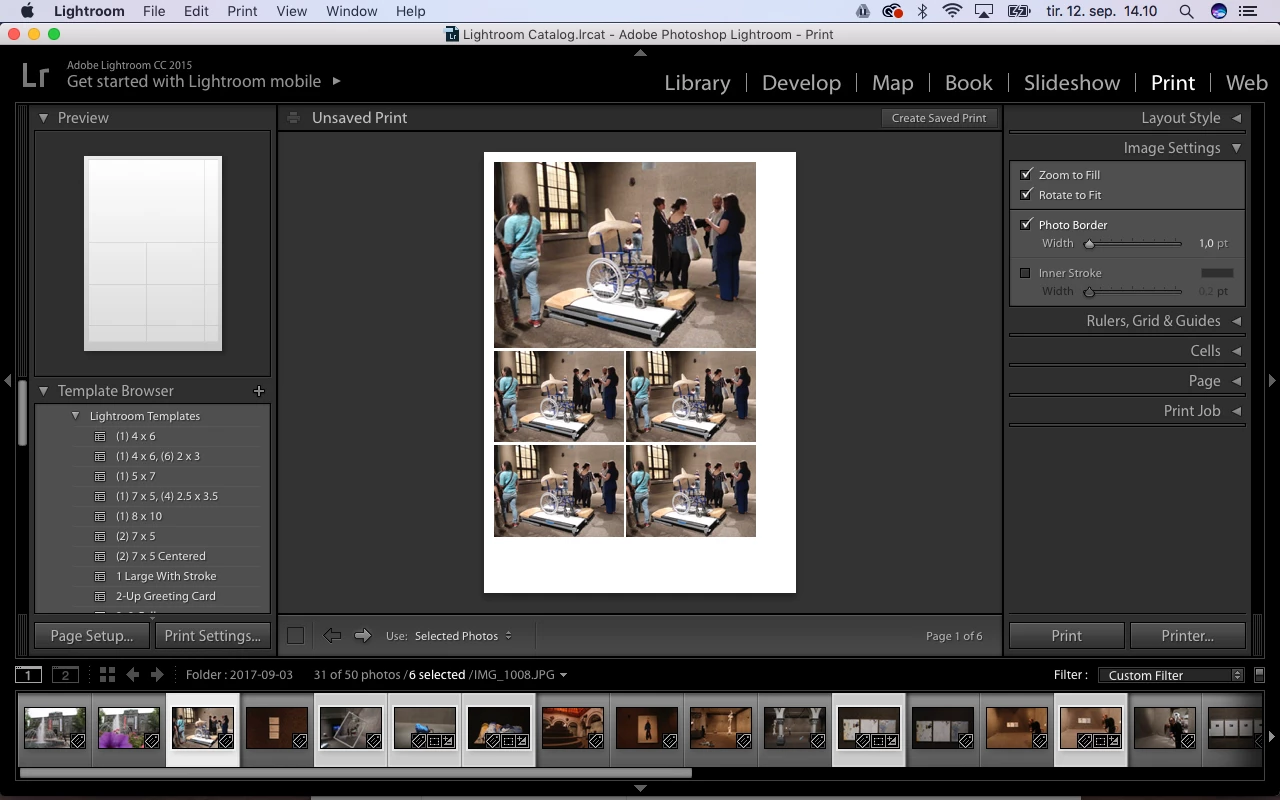
I select all my images in grid, go over to print, select a template with multiple images on it... and then the first selected images is repeating it self. So in sted of having 5 images on 1 sheet of paper, I have 5 images on 5 sheets of paper.

The tutorial from adobe say to click off the "Repeat on photo per page", the only problem is that there is no suck option in my image settings window.
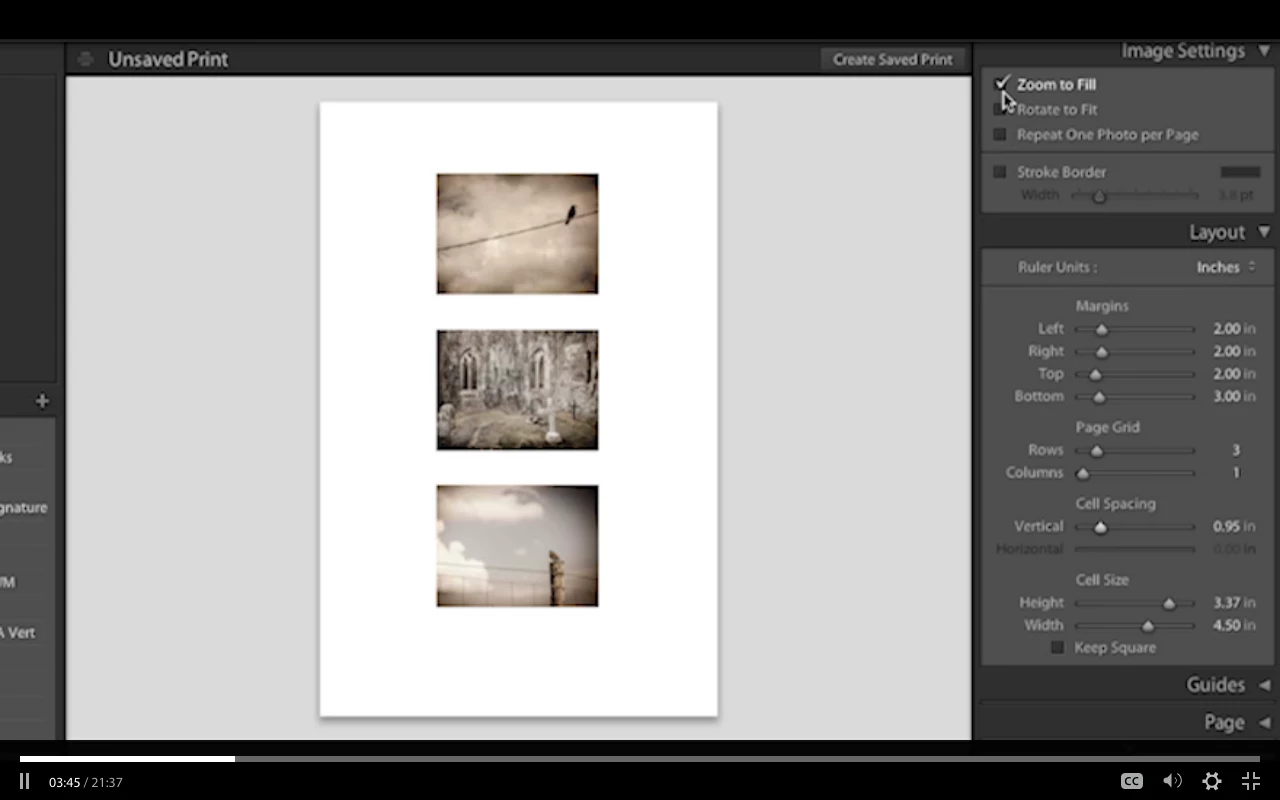

(Screen shoot from Adobes tutorial over head and my lightroom CC, where they mysterious repeat one photo per page box is missing)
Have a good day.

Correct answer mark@headTrix

Hi Miss Rose!

I think that feature you mention might be deprecated since there is now a Custom Package feature that you can use to add a photo frame size (5x74x6, etc.), and then you can drag your selected image into that frame to create a custom package with different photos!

The picture package I think is designed to create a picture package with the same image on one page, for a Professional Photographer creating a package with the same photo in different sizes.

Hope that helps!

Cheers!

mark

2 replies

Rob_Cullen
Community Expert
Community Expert
September 13, 2017

How to print multiple photos to one page?-

1. Do not choose any of the default templates. (Better to start from a blank page and create your own!)

2. Select your paper size and orientation in [Page Setup...] and the Printer dialog.

3. Select "Layout Style" to be either-

----a) 'Single Image/Contact sheet'   and set the Columns and Rows as required in the "Layout" Panel. (eg. 1 Col 3 Rows)

or

----b) 'Custom Package'   then add cells to the page in the "Cells" panel, position, resize them, and drag photos into cells from filmstrip.

Regards. My System: Windows-11, Lightroom-Classic 15.0, Photoshop 27.0, ACR 18.0, Lightroom 9.0, Lr-iOS 10.4.0, Bridge 16.0 .
mark@headTrixCommunity ExpertCorrect answer
Community Expert
September 12, 2017

Hi Miss Rose!

I think that feature you mention might be deprecated since there is now a Custom Package feature that you can use to add a photo frame size (5x74x6, etc.), and then you can drag your selected image into that frame to create a custom package with different photos!

The picture package I think is designed to create a picture package with the same image on one page, for a Professional Photographer creating a package with the same photo in different sizes.

Hope that helps!

Cheers!

mark

headTrix, Inc. | Adobe Certified Training & Consulting