Inspiring
January 2, 2017
Answered

Printing Multiple Copies of Multiple Images

  • January 2, 2017
  • 2 replies
  • 1822 views

I'm using LR 5.6 on a Mac.  I have a bunch of 8.5x11 paper that I'm trying to use up.  I'm printing some passport photos (2"x2").  I have 2 images selected and my Layout Style is Single image/contact sheet.  I have 4 rows and 5 columns with a 2x2 cell size.  I see a single copy of each image put need 2 prints of each image.  How do I get LR to print 2 copies of 2 images on a single sheet of paper?

    This topic has been closed for replies.
    Correct answer Just Shoot Me

    krawfo wrote:

    I'm using LR 5.6 on a Mac. I have a bunch of 8.5x11 paper that I'm trying to use up. I'm printing some passport photos (2"x2"). I have 2 images selected and my Layout Style is Single image/contact sheet. I have 4 rows and 5 columns with a 2x2 cell size. I see a single copy of each image put need 2 prints of each image. How do I get LR to print 2 copies of 2 images on a single sheet of paper?

    Use a Custom Package, not Single image/ Contact sheet.

    Place a 2 x 2 Cell on the sheet. you might have to define a 2 x 2 cell in one of the Add to Package dropdowns.

    Keep clicking on that 2 x 2 cell entry in the Add to package area to get the number of images you want to print on the sheet.

    If the image is already 2 x 2 then just drag it into each cell on that sheet. If not it should center on the Cell or Crop to fit cell size before starting the print process.
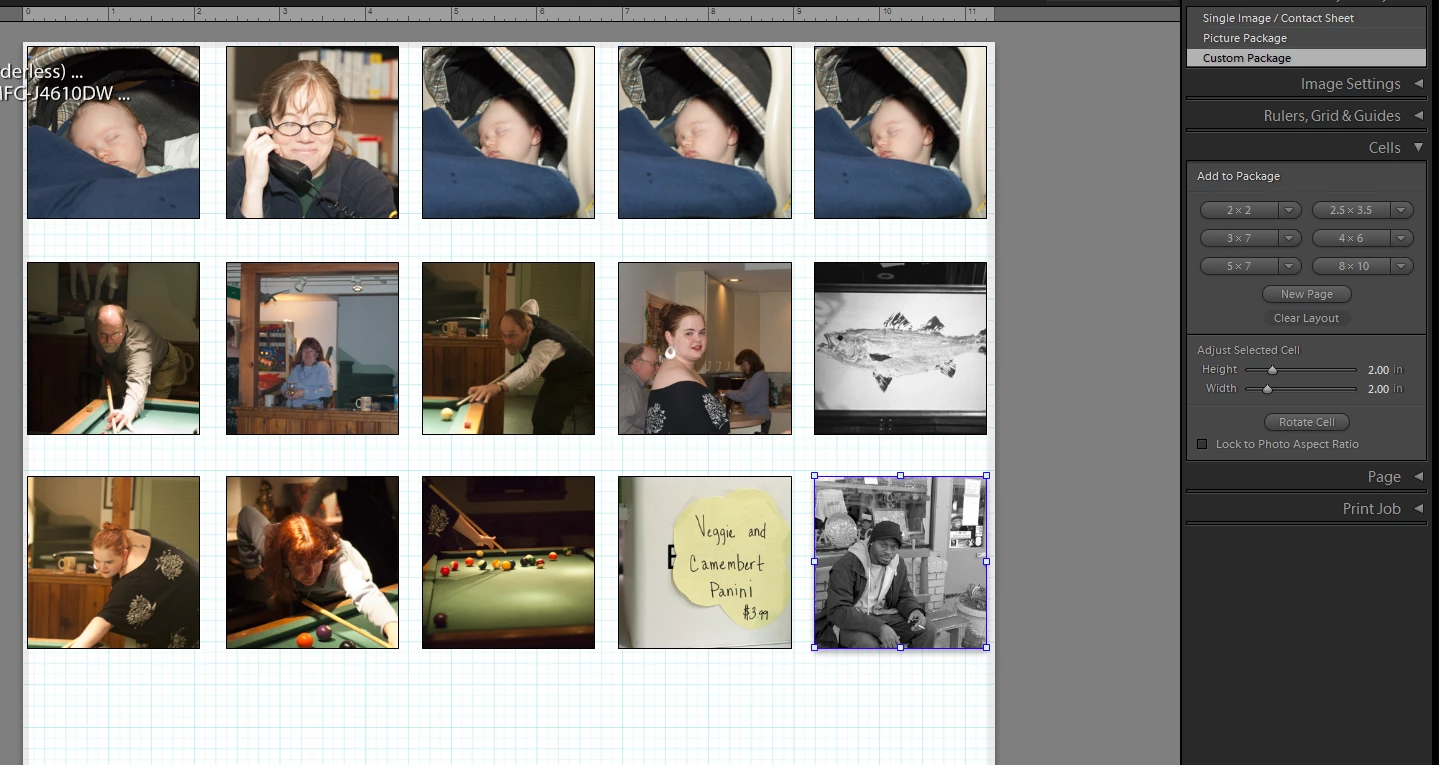
    To print multiple copies just hit the Print button 2-3-4-5 times. Depending on how many sheets you want to print.

    2 replies

    Just Shoot Me
    Just Shoot MeCorrect answer
    Legend
    January 2, 2017

    krawfo wrote:

    I'm using LR 5.6 on a Mac. I have a bunch of 8.5x11 paper that I'm trying to use up. I'm printing some passport photos (2"x2"). I have 2 images selected and my Layout Style is Single image/contact sheet. I have 4 rows and 5 columns with a 2x2 cell size. I see a single copy of each image put need 2 prints of each image. How do I get LR to print 2 copies of 2 images on a single sheet of paper?

    Use a Custom Package, not Single image/ Contact sheet.

    Place a 2 x 2 Cell on the sheet. you might have to define a 2 x 2 cell in one of the Add to Package dropdowns.

    Keep clicking on that 2 x 2 cell entry in the Add to package area to get the number of images you want to print on the sheet.

    If the image is already 2 x 2 then just drag it into each cell on that sheet. If not it should center on the Cell or Crop to fit cell size before starting the print process.

    To print multiple copies just hit the Print button 2-3-4-5 times. Depending on how many sheets you want to print.

    krawfoAuthor
    Inspiring
    January 2, 2017

    Much more elegant and versatile compared to my "Rube Goldberg".  Initially I looked at Custom Package but didn't see my 2x2 size.  I wasn't aware you could edit cells to any size needed.

    Thanks for taking time to answer.  Much appreciated.

    krawfoAuthor
    Inspiring
    January 2, 2017

    Here's my work-around I figured out.  In Develop mode, I right-clicked on the image and selected MAKE A VIRTUAL COPY.  Repeat for second image and now I have 2 copies of each.

    Is there a better or easier way to accomplish what I wanted?