Participating Frequently
June 23, 2020
Question

Printing problem from LR to Epson SC P600

  • June 23, 2020
  • 3 replies
  • 718 views

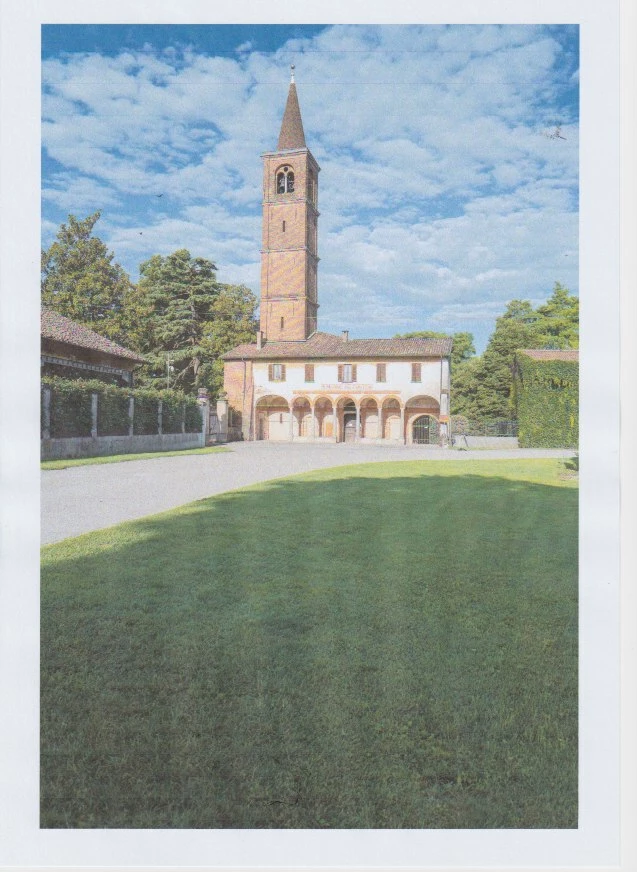
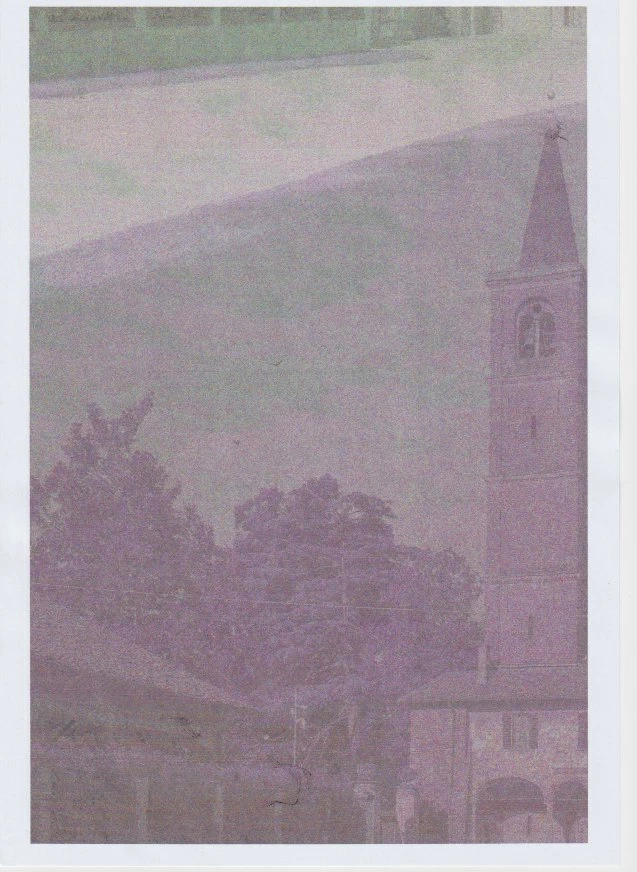
I have a problem printing from LR Classic to my Epson Sc P600. Only a portion of the picture is printed covering the entire page and with strange colors. The same picture is printed properly on my small Canon Pixma and From Capture One to the Epson SC P600 is also fine. Attached are the scans illustratin what I am saying. I have the current versions of Mac OS, LR Classic e of the printer's drivers. Any idea? TIA.

Ario
 

This topic has been closed for replies.

3 replies

Participating Frequently
June 24, 2020

The problem has been solved disabling the 16 bit output in the Print Job panel. 

cmgap
Community Expert
Community Expert
June 24, 2020

Thanks for updating your post. 

GoldingD
Legend
June 23, 2020

A couple of members with MACOS have had print problems lately. Solution was to remove the print drivers. Then to download new drivers and install them. Do not just remove them then have MACOS reinstall them, apparently the MACOS will not go out to the internet and bring in fresh new copys, it will just find the existing original copys lurking on your  hard drive. I suspect MACOS updates might be coming, but when?


cmgap
Community Expert
Community Expert
June 23, 2020

Do you have  Zoom to Fill checked  under your Image Settings Panel? If yes, uncheck it and let us know if that solves the issue.

Participating Frequently
June 24, 2020

Zoom to fill is already unchecked, the problem is somewhere else; Since LR with Canon is OK and Capture One with Epson is OK it is probaly a communication problem between LR and Epson but I have no idea on how to solve it. I have already reinstalled the Epson drivers but id did not help.

GoldingD
Legend
June 24, 2020

When you reinstalled the driver, did you just let the MACOS install the driver(s) or did you go to epson,com and download fresh new copys and installed them??