Participant
February 24, 2023
Question

Problem Export dimension file

  • February 24, 2023
  • 6 replies
  • 824 views

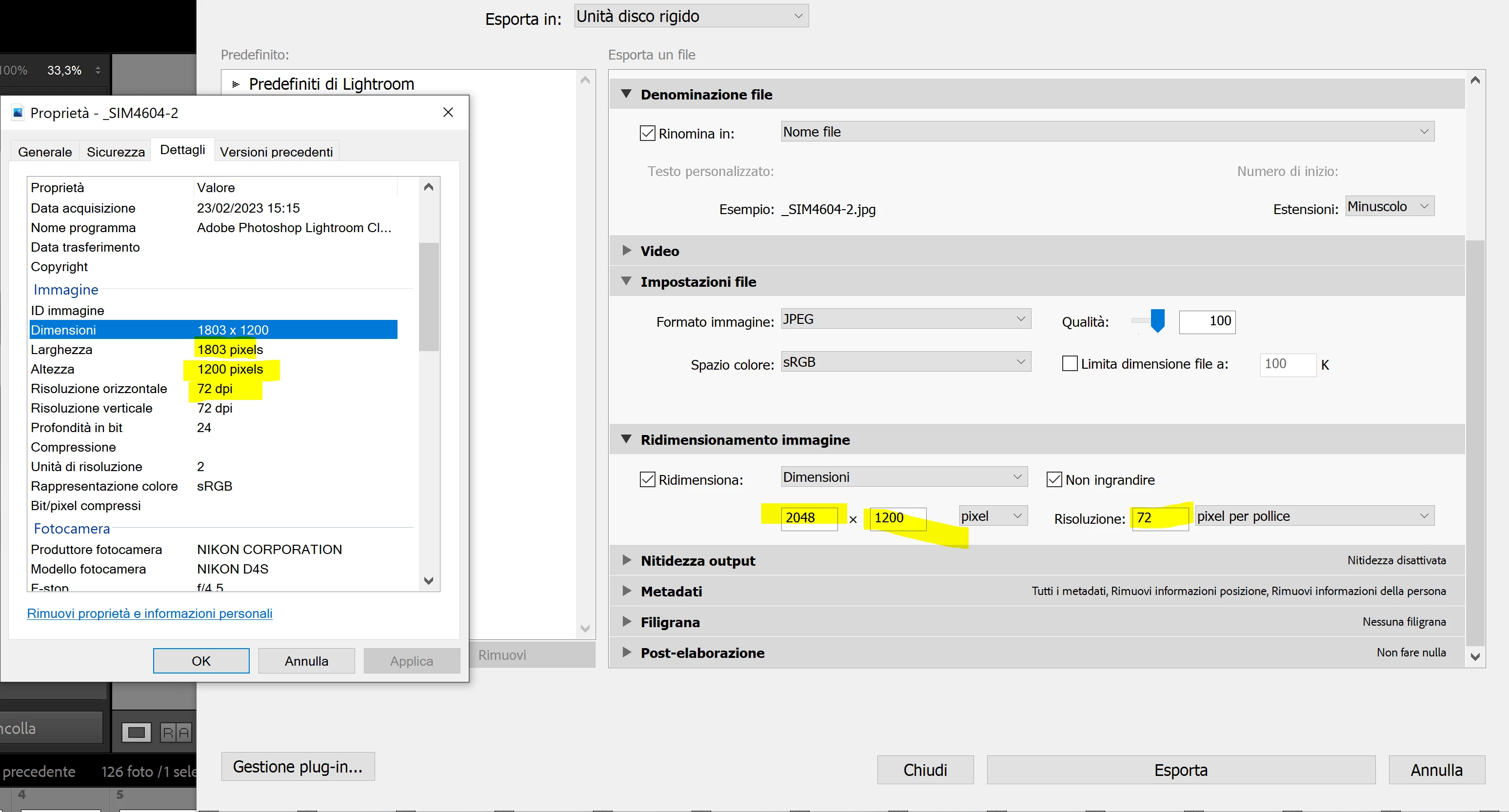
When i export files on Lightroom Classic, i select dimension of file of 2048x1200 pixel but but exported files have a different dimension. how can i fix this problem? 
 

This topic is closed to new replies. Start a new post to keep the conversation going.

6 replies

Jim Wilde
Community Expert
Community Expert
February 24, 2023

And if you don't want to crop to a specific aspect ratio, change the Image Sizing option from "Dimensions" to "Long Edge" or "Short Edge", then set the approprate value that you want.


Be aware the LrC will never compress an image during export in order to fit within a different aspect ratio, you would have to crop to that different aspect ratio first.

dj_paige
Legend
February 24, 2023

Jim, I don't think this will work. I will have to try it myself when I get home, but I am skeptical. If the image is 2048x1500 and you export with "Long Edge" set to 2048, LrC will not give you 1200 on the short edge.

Jim Wilde
Community Expert
Community Expert
February 24, 2023

Sorry Paige, I obviously wasn't clear. What I meant was that, if the OP doesn't want to crop, all they can do is set either the Long Edge or the Short Edge, and then LrC will set the other edge as appropriate to the existing aspect ratio. I was basically saying decide which of the two sizes they wanted, 2048 OR 1200, setting the long or short edge as appropriate, and the other edge will be whatever it needs to be relative to the current aspect ratio.


I certainly wasn't trying to suggest that we could manipulate the aspect ratio during export.

dj_paige
Legend
February 24, 2023

First you have to crop the image to an aspect ratio of exactly 2048x1200, then the export will work.

Vale_AnnuAuthor
Participant
February 27, 2023

You are right! The problem was that. Thank you very much
