
Participant
November 20, 2022
Question

Problem export edited photos

  • November 20, 2022
  • 3 replies
  • 283 views

Hello,


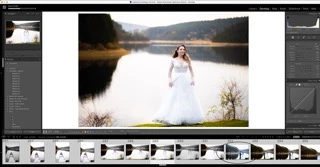
I have 500+ pictures that I edited in Lightroom classic and for all of them I used a background mask. the problem is that when I export the photos, around 100+ of them are without the edit that I made on all of them, the background mask is missing. I tried to export them again and will the process was ongoing the mask just disapeared without clicking on the pictures or doing anything.
This topic has been closed for replies.

3 replies

JohanElzenga
Community Expert
Community Expert
November 20, 2022

Can you explain in a bit more detail what 'background mask' these images had? The reason I am asking is that we often get a question like this, and then it turns out that people confuse the mask overlay with the mask effect. So they create a mask, see the overlay and like how that looks, and then think this is how they edited the image. On export, the mask seems to be missing because the overlay is not an edit, it's just a view to show you what is masked and what is not masked.


-- Johan W. Elzenga
GoldingD
Legend
November 20, 2022

What happens if you select just one of the misbehaving images


  • In develop module, are the edits correctly shown in the image?
  • In develop, are the masks shown in the history panel?
  • Bring up the existing mask, is it correct?
  • Export, just that one image. what happens?
  •  
Participant
November 20, 2022