
Participant
September 3, 2023
Question

Problem in lightroom

  • September 3, 2023
  • 2 replies
  • 124 views


I imported a series of photos into 5 folders which were grouped into an album, 
but when exporting some photos seemed compromised
(exchange of settings with other photos from another folder, portrait format transformed into horizon format,
and the thumbnails visible at the bottom of the screen do not all correspond with the photos displayed in large format.
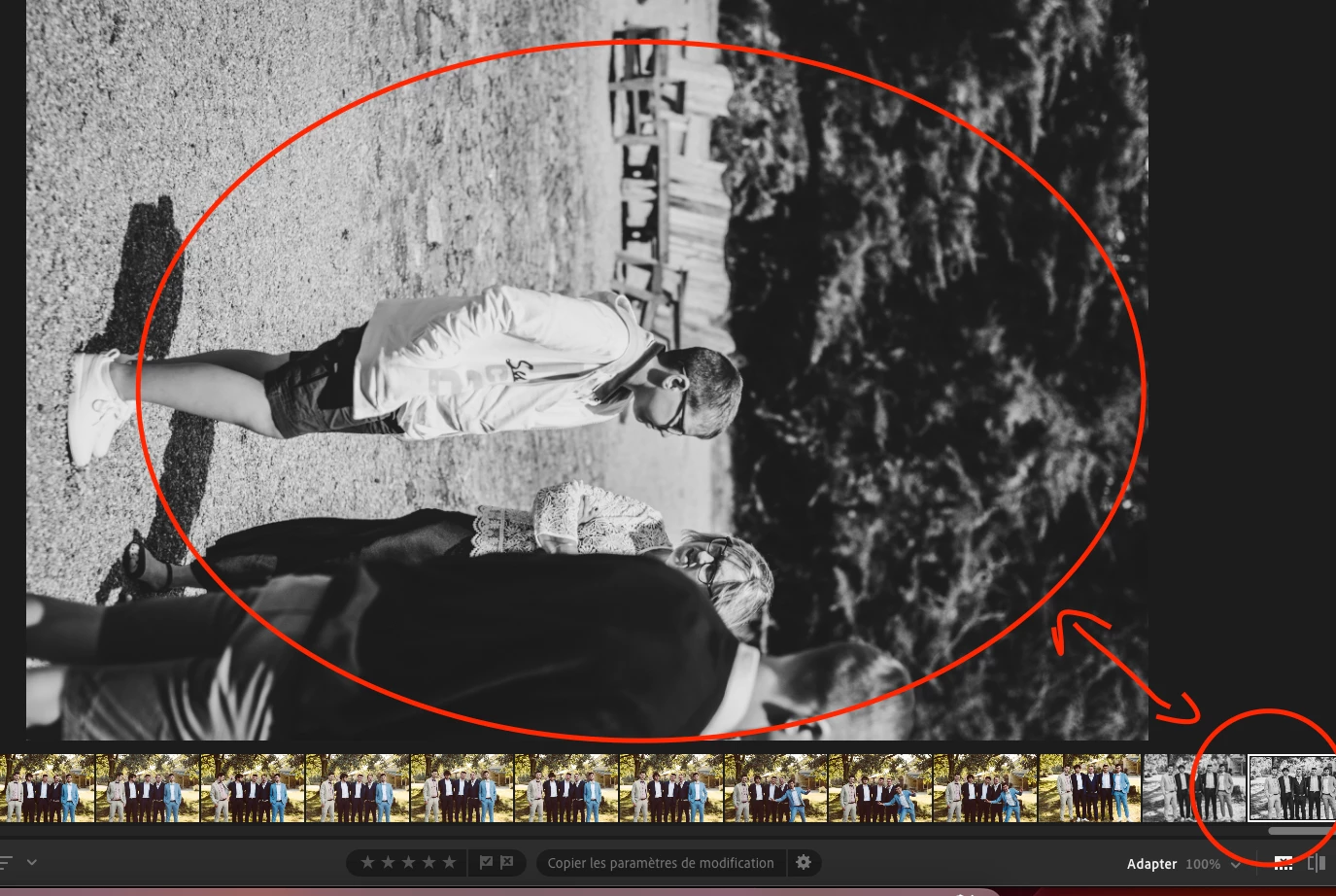
This topic is closed to new replies. Start a new post to keep the conversation going.

2 replies

Community Expert
September 4, 2023

In a first step try is to reset the preferences to the default settings.

  • Reset Procedure:
  • Close Lightroom.
  • Windows: Hold down [Alt]+[Shift] while restarting Lightroom.
    Mac: Hold down [Opt]+[Shift] while restarting Lightroom.
  • Overwrite the Preferences when prompted by the dialog.
  • Close Lightroom.
  • Restart Lightroom.


It's recommended to backup your preferences before you reset the preferences to the default settings: 

https://helpx.adobe.com/lightroom-classic/kb/preference-file-and-other-file-locations.html


My System: Intel i7-8700K - 64GB RAM - NVidia Geforce RTX 3060 - Windows 11 Pro 25H2 -- LR-Classic 15 - Photoshop 27 - Nik Collection 9 - PureRAW 6 - Topaz Photo AI
KR Seals
Community Expert
Community Expert
September 4, 2023

It's hard to tell from your screen shot. Are you using the Adobe application called "Lightroom" or "Lightroom Classic"

I think in either, Control/Command  + "left bracker" or "right bracket" will rotate the image.


Ken Seals - Nikon Z 9, Z 8, 14mm-800mm. Computer Win 11 Pro, I7-14700K, 64GB, RTX3070TI. Travel machine: 2021 MacBook Pro M1 MAX 64GB. All Adobe apps.