Participating Frequently
September 28, 2019
Question

Problem LIGHTROOM
  • September 28, 2019
  • 4 replies
  • 479 views

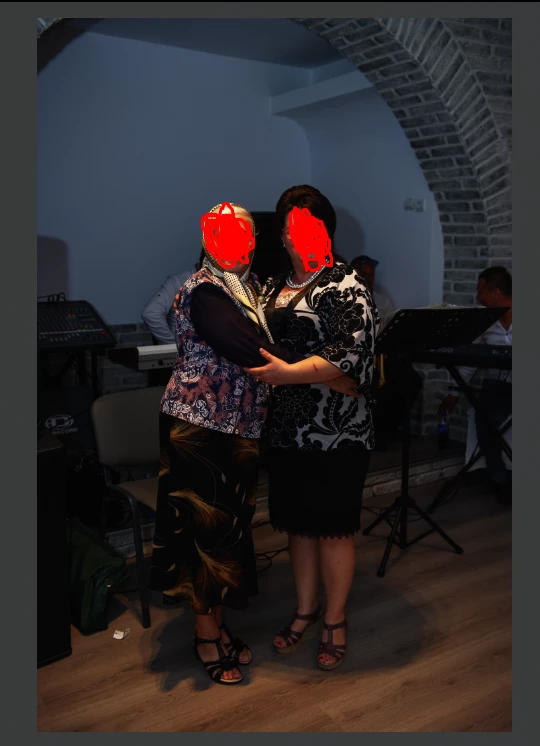
Can anyone help me? When I add the picture in LightRoom it looks dark!A few days ago it had nothing.

    This topic has been closed for replies.

    4 replies

    Geoff the kiwi
    Community Expert
    Community Expert
    September 28, 2019

    What are the Settings in Develop??

    Participating Frequently
    September 28, 2019
    I haven't changed anything. 2 minutes ago I installed the program and it looks the same
    Just Shoot Me
    Legend
    September 28, 2019

    Then you may of accidentally set the Develop Defaults to darken the images of your nikon camera.

    When you say it look good on a notebook in what program is it you are viewing the images in? 99% of all other program that may display RAW file data, as a viewable picture, are using the embedded JPG inside the RAW file to do that and NOT the actual RAW data.

    Participating Frequently
    September 28, 2019
    How can I reset the settings?
    Participating Frequently
    September 28, 2019

    1

    Just Shoot Me
    Legend
    September 28, 2019

    There are setting in Nikon cameras that make the JPG version of image you take appear brighter than they really are. One of them IIRC is soimething called D lighting. If you had that set in the camera it will make the embedded JPG image that is inside every RAW file look brighter until LR creats it own Preview from the actual RAW data. When nthat happens the images will look darker as the in camera setting are not used on RAW files.

    So check your camera for those settings.

    Participant
    September 28, 2019
    It looks good on a laptop
    Geoff the kiwi
    Community Expert
    Community Expert
    September 28, 2019

    Are you the same person that posted the original question??

    If so please use the same ID, if not why do you think you may need to reinstall your OS??

    Just Shoot Me
    Legend
    September 28, 2019

    Although the image you posted looks dark it is not Black.

    Please explain in more detail what your problem is, what camera you are using, are you shooting RAW, the OS you are using and the exact version of LR that is installed on your system.

    Participating Frequently
    September 28, 2019
    I use Nikon D3s, Photo Fromat: RAW, Lightroom v8.4.0.10, WIN 10 Pro x64