Participant
August 10, 2024
Answered

Problem Lightroom classic

  • August 10, 2024
  • 1 reply
  • 4117 views

Bonjour à tous,

Je me permets de vous écrire car nous rencontrons un souci quant à l’application « Lightroom Classic ».

Depuis quelques jours nous ne pouvons plus lancer l’application, nous avons le message « le catalogue Lightroom « … » est corrompu ».
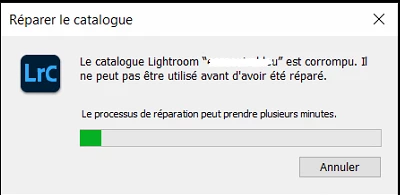
Le processus de réparation se lance mais une fois terminé, nous avons le message suivant qui apparait sur le bureau :

L’application ne se lance pas et nous sommes obligé de forcer l’application à se fermer via le « gestionnaire de tache ».

Nous avons essayé de lancer l’application avec « ALT » afin de forcer la réparation du catalogue mais rien ne se passe. L’application ne veut pas se lancer.

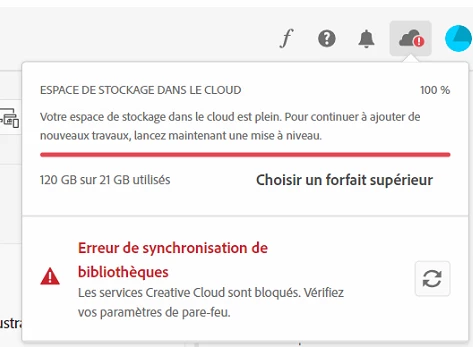
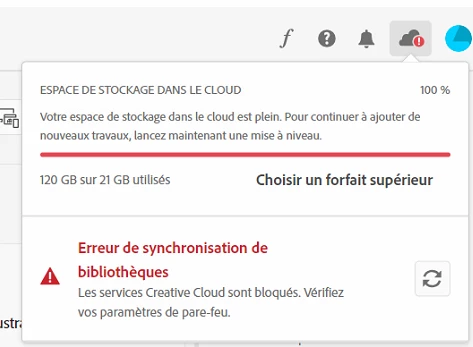
Nous ne savons pas s’il y a une incidence mais notre quota cloud a augmenté subitement sans que nous comprenions la raison.


Nous avons 16 Go de disponible sur le C : sur nos 250 Go et nous avons un autre disque ou sont synchronisées nos photos ou il reste presque 1To.

Nous allons probablement solliciter l’assistance d’Adobe mais si vous avez des pistes ou des éléments qui pourraient nous aider, cela serait super 😊

Un grand merci à vous et bonne journée à vous.


Google traduction :


Hello everyone,

I am writing to you because we are experiencing a problem with the "Lightroom Classic" application.

For a few days now we have not been able to launch the application, we have the message "the Lightroom catalog "..." is corrupted".
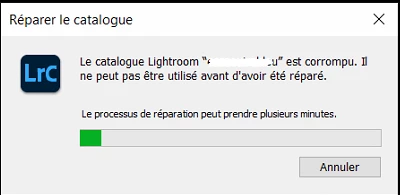


The repair process starts but once finished, we have the following message that appears on the desktop:

The application does not launch and we are forced to force the application to close via the "task manager".

We tried to launch the application with "ALT" in order to force the repair of the catalog but nothing happens. The application does not want to launch.

We do not know if there is an impact but our cloud quota has suddenly increased without us understanding the reason.
 

We have 16 GB available on the C: on our 250 GB and we have another disk where our photos are synchronized where there is almost 1 TB left.

We will probably ask Adobe for assistance but if you have any leads or elements that could help us, that would be great 😊

A big thank you to you and have a nice day.
Correct answer Per Berntsen

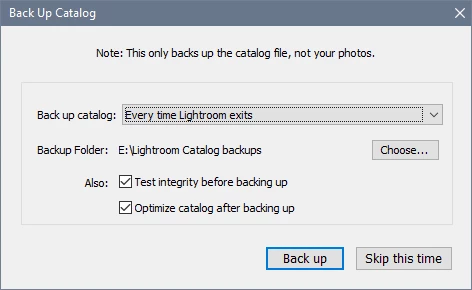
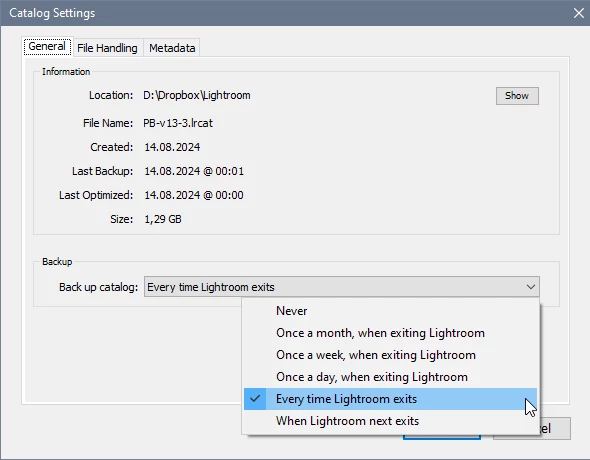
Unless you have set LrC to never back up in Edit > Catalog settings, you should see the backup dialog at regular intervals when you exit. I have it set to back up every time I exit, and I back up if I've done more than say, 10 minutes of work, or if the work I've done is difficult to reproduce, or extremely important. Otherwise I click Skip this time.


This is the backup dialog, where you can choose a location for backups, and also set the frequency.

Test integrity and Optimize catalog should always be checked.

When you create a catalog, you are given the option to choose a location to save the catalog folder in, the default is inside the Pictures folder. The catalog folder will be named "Lightroom" or "Lightroom catalog" (can't remember which) if you accept the default.

Backups are by default saved in a folder which probably is named "Backups" inside the Lightroom folder.


1 reply

Per Berntsen
Community Expert
Community Expert
August 10, 2024

The catalog is obviously corrupted beyond repair, so you have to use the latest backup catalog instead.

Backups are zipped, so you have to unzip it, preferably to the larger drive for the time being, since you are so low on disk space.


16 GB free on C: is next to nothing, you have to clear up a lot of space immediately.

A system drive should have at least 20% free space at any time, but even 50 GB free is not much.

If you also use Photoshop, you should ideally have several hundreds of GB free for the scratch disk.

You really need a bigger hard drive  – at least 512 GB – preferably 1 TB.

Being low on disk space can cause serious issues, and I guess there is a possibility that it could be the cause of the catalog corruption.

Participant
August 14, 2024

Good morning,
Thank you very much for your feedback. I will see about freeing up space on the Cloud and upgrading the system disk. I will try to see where the catalog backups are stored. Do you know if backups are done automatically? Or if it's an operation that I have to do manually? Many thanks to you.
Olive

dj_paige
Legend
August 14, 2024

I don't remember if backups are done by default. I have my LrC set to make backups automatically. You would have seen a dialog box about backups when you close LrC if you are making backups, so you should know if backups are being made.