
foetoefeak
Known Participant
November 27, 2019
Answered

Problem with preset drop-down menu Lightroom Classic 9.0

  • November 27, 2019
  • 6 replies
  • 1217 views

Hello! My Brixton and Luxe Lens presets dropdowns are not dropping down. I have Lr ClassicVersion 9.0 (released November 2019).  Any help would be most appreciated.


{Thread renamed by moderator}
This topic has been closed for replies.
Correct answer johnrellis

[This post contains formatting and embedded images that don't appear in email. View the post in your Web browser.]


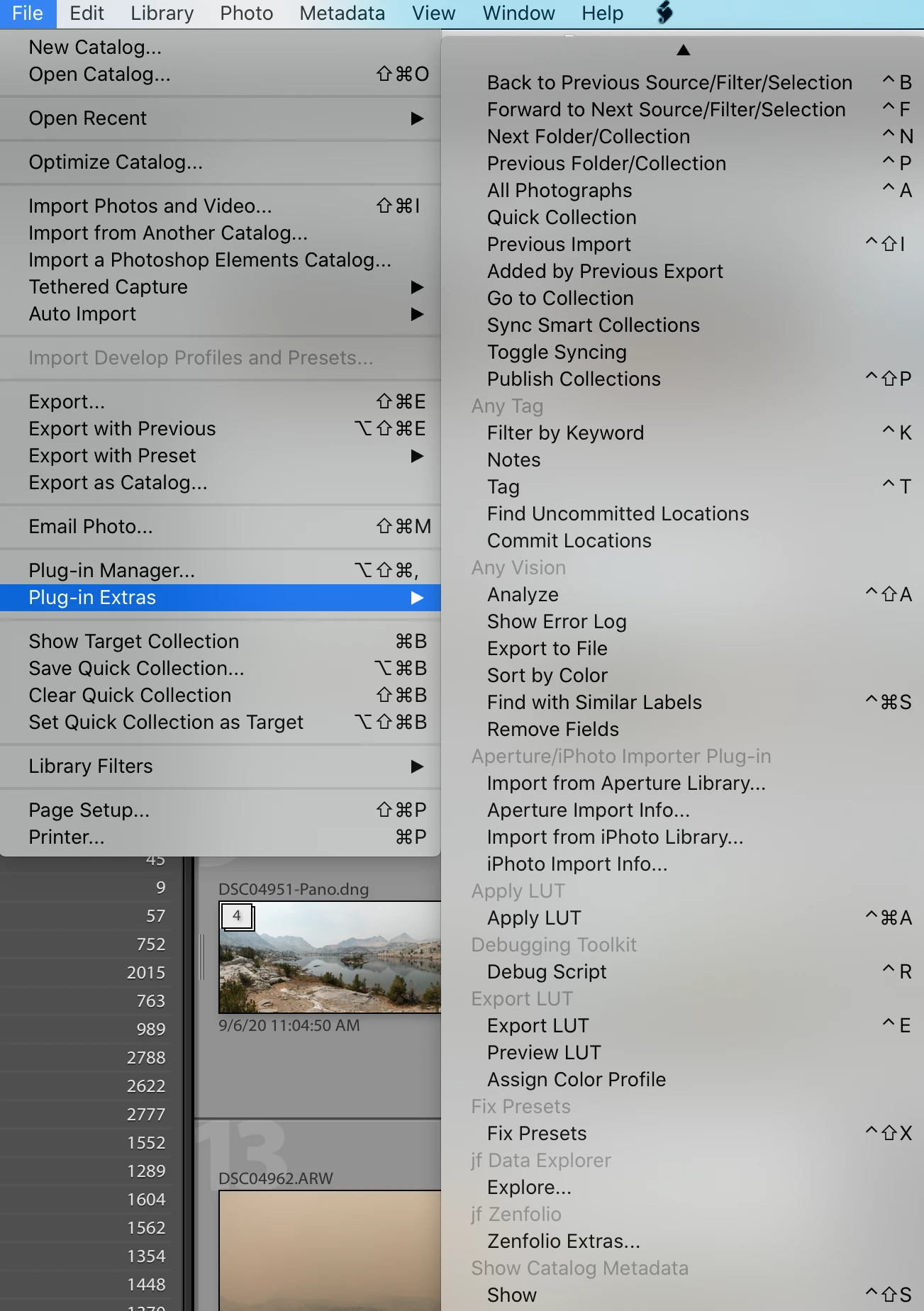
"Has anyone seen a dropdown menu like this one where grayed-out items appear before a link?"


Those gray items are the names of the plugins that contain the commands that follow them:

[Use the blue reply button under the first post to ensure replies sort properly.]

6 replies

johnrellis
johnrellisCorrect answer
Legend
September 26, 2020

[This post contains formatting and embedded images that don't appear in email. View the post in your Web browser.]


"Has anyone seen a dropdown menu like this one where grayed-out items appear before a link?"


Those gray items are the names of the plugins that contain the commands that follow them:

[Use the blue reply button under the first post to ensure replies sort properly.]

Frank Pl
Participant
September 25, 2020

 Has anyone seen a dropdown menu like this one where grayed-out items appear before a link?

johnrellis
Legend
November 27, 2019

Glad you solved the problem. The Presets Panel could certainly be improved...

foetoefeak
Known Participant
November 27, 2019

Thank you for giving me a good excuse, John!  😉

johnrellis
Legend
November 27, 2019

The screenshots helps understand your context.  Just to double-check, are you clicking on the little black triangle to the left of a preset group? Clicking on the name itself (e.g. "B&W") does nothing.

foetoefeak
Known Participant
November 27, 2019

Oh.My.Goodness.  You solved the mystery!  I have been clicking on the name, not the triangle!  I thank you SO VERY MUCH!!!  🙂

johnrellis
Legend
November 27, 2019

If Sahil's suggestion doesn't help, please post a screenshot of the entire LR window when this occurs -- screenshots often give valuable troubleshooting clues.


[Use the reply button under the first post to ensure replies sort properly.]

foetoefeak
Known Participant
November 27, 2019

Thank you, John.  Here is the complete window.

foetoefeak
Known Participant
November 27, 2019

John...I see that the image is quite small.  Please let me know if you'd like to see a larger version.

Sahil.Chawla
Adobe Employee
Adobe Employee
November 27, 2019

Hi there,


Welcome to the Adobe Community!

As the preset menu is not opening, could you please share a screenshot of the preset panel? Also, have you tried resetting the presets again and see if that helps?


Does the default Lightroom presets open and work?


You may try resetting the preferences of Lightroom and see if that helps: 

1. Close Lightroom.
2. Hold down [Alt/Opt]+[Shift] while restarting Lightroom. 
3. Overwrite the Preferences when prompted by the dialog.
4. Close Lightroom.
5. Restart Lightroom.


Regards,
Sahil

foetoefeak
Known Participant
November 27, 2019

Thank you for the welcome, Sahil.  Here is a screenshot of the presets.  The default presets do not drop down, either.  I did as you suggested, and overwrote the preferences and rebooted...the problem persists.  I have not yet tried resetting the presets.  I am unsure as to how to do that.  I do appreciate your kind help and patience!