
Participant
Oct 21, 2022 4:25 AM UTC
Question

Problem with syncing LrC - cannot finnish = pending

Hello! I am having an issue with the never-ending syncing (pending) of 2 photos. This issue has continued through at least two LrC version upgrades for more than 4 months.

I have read all of the forums - no solution worked for me. I cannot locate the files - one is on an old computer already deleted from my account - and the second is on an old phone - again, not connected. The web version has no syncing issues - it doesn't see those two files.
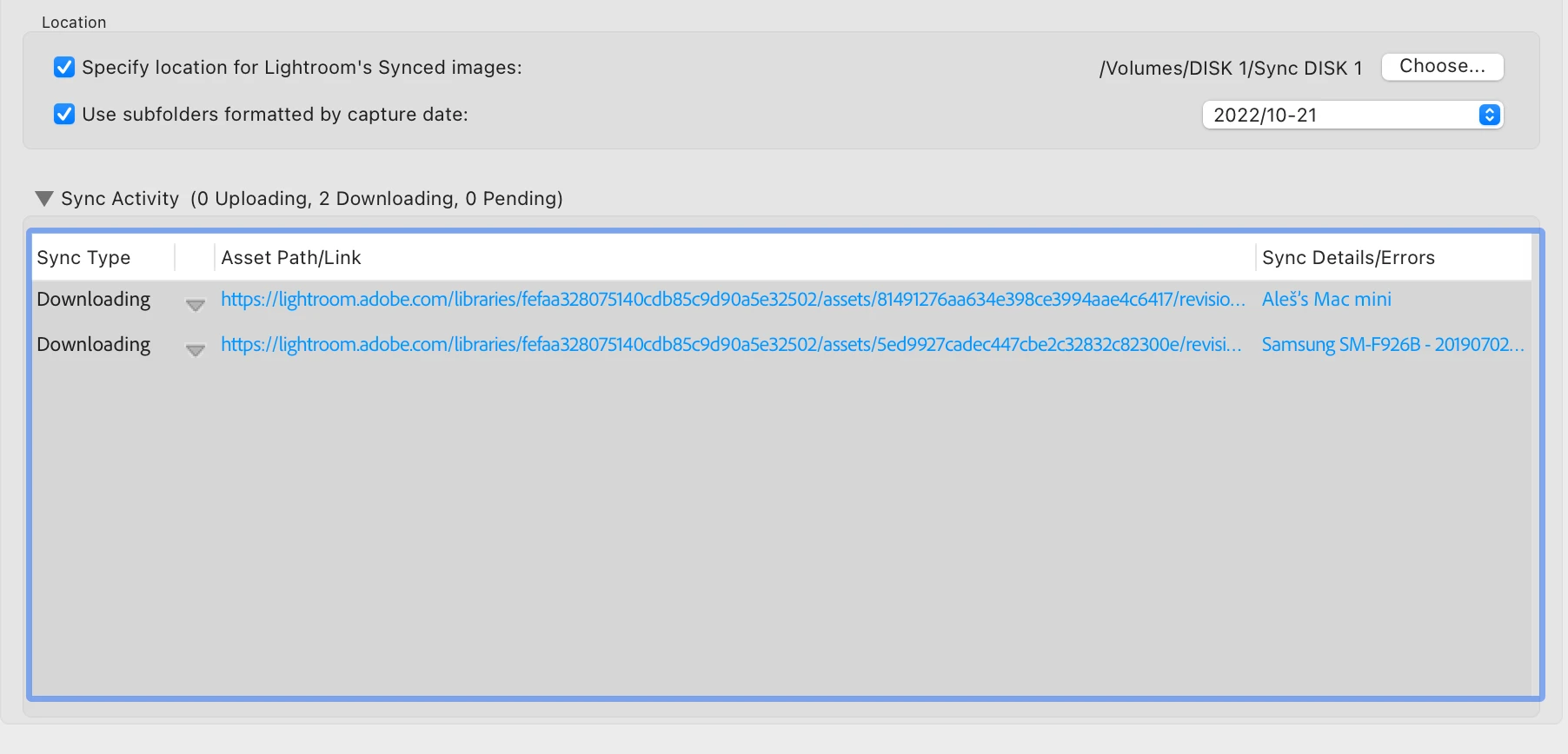
I would mind it, but it prevents my mac from going to sleep mode during the night - and even wakes it up.


I would be grateful for any solution!

This topic is closed to new replies. Start a new post to keep the conversation going.

2 replies

Sameer K
Community Manager
Community Manager
Oct 21, 2022 8:08 PM UTC

Welcome to Lightroom Classic Community. I'd love to help you figure this out.


Go to Lightroom Classic & try these steps.

  • If the below-mentioned option is enabled & you have set Lightroom Classic to store synced originals to an external drive, as a test, uncheck this setting.


If only everything looks good, synced & backed up on Lightroom Web (https://lightroom.adobe.com), proceed further.


  • Go to Preferences > Lightroom Sync > Press & Hold the OPT key > Select 'Generate Diagnostic Report' > upload this to Creative Cloud files (https://assets.adobe.com/files) and share with me in DM.
  • In the same menu, select > Rebuild Sync Data & let this finish. You can leave Lightroom Classic running overnight or at least a couple of hours at this stage.


Let me know how it goes from here,

Thanks!
Sameer K

Translate
Participant
Oct 22, 2022 8:23 PM UTC

Hello,


I did as You said, but after some hours od syncing all the 70k photos once again - there are still the 2 not synced as before.

And now my Lr mobile is not syncing any new photos.

Do you know what should I do?

Thanks!

Ales


Translate