Participant
May 12, 2025
Question

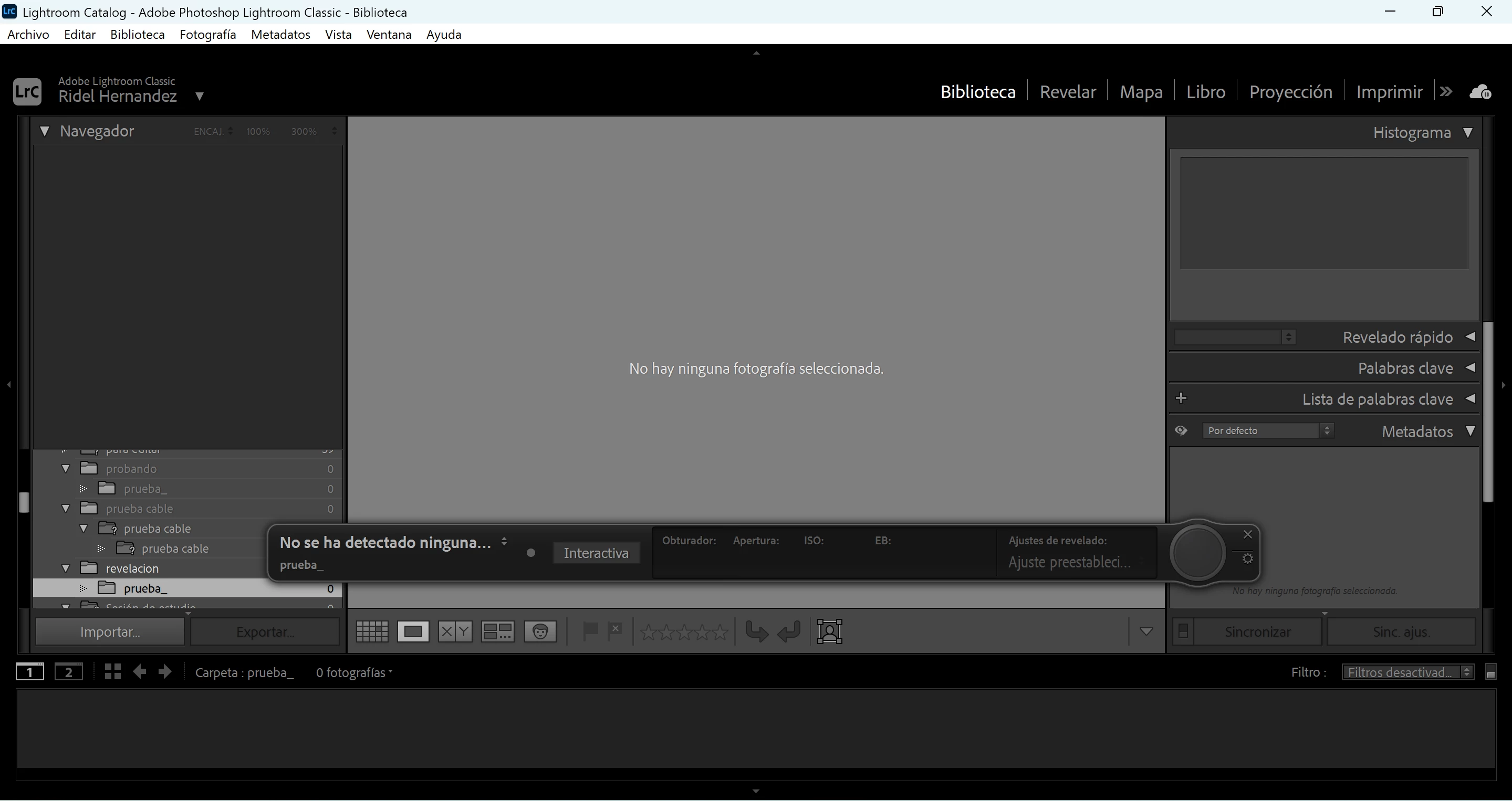
problema al conectar la camara a lightroom

  • May 12, 2025
  • 4 replies
  • 645 views

tengo problema al conectar la camara a lightroom 

la camara se conecta y funciona el boton de disparador pero cuando disparo la foto no sale en lightroom que podria ser 
4 replies

kglad
Community Expert
Community Expert
May 12, 2025

in the future, to find the best place to post your message, use the list here, https://community.adobe.com/

p.s. i don't think the adobe website, and forums in particular, are easy to navigate, so don't spend a lot of time searching that forum list. do your best and we'll move the post (like this one has already been moved) if it helps you get responses.


<"moved from using the community">
AxelMatt
Community Expert
Community Expert
May 12, 2025

Try resetting the preferences of Lightroom Classic:  How to reset Lightroom Classic preferences (adobe.com)

It's recommended to backup your preferences before you reset the preferences to the default settings: 

https://helpx.adobe.com/lightroom-classic/kb/preference-file-and-other-file-locations.html


If this doesn't help see here: Fix tethered shooting in Lightroom


My System: Intel i7-8700K - 64GB RAM - NVidia Geforce RTX 3060 - Windows 11 Pro 25H2 -- LR-Classic 15 - Photoshop 27 - Nik Collection 8 - PureRAW 5 - Topaz Photo
Participant
May 12, 2025

mi camara se conecta a lightroom classic 

pero al tratar disparar fotos no me la muestra en la pantalla 

probe con el software original de la camara y si funciona 

pero en lightroom no quiere mostrarme la foto si se conecta pero no muestra las fotos 

mi camara es una canon R100 

lightroom 14.3.1

windows 11 


Participant
May 12, 2025
Captura_de_pantalla_2025-05-12_132336.png
AxelMatt
Community Expert
Community Expert
May 12, 2025

We need more informations about your environment.

Which type ofcamera do you use?

Which operation systm do you use?

Which version of Lightroom do you use?

it my be can help to provide a copy of your 'System Info'. This can be get from the LrC Help > System Info menu item. There's a copy button in the System Info dialog. Press this button and paste the info into your next forum post.


Check here if your camera is fully supported: A list of cameras that can be tethered to Lightroom Classic


My System: Intel i7-8700K - 64GB RAM - NVidia Geforce RTX 3060 - Windows 11 Pro 25H2 -- LR-Classic 15 - Photoshop 27 - Nik Collection 8 - PureRAW 5 - Topaz Photo
Participant
May 12, 2025

utiliso una r100

windos11 

version 14.3.1
