

December 15, 2025
Answered

problemas con Lightroom classic 15.0.1

  • December 15, 2025
  • 3 replies
  • 135 views

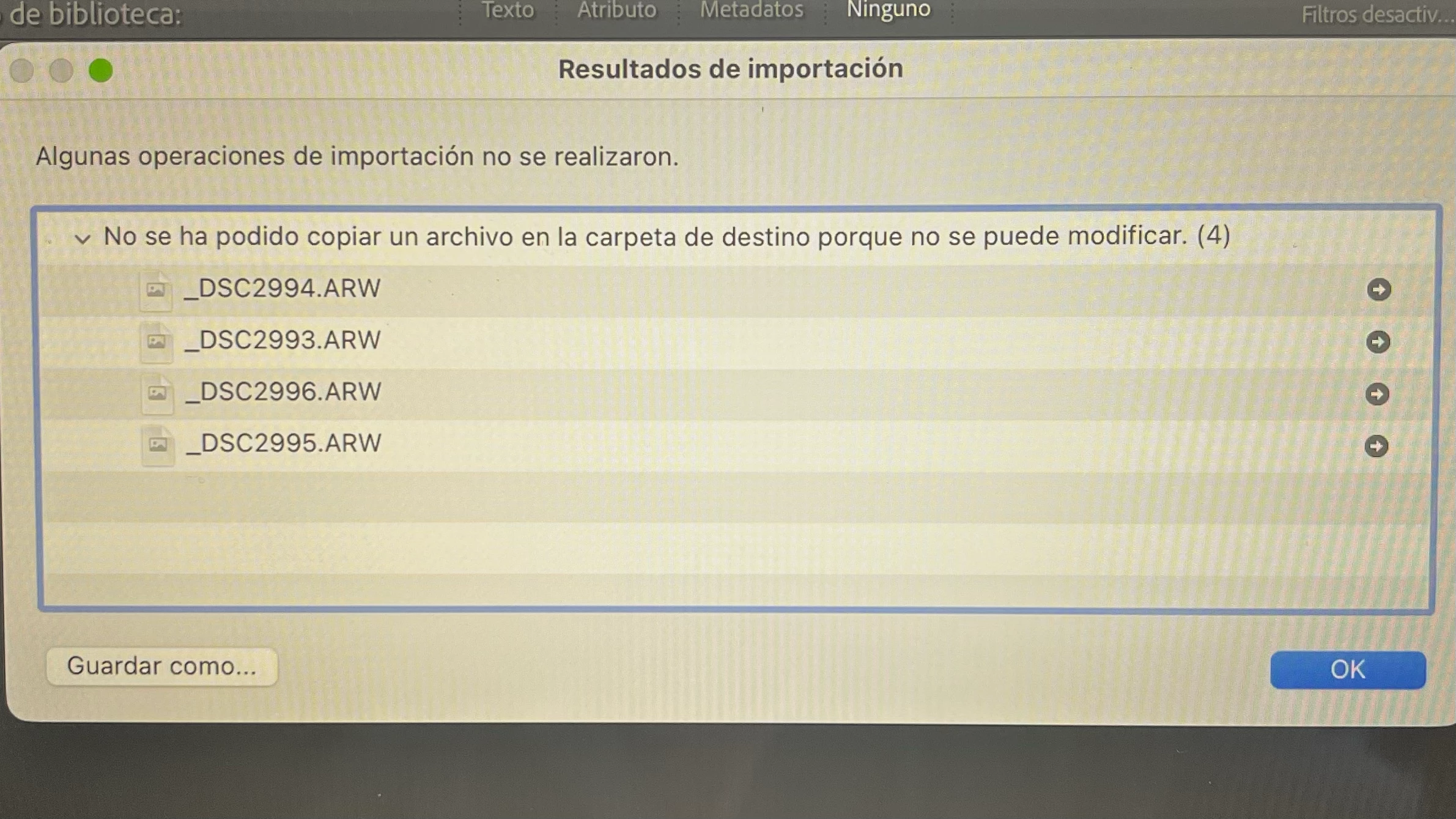
hola, algien sabe por que sale esto y como puedo solucionarlo 

no me deja trasferir las imagenes de mis dos camaras sony ( a7ii y a7iv) que tengo en las dos me sale lo mismo



Correct answer nikunj.m

Hi, thanks for reaching out! Apart from what dj_paige suggested, you can try a couple of other things. 

1. Try updating Lightroom Classic to version 15.1 to check if it makes a difference. 

2. Check if Lightroom Classic is added to Full Disk Access and has permissions to Files and Folders. You can check out: https://adobe.ly/4s1pZIv


Let us know how it goes! 
Thanks,
Nikunj

3 replies

nikunj.m
nikunj.mCorrect answer
Legend
December 16, 2025

Hi, thanks for reaching out! Apart from what dj_paige suggested, you can try a couple of other things. 

1. Try updating Lightroom Classic to version 15.1 to check if it makes a difference. 

2. Check if Lightroom Classic is added to Full Disk Access and has permissions to Files and Folders. You can check out: https://adobe.ly/4s1pZIv


Let us know how it goes! 
Thanks,
Nikunj

dj_paige
Legend
December 16, 2025

Please determine the Destination Folder in the Lightroom Classic Import dialog box. Once you know this folder name, please go into your operating system and change the permissions so that you have write access to this folder.


Alternative: change the Destination folder to some other location where you do have write permission.

johnrellis
Legend
December 16, 2025

Google translation: "Some import operations were not performed.  A file could not be copied to the destination folder because it cannot be modified."


2d586799-ea3b-460b-8dac-fcf5fd0ebb58.png
