Participant
March 8, 2025
Answered

Problème avec profils ICC qui n'apparaissent pas
  • March 8, 2025
  • 1 reply
  • 231 views

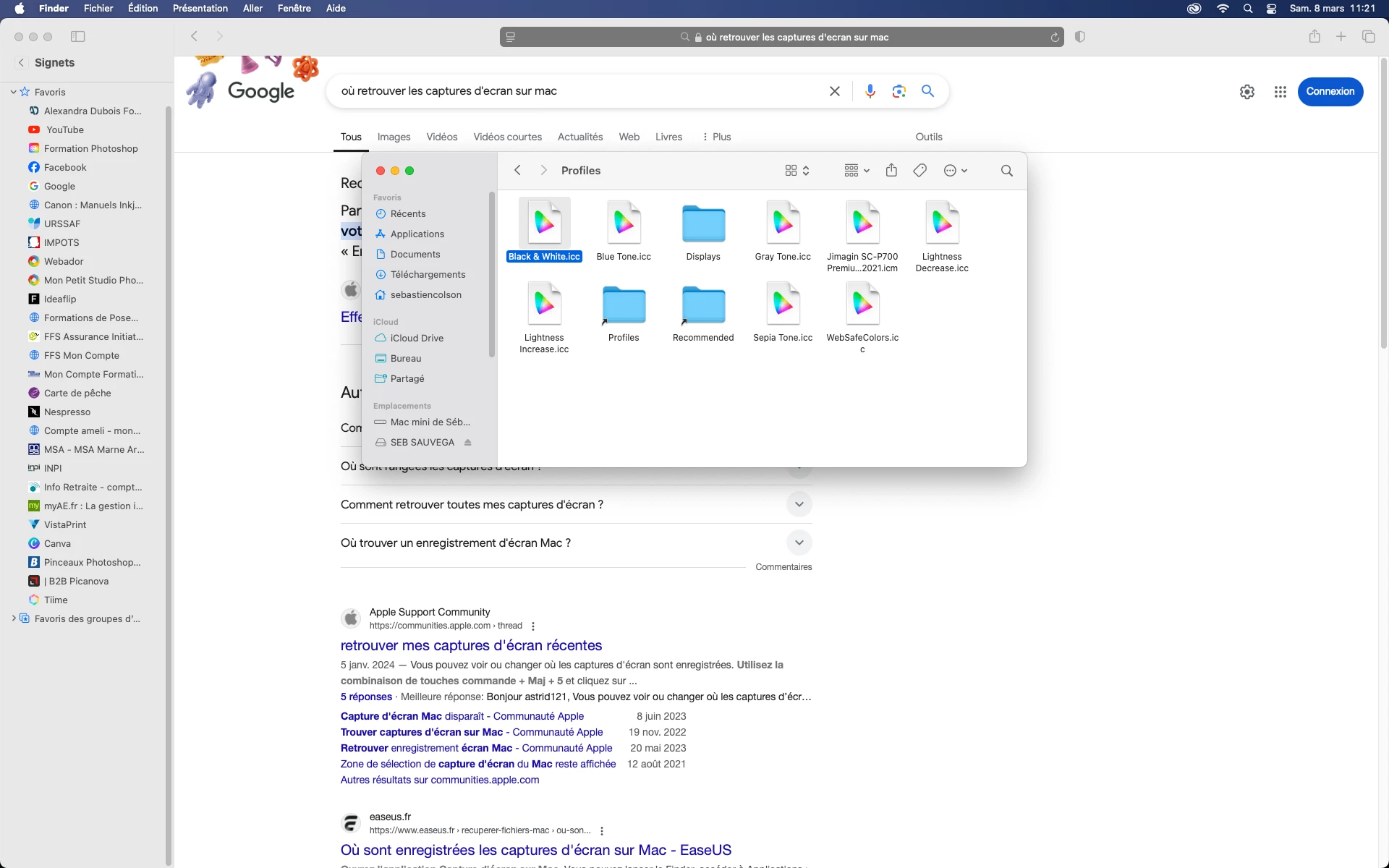
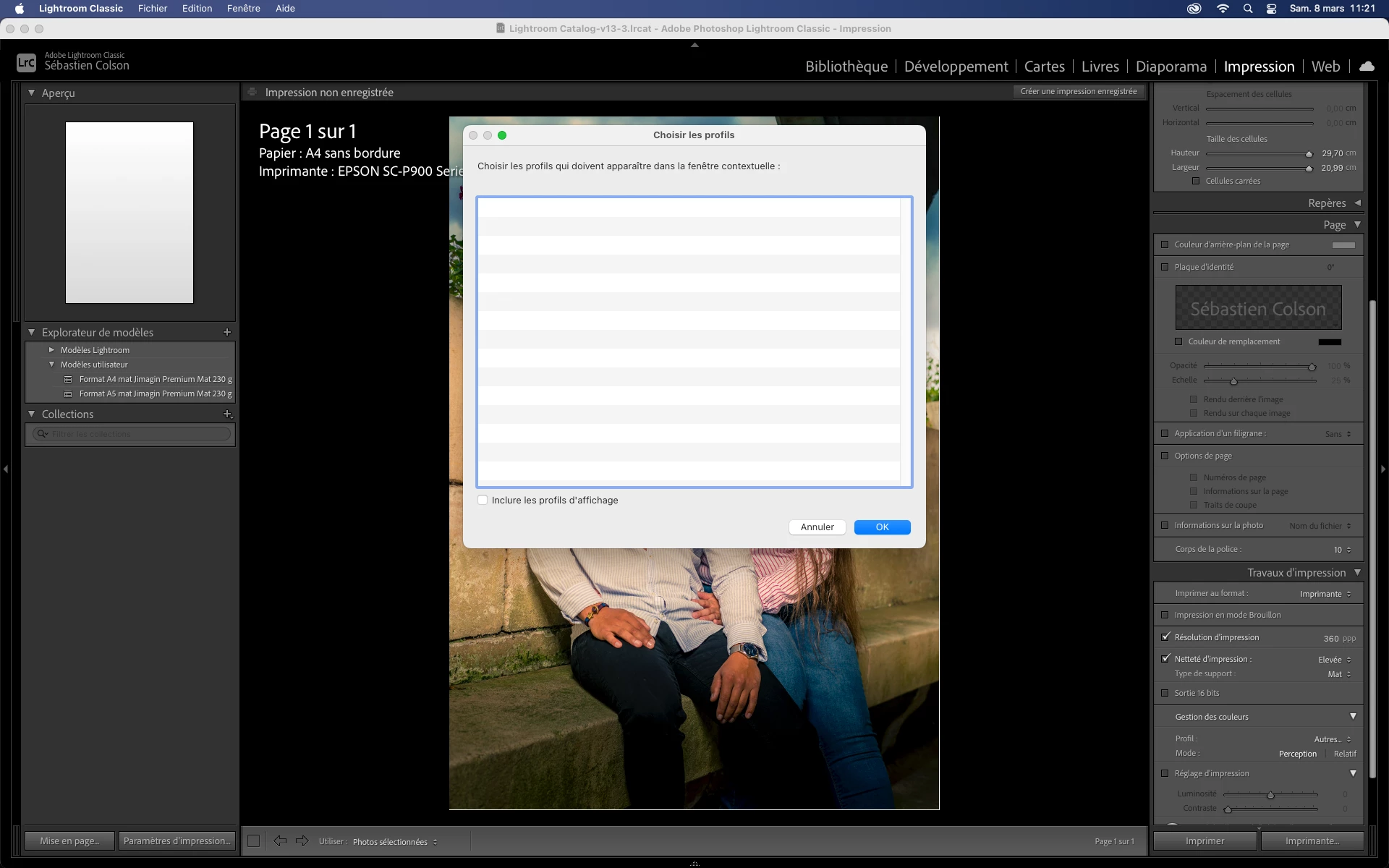
Bonjour à tous, quand je veux imprimer dans l'onglet impression de LRC je n'ai pas les profils ICC qui s'affichent et pourtant ils sont bien dans le répertoire approprié,

Ca fait un bout de temps que je galère avec ça mais là... je bloque, j'ai essayé un peu tous y compris la réinstallation du logiciel.


Merci de votre aide

Correct answer JohanElzenga

Yes, you do have to load the printer profiles in the dialog you show in your first screenshot. Then you choose the profile in the Print module. 
https://helpx.adobe.com/lightroom-classic/help/print-module-basics.html


1 reply

JohanElzenga
Community Expert
Community Expert
March 8, 2025

Most of the profiles shown in your screenshot are not printer profiles, so they should not show. As far as I can see there is only one printer profile. Could that profile be CMYK based? Lightroom Classic only supports RGB based icc-profiles.


-- Johan W. Elzenga
Participant
March 8, 2025

bonjour, merci de la réponse . Dois-je passer passer par LR pour avoir acces au différents profils? je suis novice dans l'impression et je ne comprends pas trop les profils des papiers...


JohanElzenga
Community Expert
JohanElzengaCommunity ExpertCorrect answer
Community Expert
March 8, 2025

Yes, you do have to load the printer profiles in the dialog you show in your first screenshot. Then you choose the profile in the Print module. 
https://helpx.adobe.com/lightroom-classic/help/print-module-basics.html


-- Johan W. Elzenga